


The Nutanix Command Line Interface (nCLI) Overview explains how to use nCLI commands to retrieve and manage important information from a Nutanix Cluster. This command-line tool provides administrators with another option for performing management tasks directly from the Controller VM (CVM).
In this article, we will demonstrate practical examples of nCLI commands used to check cluster configuration, host information, and virtual machine details. These commands can be useful during administration, troubleshooting, and daily Nutanix operations.
To execute nCLI commands, connect to any Controller VM (CVM) in the Nutanix cluster. After accessing the CVM command line, administrators can run different nCLI namespaces to retrieve specific environment information.
First and foremost, How can I execute the nCLI?
To run nCLI, we can access any Controller VM (CVM) in the cluster:

Since we are using the Nutanix AOS 6.5 in our lab environment, the following documentation can be used for all nCLI options:
Executing nCLI to Get Cluster Details (ncli cluster)
Checking the configured cluster name servers (DNS servers) and NTP servers:
#Getting configured DNS servers on the Nutanix cluster:
ncli cluster get-name-servers

#Getting configured NTP servers on the Nutanix cluster:
ncli cluster get-ntp-servers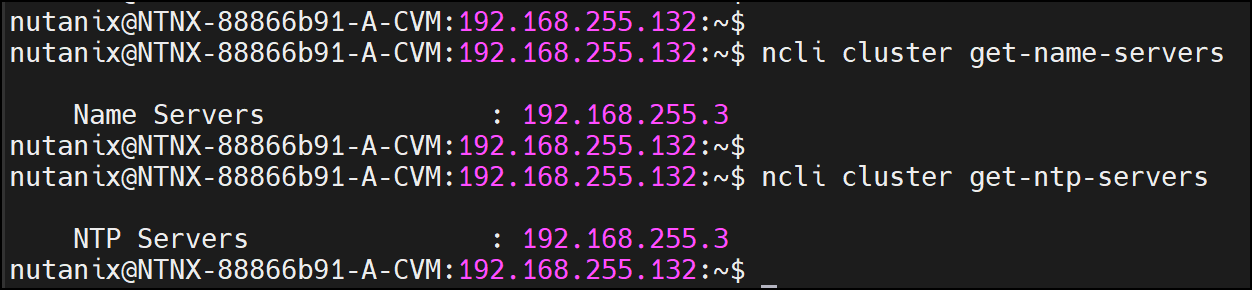
We can use the following command to get:
- Cluster ID and UUID
- Cluster Name and Version
- Virtual IP address (aka External IP address)
- Node count
- External IP Data Services
- RF1 Container Support (Enabled or not)
- NCC version
- Etc…….
ncli cluster get-params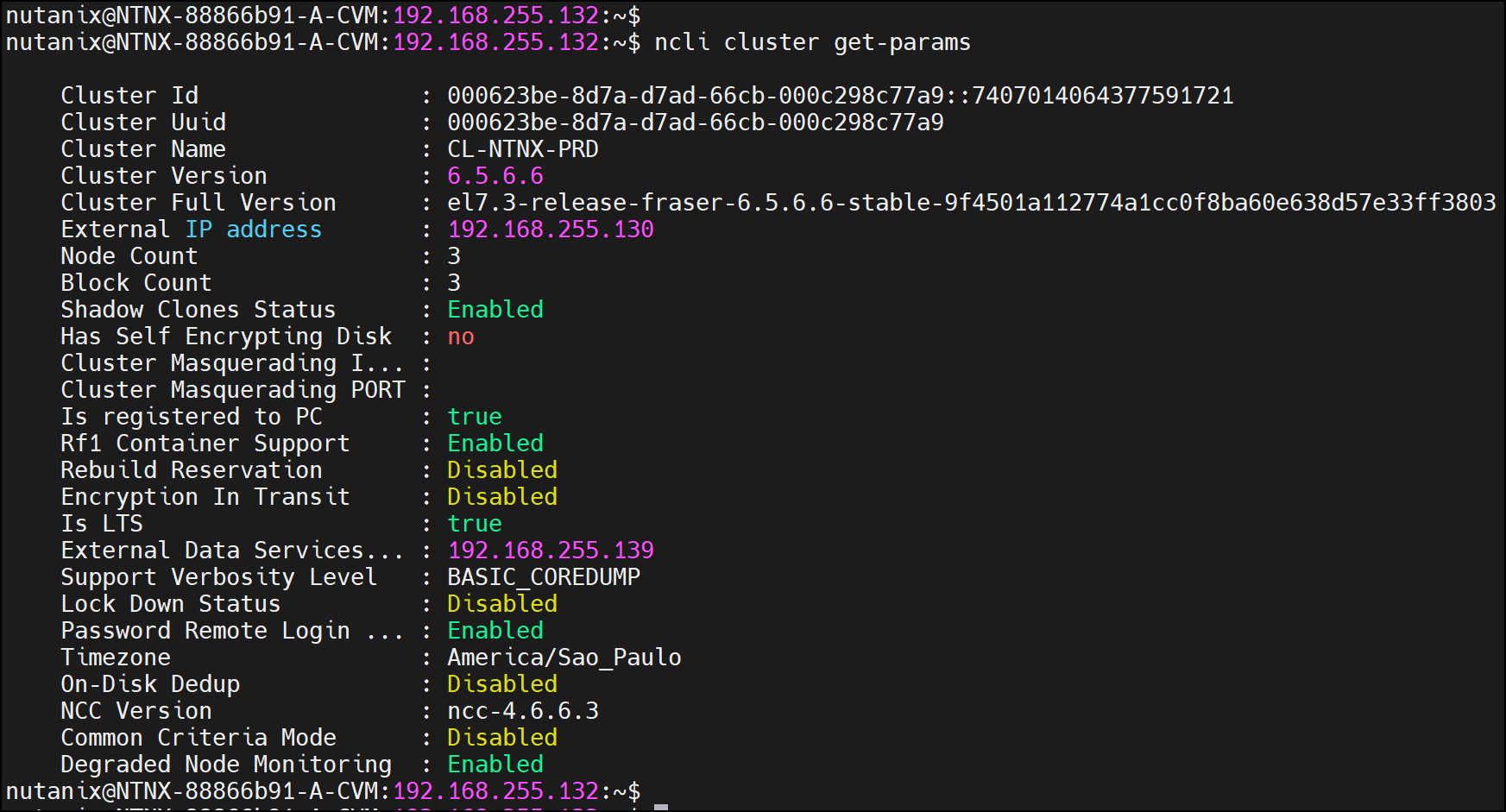
If you need to get only the cluster version:
ncli cluster version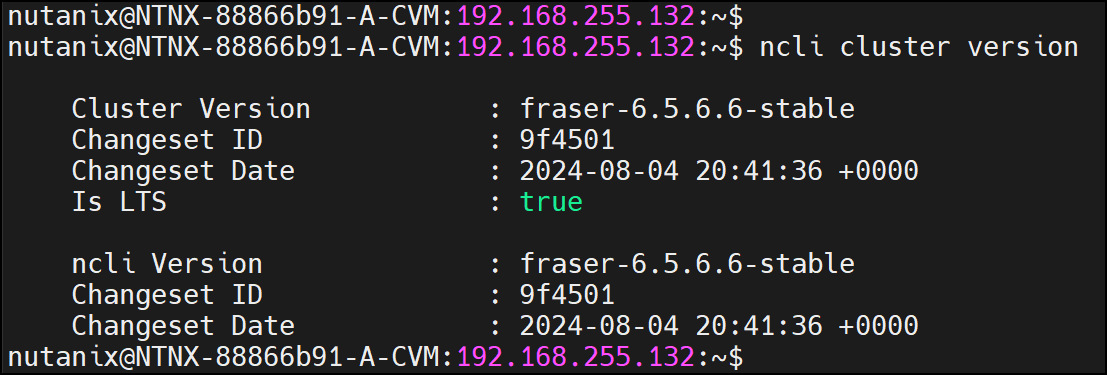
To get the cluster redundancy state (Redundancy Factor) and resiliency preference:
#Getting the cluster redundancy state:
ncli cluster get-redundancy-state

#Getting the cluster resiliency preference:
ncli cluster get-resiliency-preference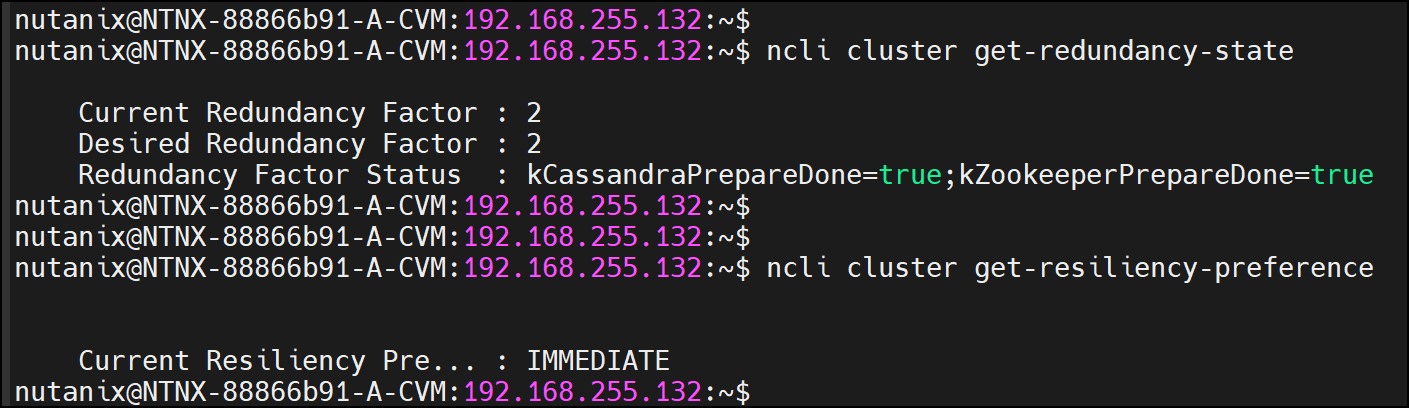
To get the status for all cluster services (on all Controller VMs):
ncli cluster status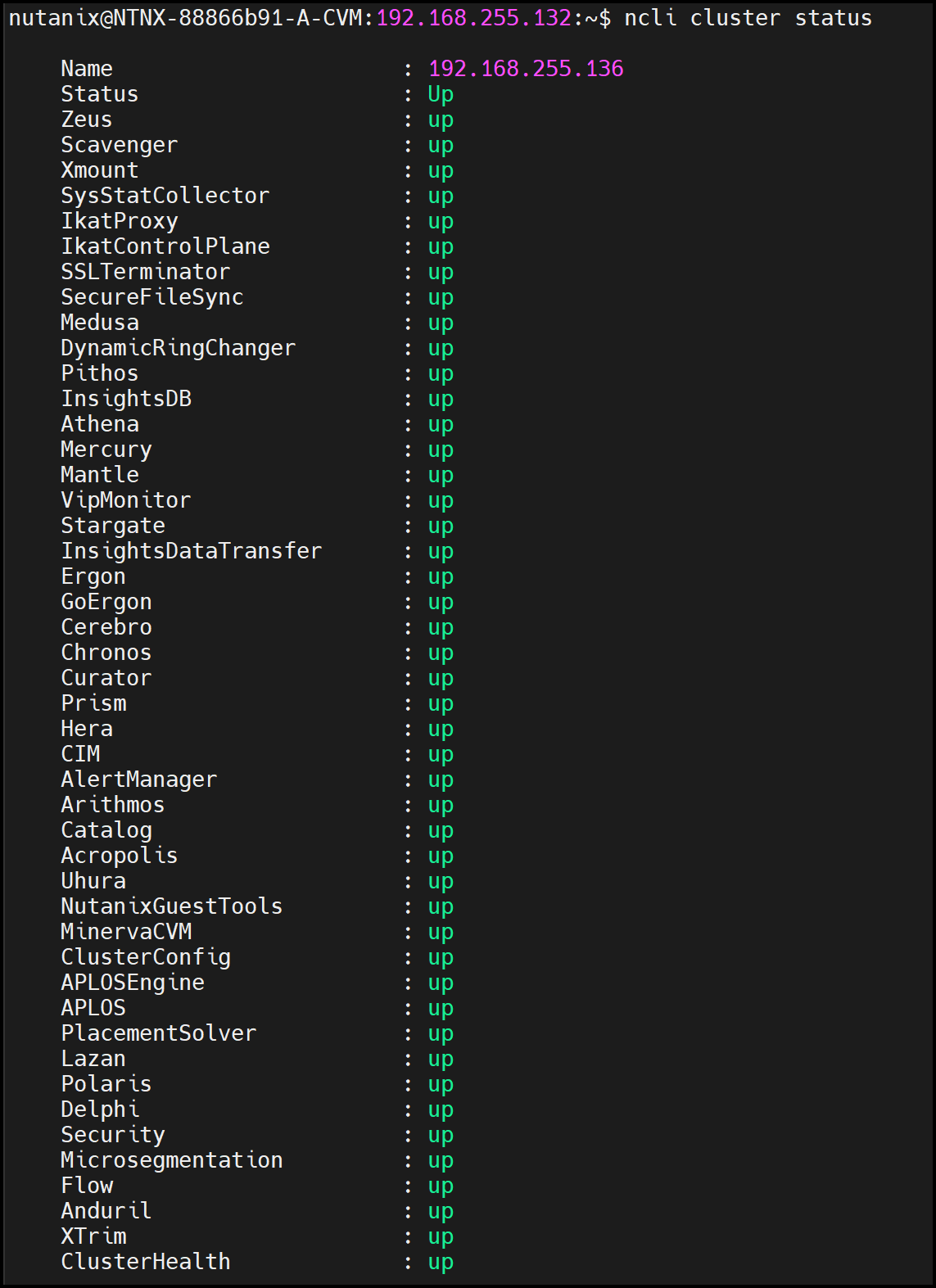
(…we have omitted the total command output….)
Executing nCLI to Get Host Details (ncli host)
To list all hosts (hypervisors) and their details:
ncli host list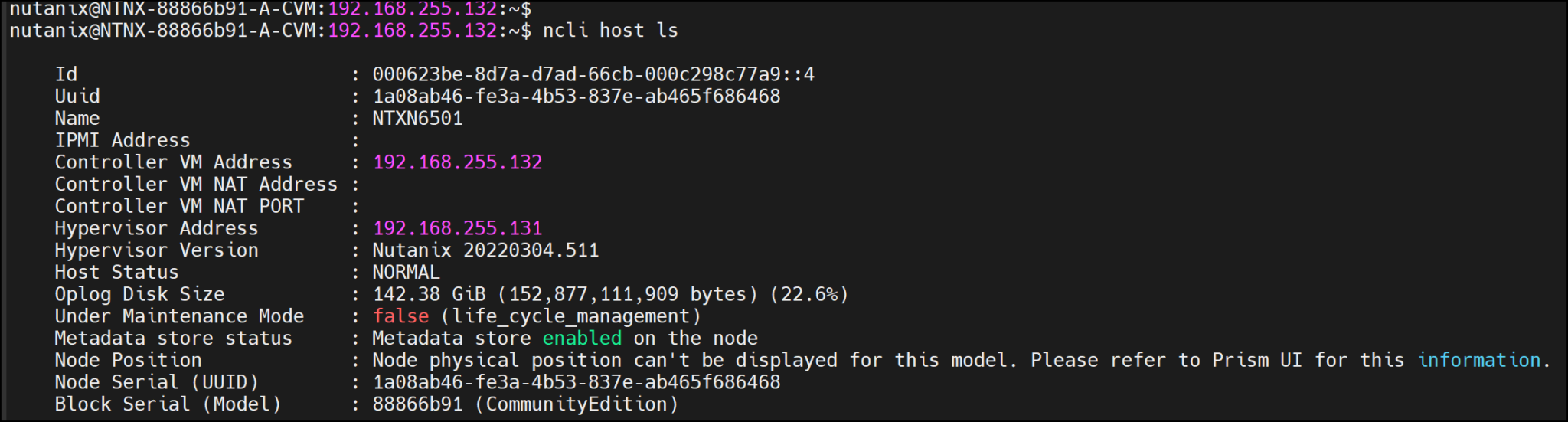
To get stats data for hosts:
ncli host list-stats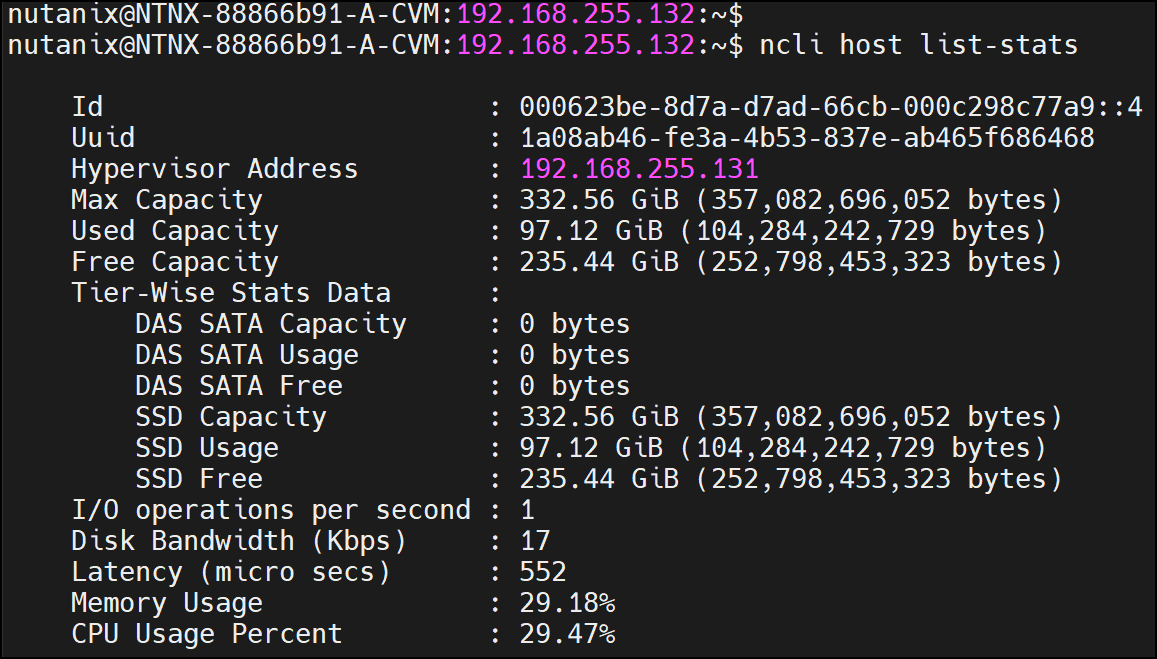
Example of usage: To get the current CPU and Memory usage (%) for all Hypervisors:
ncli host list-stats | egrep -i "Hypervisor|CPU Usage|Memory" | awk '/CPU Usage Percent/ {print; print "-----------------------"} !/CPU Usage Percent/ {print}'

or

ncli host list-stats | egrep -i "Hypervisor|CPU Usage|Memory" | sed '/CPU Usage Percent/a --------------------------'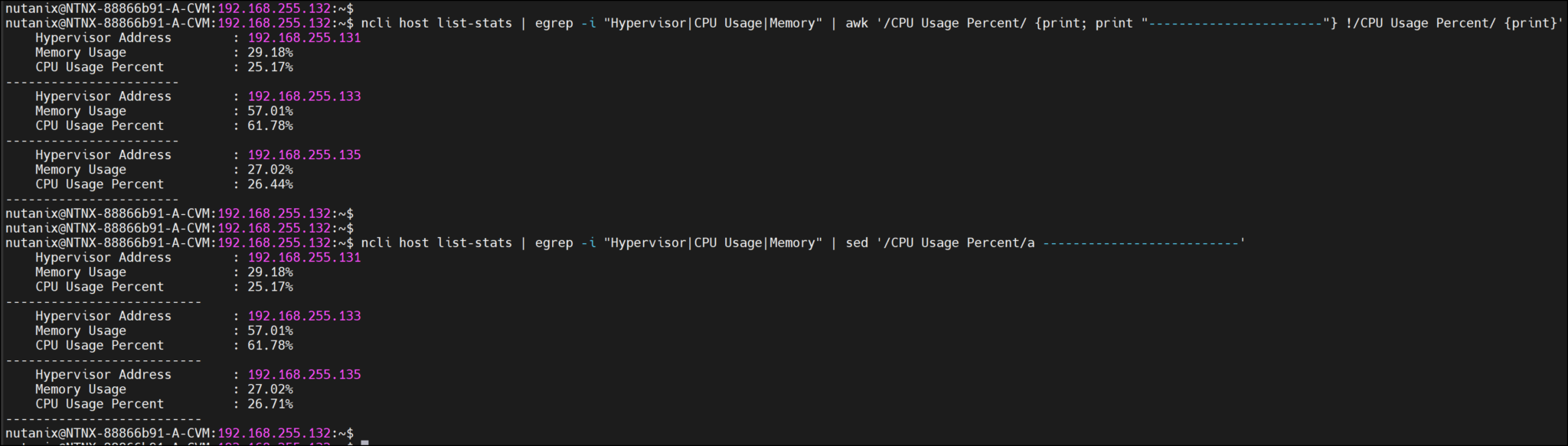
Executing nCLI to Get VM Details (ncli virtualmachine)
To list all virtual machines (VMs):
ncli virtualmachine list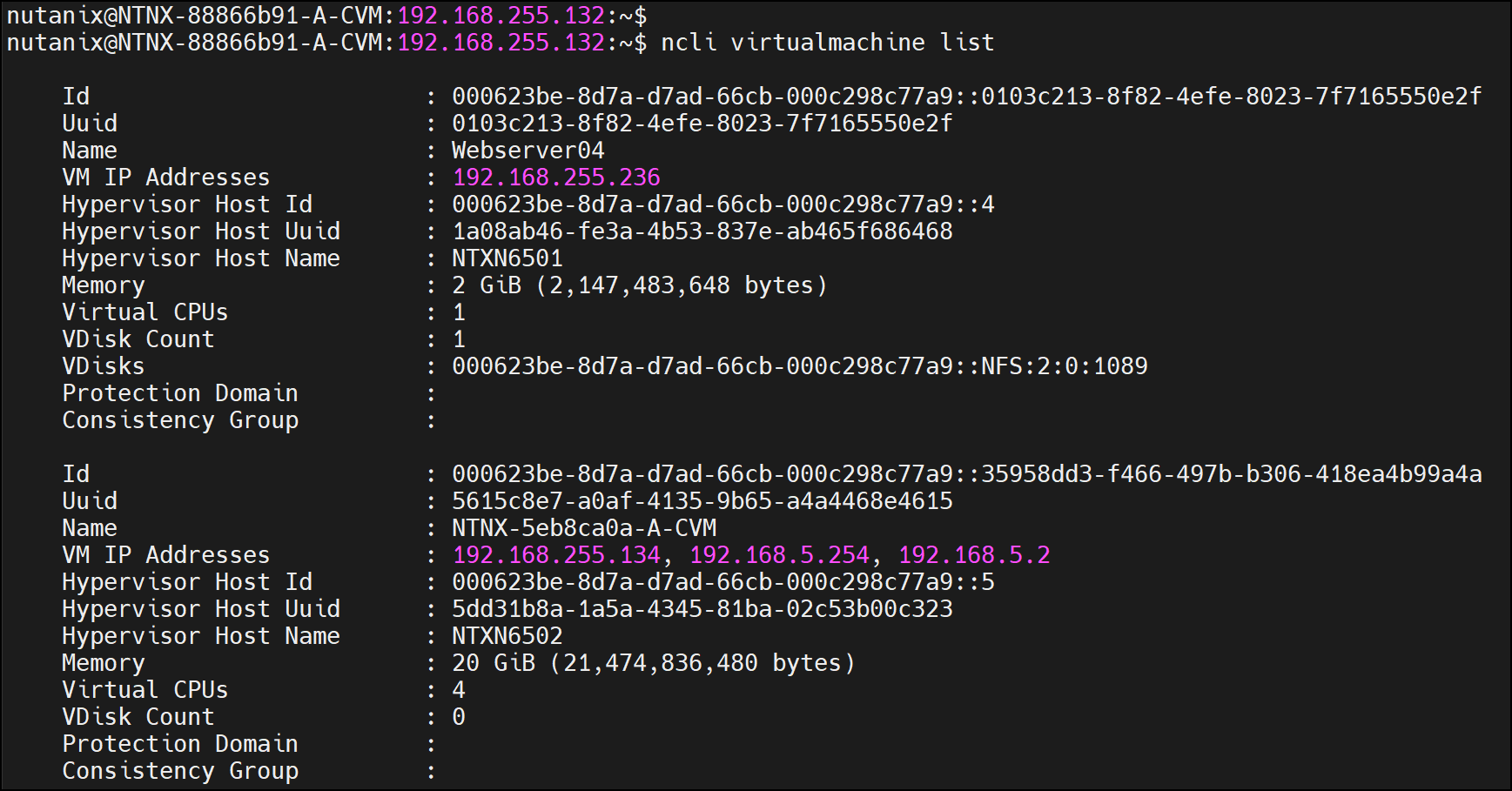
To get stats for each virtual machine (VM):
ncli virtualmachine list-stats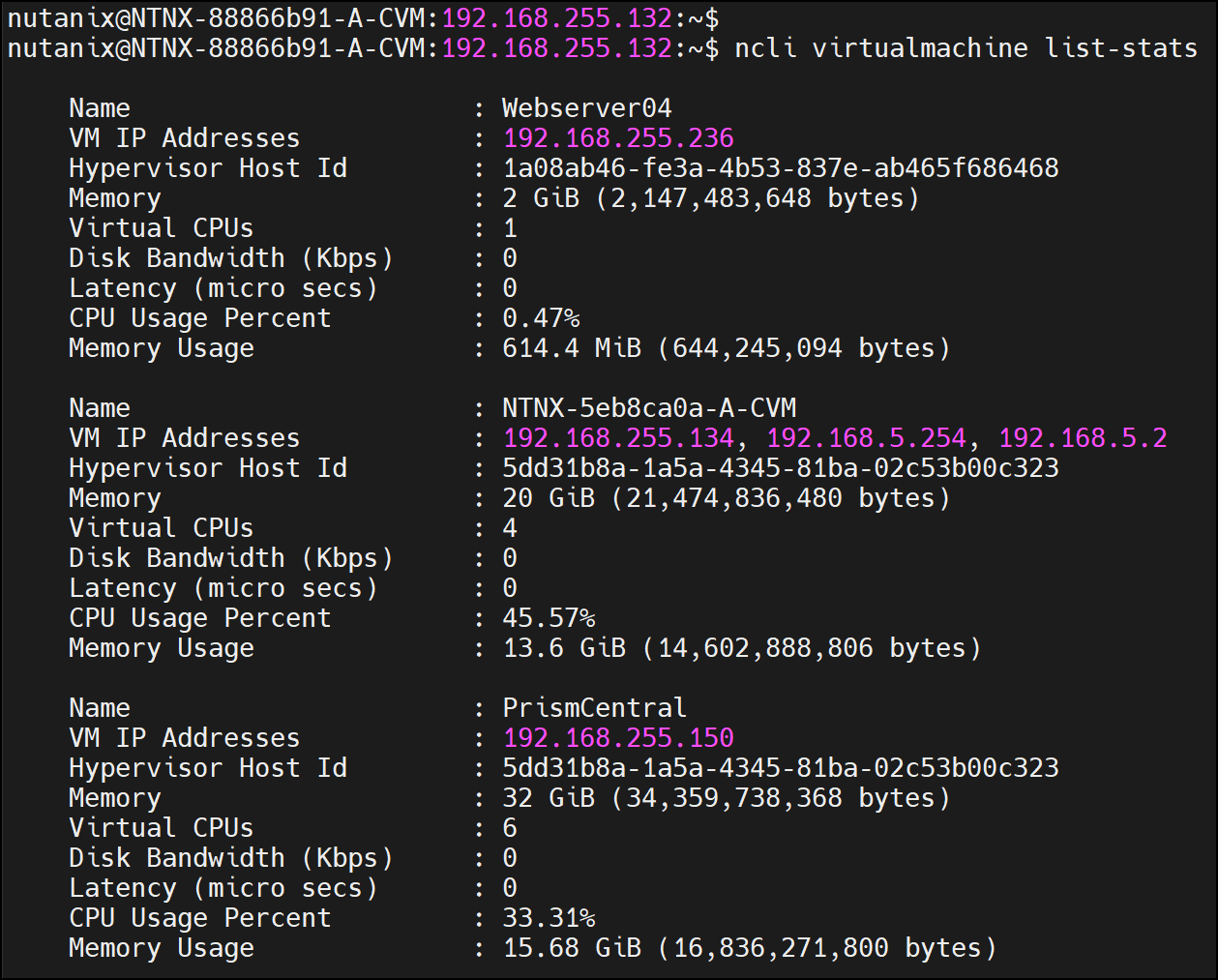
Example of Usage: To get the CPU usage (%) and Memory Usage (bytes) for all Controller VMs (CVMs):
ncli virtualmachine list-stats | egrep -i "Name|CPU Usage|Memory Usage" | grep -A2 '\CVM' | sed '/Memory Usage/a --'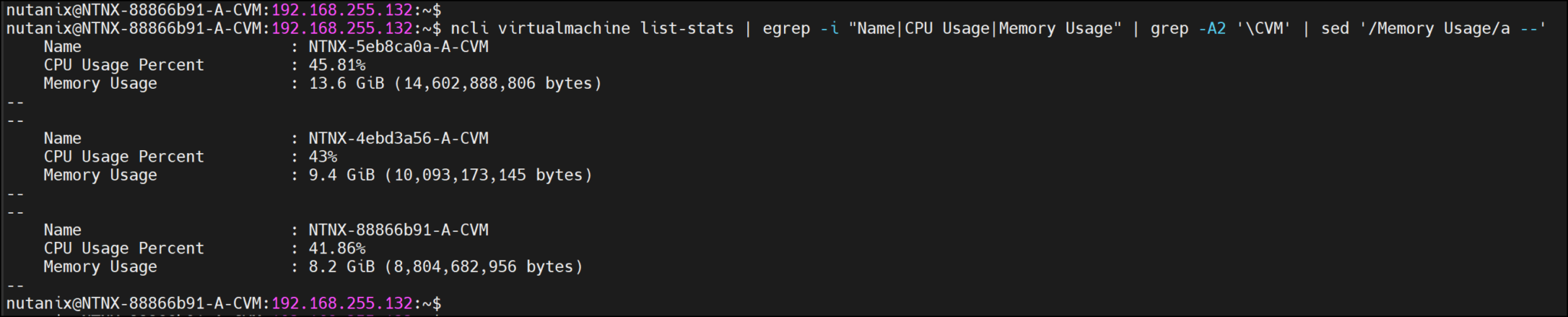
That’s it 🙂
