

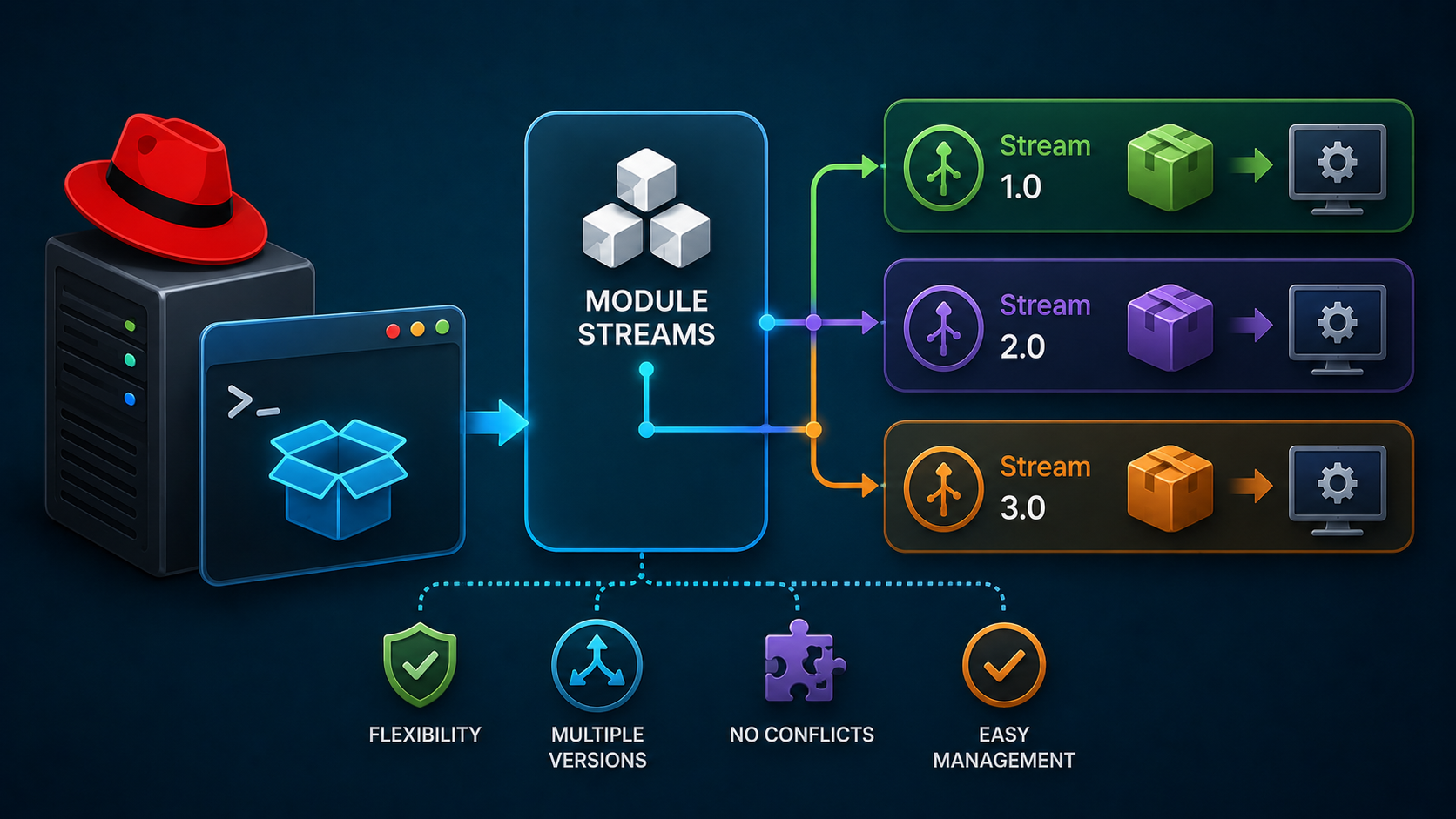
Module Streams on RHEL are part of the Application Streams feature that allows administrators to manage multiple software versions on the same Red Hat Enterprise Linux system. This approach provides flexibility by enabling different application versions without creating package conflicts.
Key Concepts:
- Modules: Collections of RPM packages grouped.
- Streams: Different versions of a module (e.g.,
nodejs:10,nodejs:12). - Profiles: Predefined sets of packages within a stream (e.g.,
default,development).
This system lets you install and manage different versions of software without conflicts.
1- List all available modules:
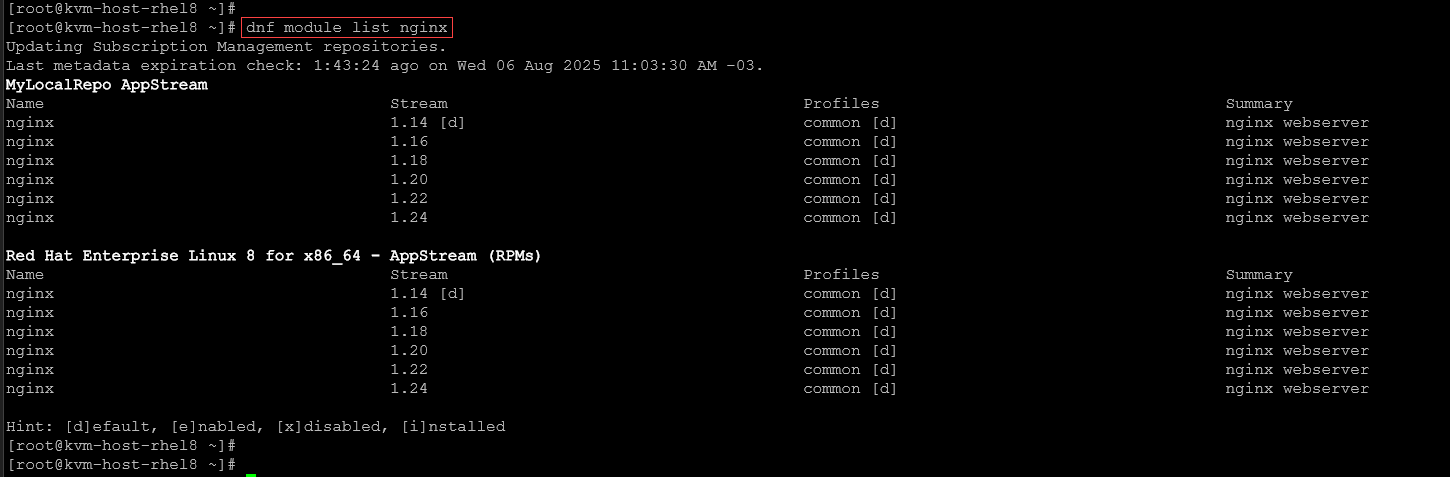
dnf module list2- Filtering by a specific module:
dnf module list | grep nginxor
dnf module list nginxAs we can see, the default stream (version) for the Nginx module is 1.14:
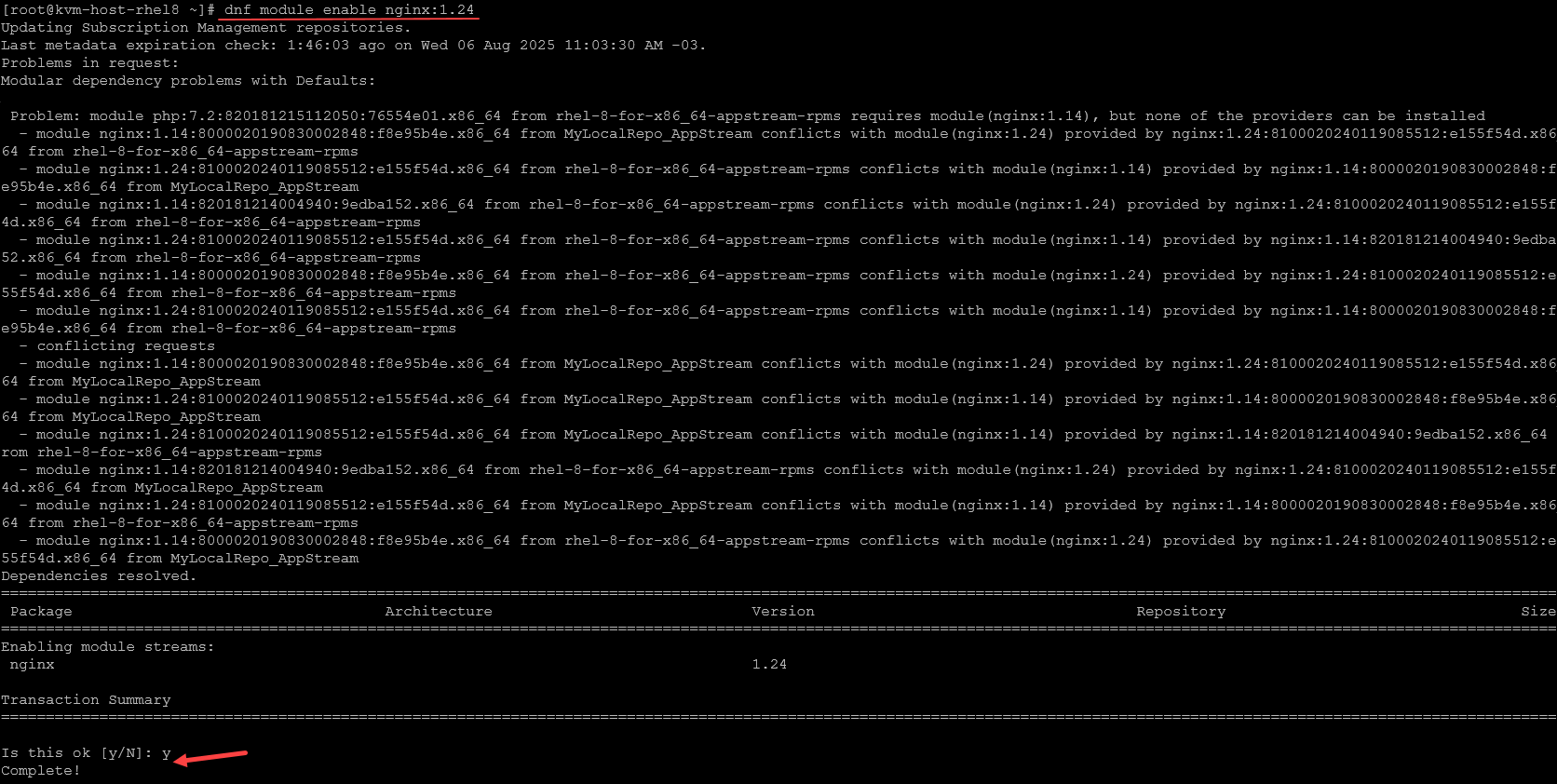
3- To change the Stream (to enable another Stream/version) for the Nginx module, for instance:
dnf module enable nginx:1.24This sets the default stream for installation.
Inspect the module to confirm the default stream:
dnf module list nginx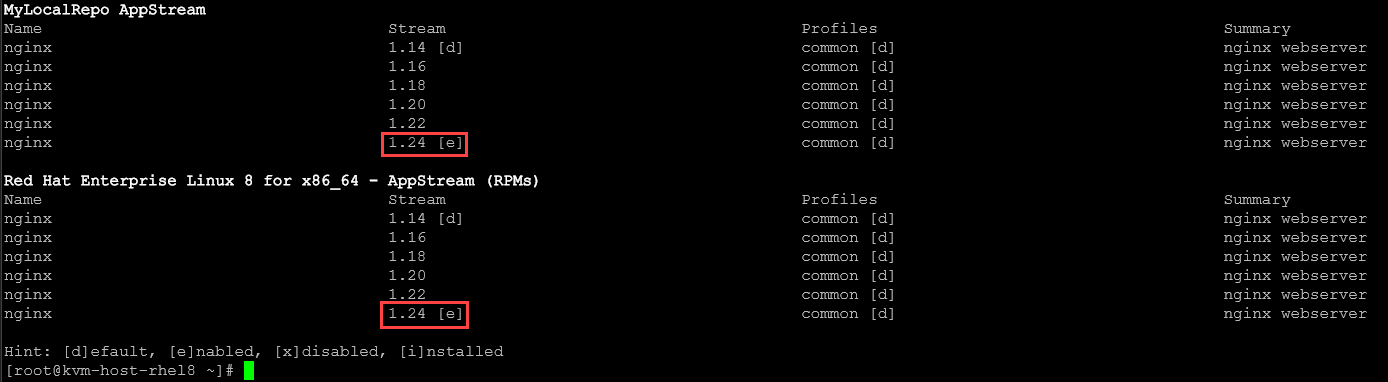
If we try to install the Nginx now, the Nginx version will be 1.24:
dnf module install nginx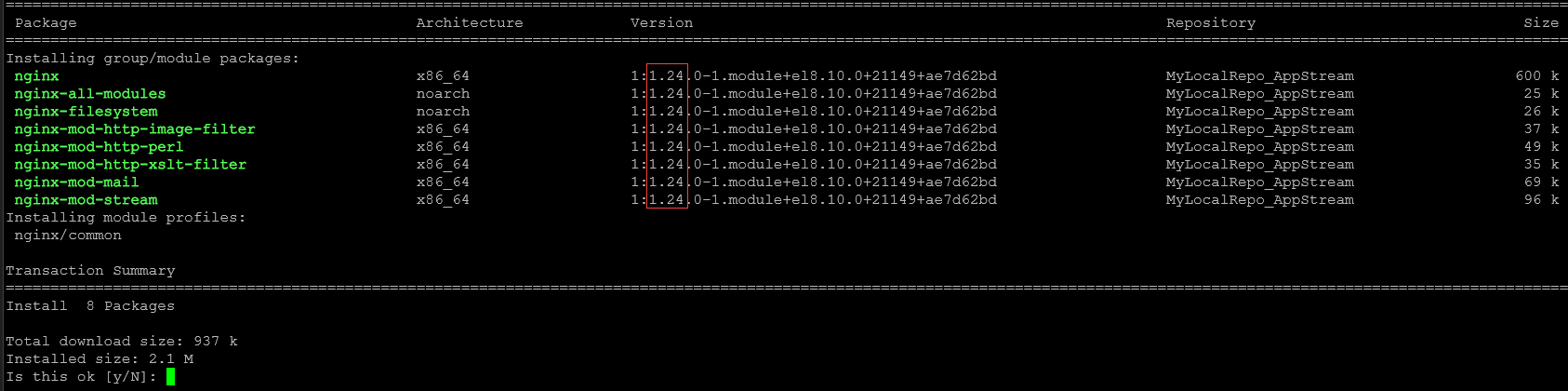
4- To revert the default stream for the Nginx module:
dnf module reset nginxInspect the module to confirm the default stream:
dnf module list nginxAs we can see, the default stream was reverted to the default – in this case, for instance, the stream (version) 1.14:
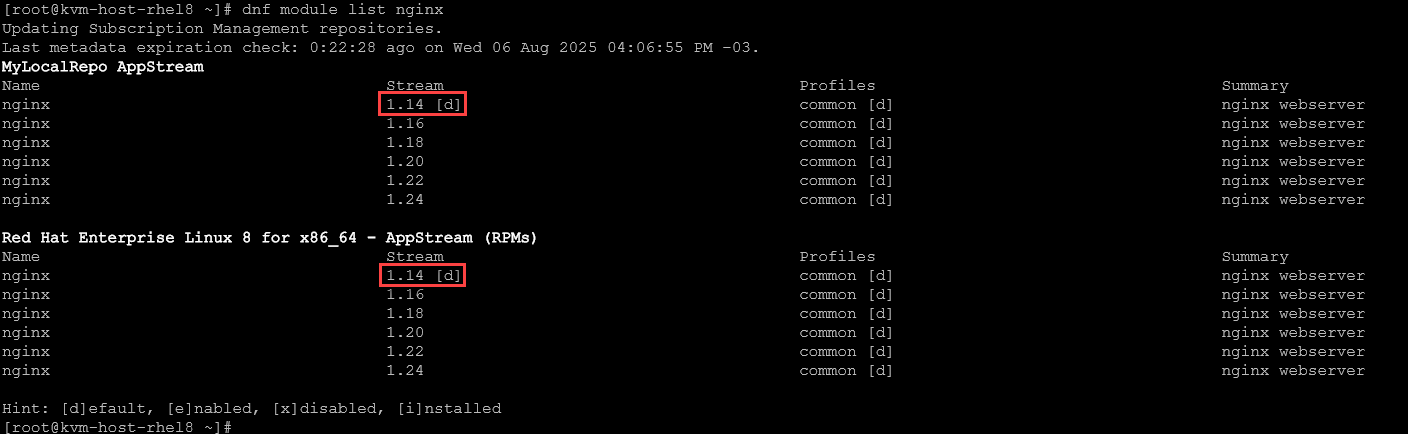
5- Regardless of the default stream of a module, we can also specify what stream (version) to install. Using Nginx, we can install Stream 1.22 by executing the following command:
dnf module install nginx:1.22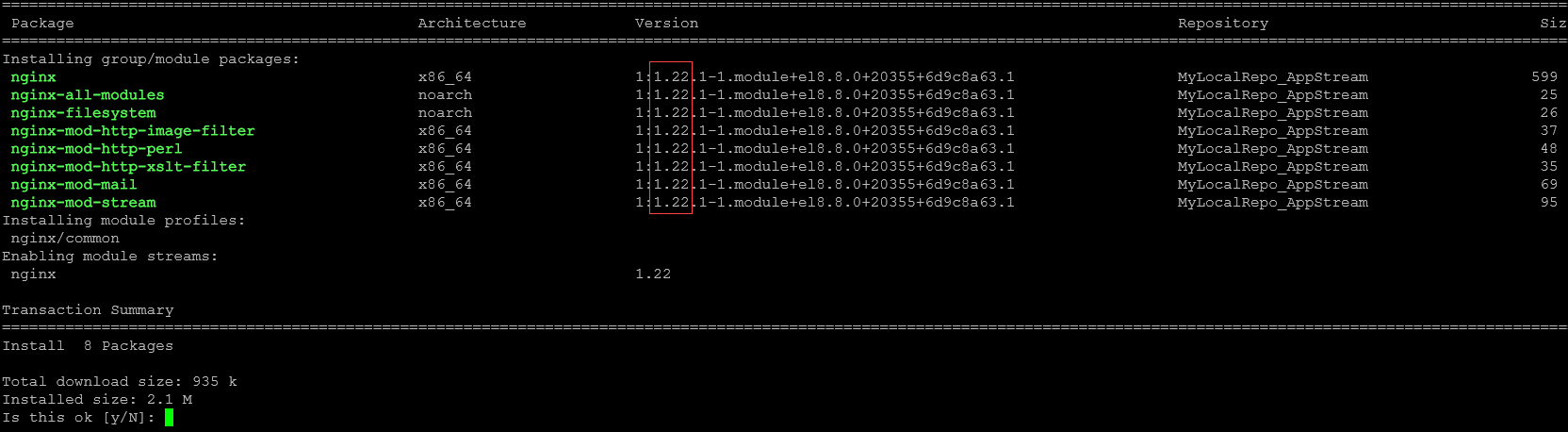
Common Mistakes with Modules Streams
1- Installing Without Enabling the Stream First:
- Mistake: Trying to install a module without enabling its stream.
- Fix: Always enable the desired stream before installing. Example:
dnf module enable php:7.4
dnf module install php:7.4
2- Forgetting to Reset Before Switching Streams:
- Mistake: Switching streams without resetting the module first.
- Fix: Use
dnf module resetbefore enabling a new stream. Example:
dnf module reset php
dnf module enable php:8.0
3- Assuming the Default Stream Is What You Want:
- Mistake: Installing a module without checking which stream is the default.
- Fix: Always list the module to see available streams. Example to list all available Streams for the “php” module:
dnf module list php4- Ignoring Profiles:
- Mistake: Installing a module without specifying a profile, leading to missing packages.
- Fix: Use the correct profile for your use case. You can, for example, check all Profiles a specific module has, and then choose to install the desired one. The “php” module has a lot of profiles:
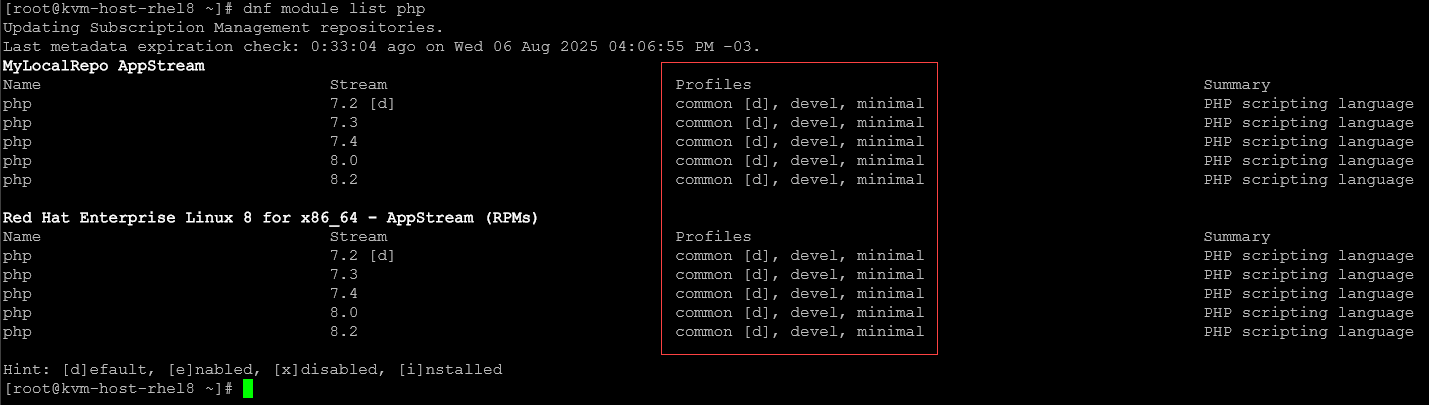
Select the profile to install. Example:
dnf module install php:7.4/devel5- Mixing RPMs from Different Streams:
- Mistake: Installing packages from different streams manually, causing conflicts.
- Fix: Stick to one stream per module and let DNF handle dependencies.
6- Not Cleaning Up After Removing a Module:
- Mistake: Removing a module but leaving the stream enabled.
- Fix: Reset the module after removal. Example:
dnf module remove --all php
dnf module reset php
Best Practices for Using Module Streams
1- Always Check Available Streams First:
Before installing any module, list its available streams and profiles. This helps you choose the correct version and avoid surprises. Example:
dnf module list nginx2- Use Explicit Stream and Profile When Installing:
Avoid relying on defaults. Be precise.
This ensures consistency across systems and avoids unexpected behavior. Example:
dnf module install nginx:1.20/default3- Reset Before Switching Streams:
If you need to change the stream, reset the module first. This clears previous stream selections and avoids conflicts. Example:
dnf module reset nginx
dnf module enable nginx:1.22
4- Use dnf module info for Details:
To understand what a stream or profile includes. Example:
dnf module info php:8.0This shows package lists, profiles, and dependencies.
That’s it for now 🙂
