
The Stats Primary Election alert in vSAN Skyline Health indicates that the vSAN Performance Service cannot identify or elect the Stats Primary node required to collect and manage performance statistics.
I encountered this condition in a vSAN ESA lab cluster where the CMMDS Primary was correctly elected, but no Stats Primary could be detected.
In this guide, I will show the investigation I performed, the standard recovery steps that should be attempted first, and the final cleanup that resolved the issue in my lab.
The important point is that manually deleting the .vsan.stats object should not be the first troubleshooting step. Current Broadcom guidance recommends trying the supported Performance Service recovery workflow first and using forced object deletion only in specific cases where the stats object is corrupted, orphaned, or cannot be removed normally.
Lab Environment
This issue occurred in my vSAN ESA lab environment.
Version information matters because the Performance Service workflow differs between vSAN releases. In vSAN 8 and later, for example, the normal UI option to disable the Performance Service is no longer available in the same way and RVC may be required.
Detecting the Stats Primary Election Alert
The first indication was an alert on the vSAN cluster summary:
vSAN performance service alarm “Stats primary election”
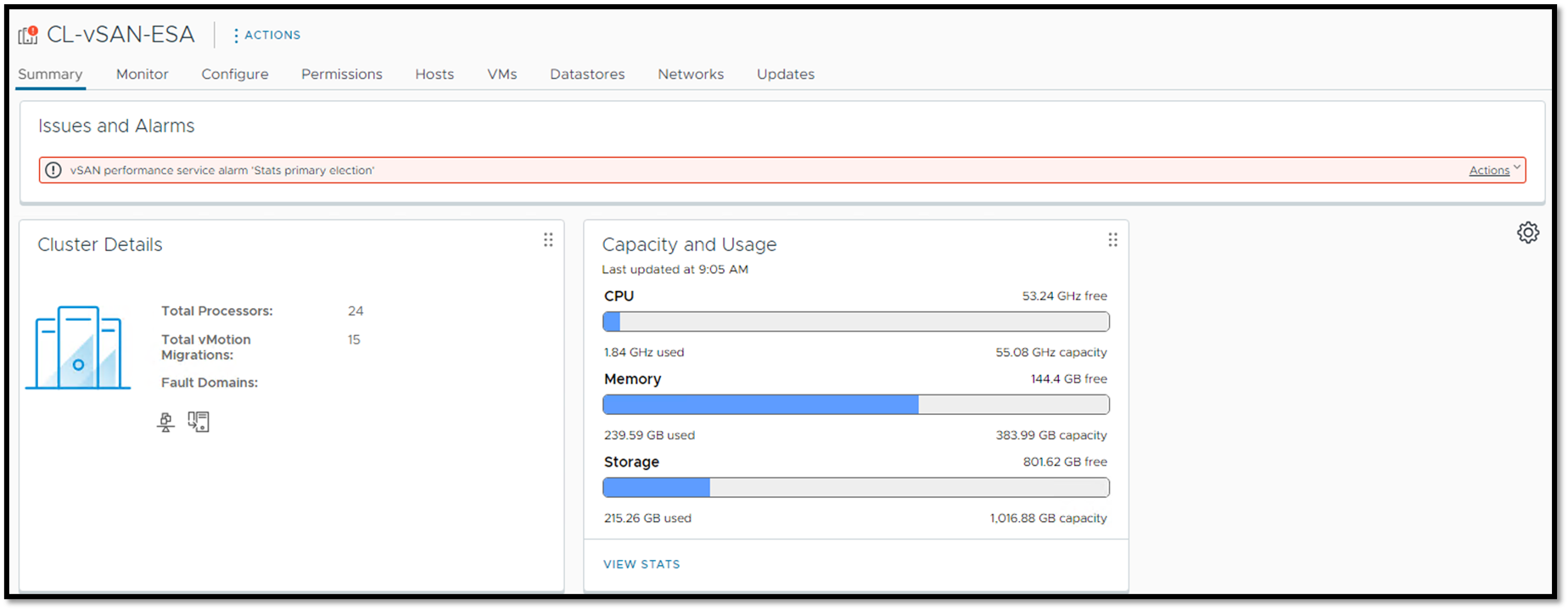
Opening the list of issues showed when the alert had been triggered:

Running Skyline Health confirmed that the cluster had one unhealthy component:
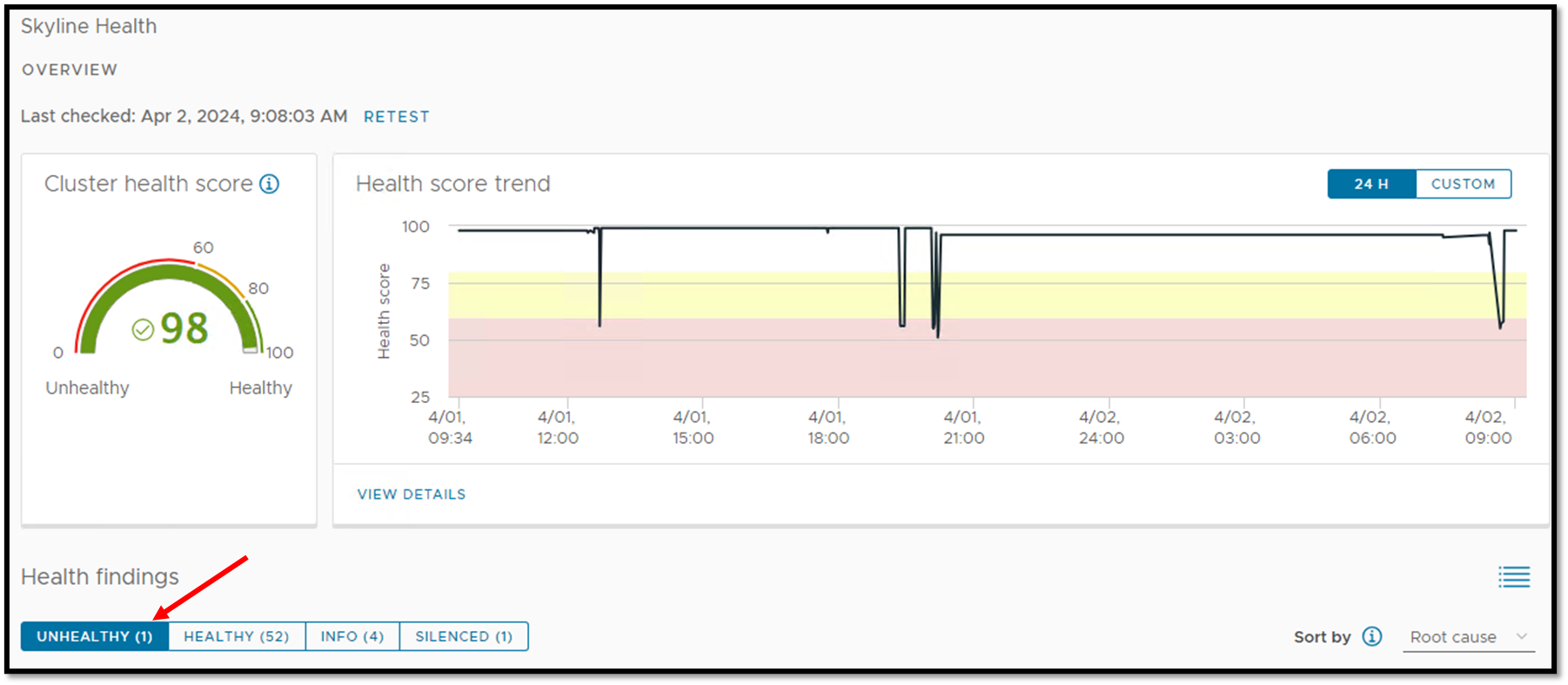
Opening the health finding identified the affected check as:
Stats primary election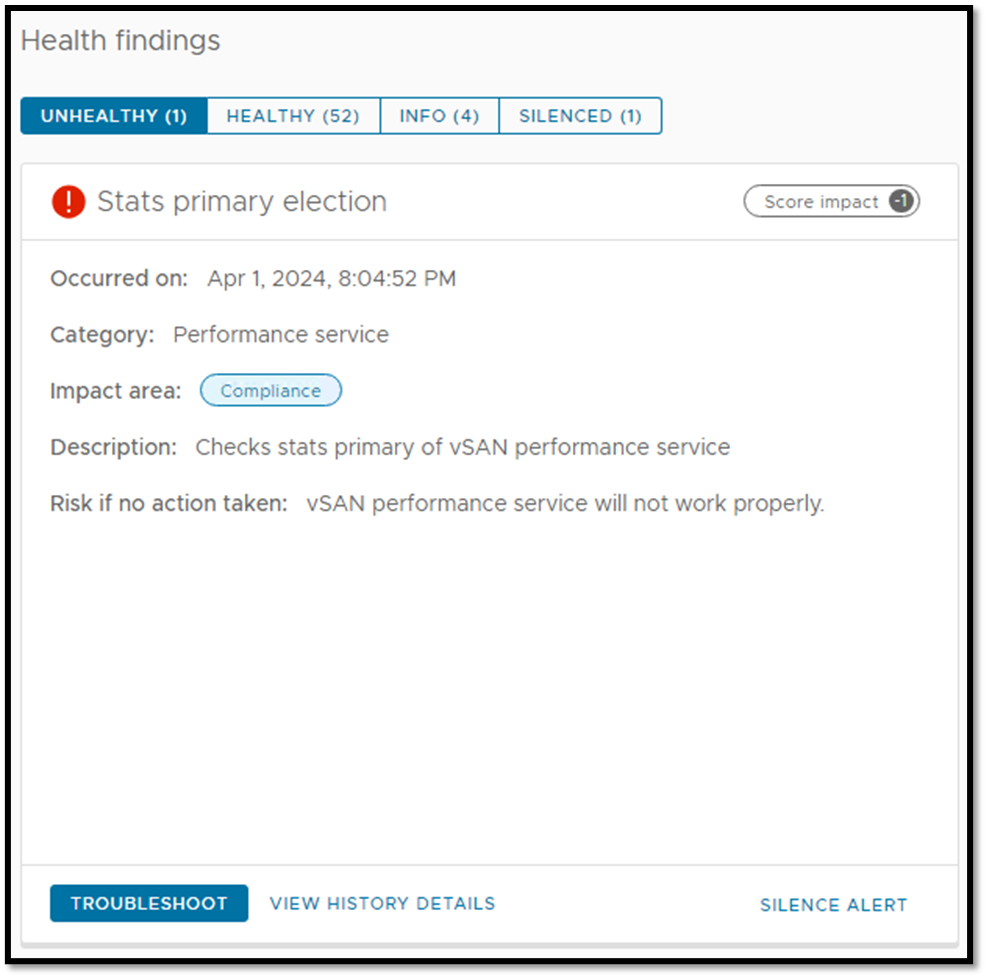
The health check showed that vhost-1008.lab.local was the CMMDS Primary for this cluster, but no Stats Primary had been elected:
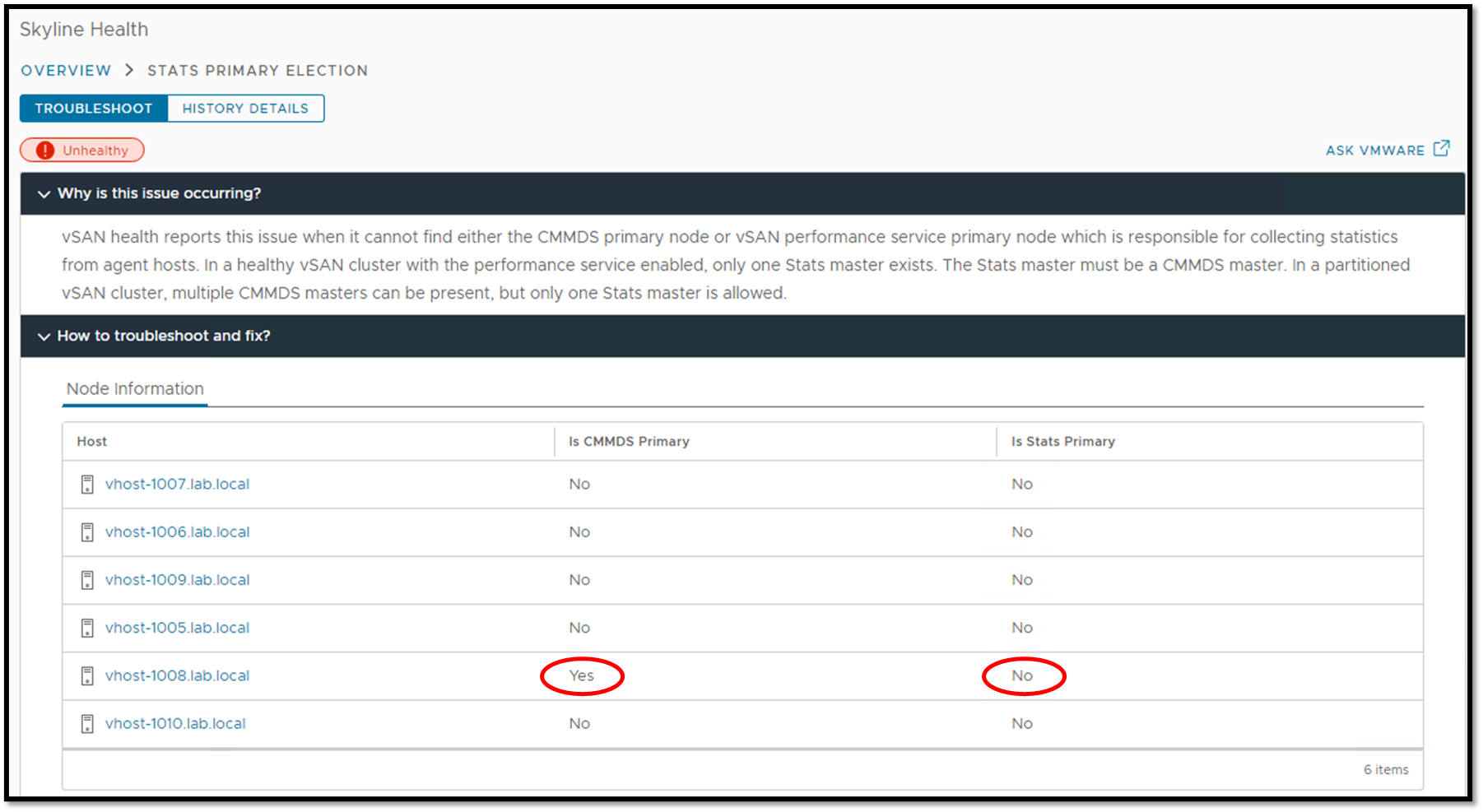
This distinction is important. A cluster can have a valid CMMDS Primary while the Performance Service still fails to elect its Stats Primary.
Broadcom provides a current method for identifying CMMDS and Stats master roles when troubleshooting this type of condition.
Start With the Built-In Troubleshooting Recommendations
Before manually deleting any vSAN object, start with the troubleshooting actions provided by Skyline Health.
In my environment, Skyline Health displayed several recommended steps:
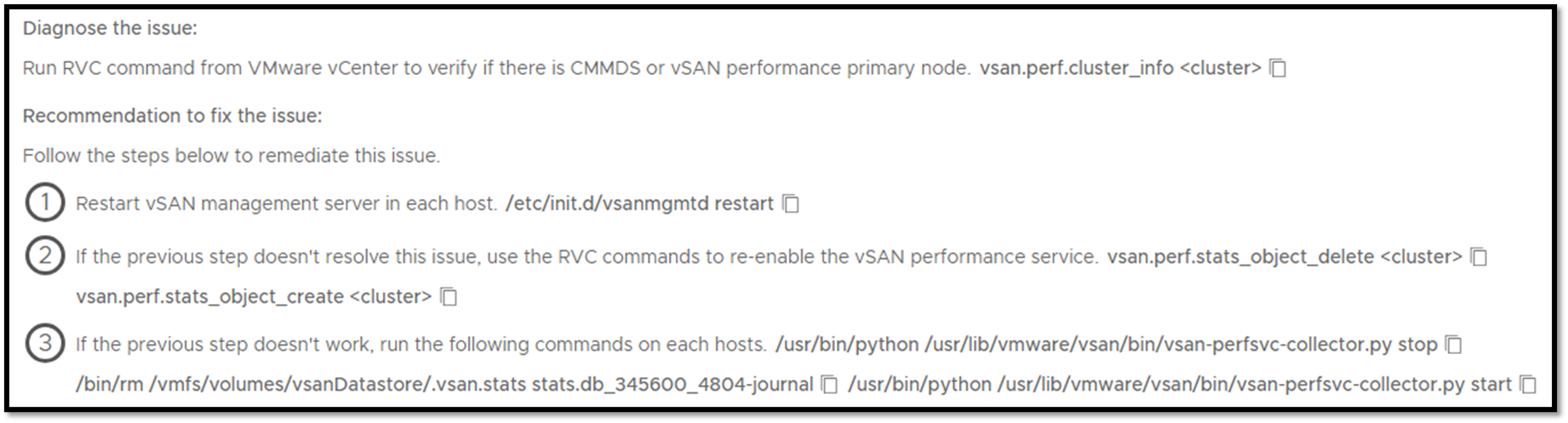
Current Broadcom guidance also recommends addressing the normal recovery path first. Depending on the cause, this may include restarting the vSAN management service and disabling/re-enabling the Performance Service.
Check for Multiple .vsan.stats Objects
One documented cause of a Stats Primary election failure is the presence of multiple .vsan.stats directories or objects.
This may happen after cluster shutdown, maintenance, cluster merge, or similar events.
Broadcom specifically documents cases where .vsan.stats-1, .vsan.stats-2, or similar duplicate directories prevent the Stats Primary election from completing correctly.
Before moving to a forced cleanup, inspect the vSAN datastore and determine whether more than one Stats DB object exists.
There should normally be only one active .vsan.stats object for the vSAN cluster.
Inspect the vSAN Performance Service Object
Connect to the vCenter Server Appliance through SSH and launch RVC.
Navigate to the affected cluster and run:
vsan.perf.stats_object_info .In my lab, the command returned the vSAN Performance Service object, including its UUID and owner:

Record:
- The
.vsan.statsobject UUID - The object owner
- The object health
- The configured storage policy
Do not copy the UUID shown in this article into your environment.
Every cluster has its own object identifiers.
Try the Standard Performance Service Reset First
The supported RVC workflow is to remove the Performance Service stats object through RVC and then recreate it.
From the cluster path in RVC:
vsan.perf.stats_object_delete .Then recreate the Performance Service object:
vsan.perf.stats_object_create .Broadcom documents this disable/re-enable workflow for vSAN 8.x and 9.x when troubleshooting Performance Service problems.
Important: Historical Performance Data Will Be Lost
Deleting and recreating the Stats DB object removes the historical vSAN Performance Service data stored in that object.
That means previously collected performance charts and historical statistics will no longer be available.
Broadcom explicitly warns that disabling and re-enabling the Performance Service wipes existing performance statistics.
If the historical data is required for an active support or performance investigation, consider preserving the required evidence before proceeding.
When the Normal RVC Cleanup Fails
This was the situation I encountered in my lab.
The normal cleanup process did not successfully remove the affected Stats DB object.
A corrupted or orphaned .vsan.stats object can prevent vCenter from deleting it through the normal API/RVC workflow. Broadcom now documents this specific failure scenario for vSAN 8.x.
Only after confirming this condition should a forced cleanup be considered.
Identify the Exact .vsan.stats Object Before Deleting Anything
Before using objtool, verify that the UUID belongs specifically to the affected .vsan.stats object.
Current Broadcom guidance uses:
esxcli vsan debug object list --allor a UUID-specific query to verify information such as:
Object UUID
Owner
Path
The path should identify the object as:
.vsan.statsYou should also confirm which ESXi host owns the object.
This validation is critical because objtool delete -f is destructive.
Last Resort: Force-Delete an Orphaned Stats Object
Warning: This is a destructive operation. Do not run this command against an object unless you have positively confirmed that the UUID belongs to the stale or corrupted
.vsan.statsobject.
In my lab, after identifying the exact Stats DB UUID and its owner, I connected to the owner ESXi host.
The command used was:
/usr/lib/vmware/osfs/bin/objtool delete \
  -u <VSAN-STATS-OBJECT-UUID> \
  -f
Do not reuse the UUID from my lab.
Broadcom currently documents essentially this same forced-cleanup procedure for cases where the normal RVC deletion fails because the .vsan.stats object is corrupted or orphaned.
For a production cluster, if you are not completely certain about the object state or UUID, open a Broadcom support case before performing the forced deletion. Broadcom’s Stats DB health guidance also recommends involving support when an unhealthy Stats DB object cannot be recovered normally.
Recreate the vSAN Performance Service Object
After the stale object has been removed, return to RVC and recreate the Performance Service object:
vsan.perf.stats_object_create .In my lab, the operation completed successfully:
Creating vSAN Stats DB object, which will enable vSAN Performance Service ...

Task: Enable vSAN performance service
New progress: 1%
Task result: success
You can then verify the object again:
vsan.perf.stats_object_info .Confirm that a new Stats DB object exists and that its health information is normal.
Validate the Cluster with Skyline Health
After recreating the Performance Service object, return to:
Cluster → Monitor → vSAN → Skyline Health
Run:
RETEST
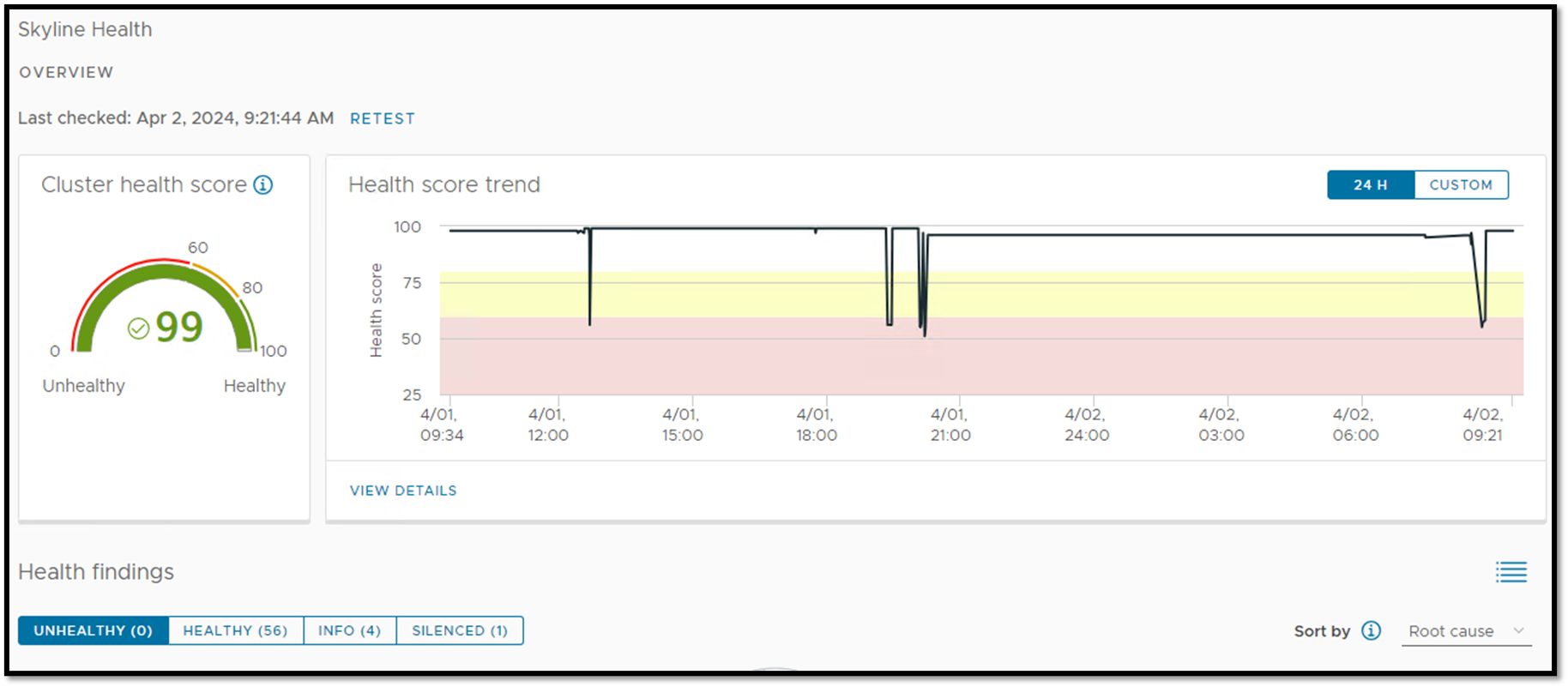
In my lab, the cluster no longer reported the Stats Primary Election issue:
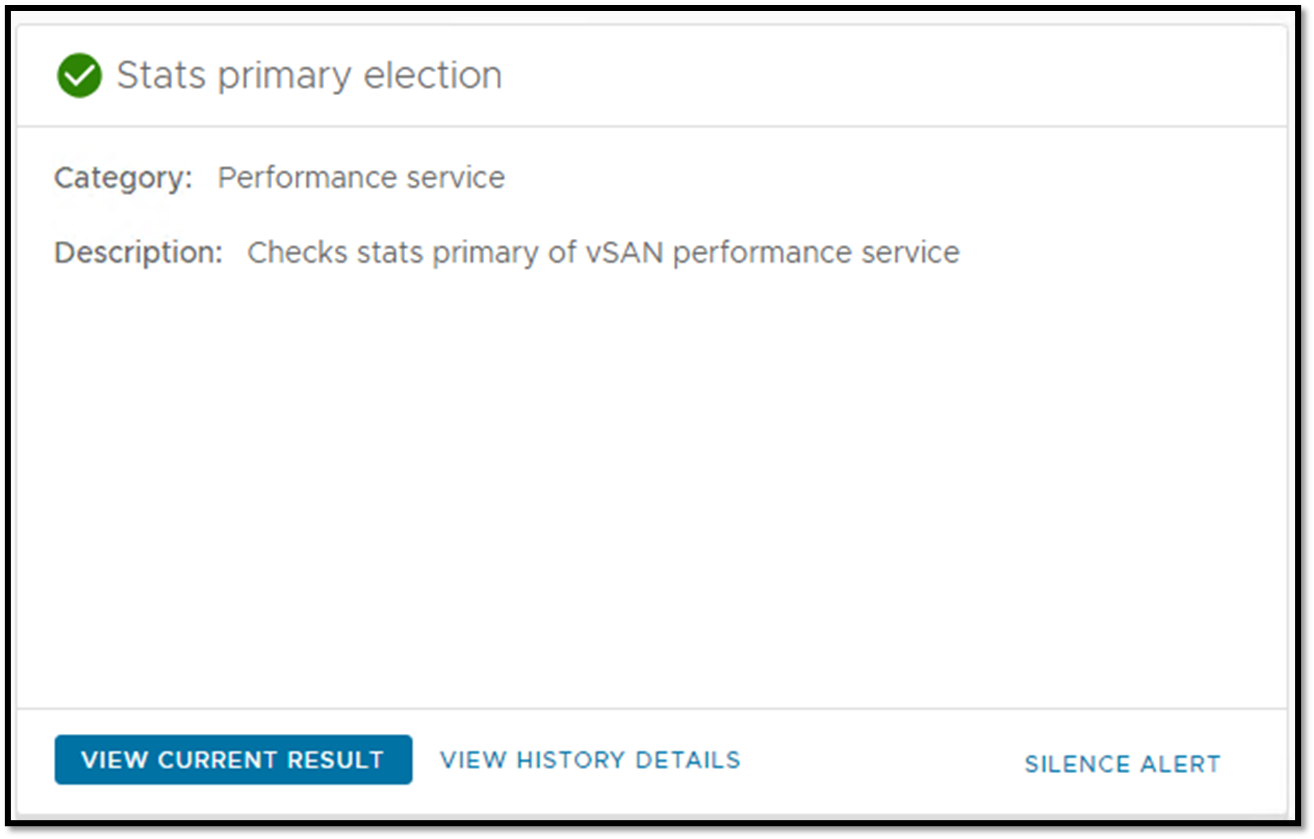
This provides the final validation that the Stats Primary election had recovered.
Recommended Troubleshooting Order
The important lesson from this incident is not simply the objtool command.
The order of investigation matters:
Confirm Stats Primary Election alert
              ↓
Check Performance Service / Stats DB health
              ↓
Check for duplicate .vsan.stats objects
              ↓
Restart vSAN management services if applicable
              ↓
Try normal RVC stats_object_delete
              ↓
Recreate the Performance Service
              ↓
If RVC cleanup fails:
verify exact stale/orphaned object
              ↓
Force-delete only the confirmed .vsan.stats object
              ↓
Recreate Performance Service
              ↓
Retest Skyline Health
A forced object deletion should therefore be viewed as a recovery step for a specific corrupted/orphaned Stats DB condition, not as the normal solution for every Stats Primary Election alert.
Final Thoughts
The Stats Primary Election alert can have more than one underlying cause.
In this lab, the problem ultimately required removing the affected .vsan.stats object and allowing vSAN to create a new Performance Service object.
However, the most important part of the procedure is identifying the actual condition first.
A duplicate Stats DB object, management-service problem, unhealthy object, or orphaned object may require different levels of intervention.
For that reason, start with the least disruptive troubleshooting steps and move to forced cleanup only after confirming that the normal Performance Service recovery workflow cannot remove the affected object.
External References
-
Stats Primary Election Alert via vSAN Health Service
Broadcom guidance for troubleshooting the Stats Primary Election alert, including duplicate
.vsan.statsobjects and Performance Service recovery. - Unable to Disable Performance Service in vSAN 8/9 Official procedure for disabling the vSAN Performance Service through RVC in vSAN 8.x and 9.x.
- vSAN Performance Service – Stats DB Object Check Broadcom reference explaining Stats DB object health, availability, capacity, and recovery considerations.
-
Deleting a vSAN Stats DB Object When RVC Cleanup Fails
Broadcom procedure for identifying and force-removing a corrupted or orphaned
.vsan.statsobject when normal RVC deletion fails. - Finding the vSAN CMMDS and Stats Master Official methods for identifying CMMDS and Stats master roles while troubleshooting vSAN Performance Service problems.
