
Close Menu
DPC Virtual Tips
    Read More

    Linux ss, lsof, and fuser Commands: A Practical Guide

    August 4, 2026

    Linux Commands to Investigate High Disk Partition Usage

    July 20, 2026

    Essential Slurm Administration Commands Every HPC Administrator Should Know

    July 15, 2026
    • Home
    • About Us
    • Contact
    • Cookie Policy
    • Comment Policy
    • Privacy Policy
    • Terms of Use
    • Disclaimer
    Tuesday, August 4
    DPC Virtual Tips
    • Home
    • Operating Systems
    • CLI
    • PowerFlex
    • HPC
    • Virtualization
    • About Us
    • Contact
    DPC Virtual Tips
    Home » How to Configure a Local Repository on RHEL 8
    Operating Systems

    How to Configure a Local Repository on RHEL 8

    DaniloBy DaniloAugust 6, 2025Updated:August 1, 2026No Comments2 Mins Read
    Facebook Twitter Pinterest LinkedIn Tumblr Email
    local repository on RHEL 8
    Share
    Facebook Twitter LinkedIn Pinterest Email

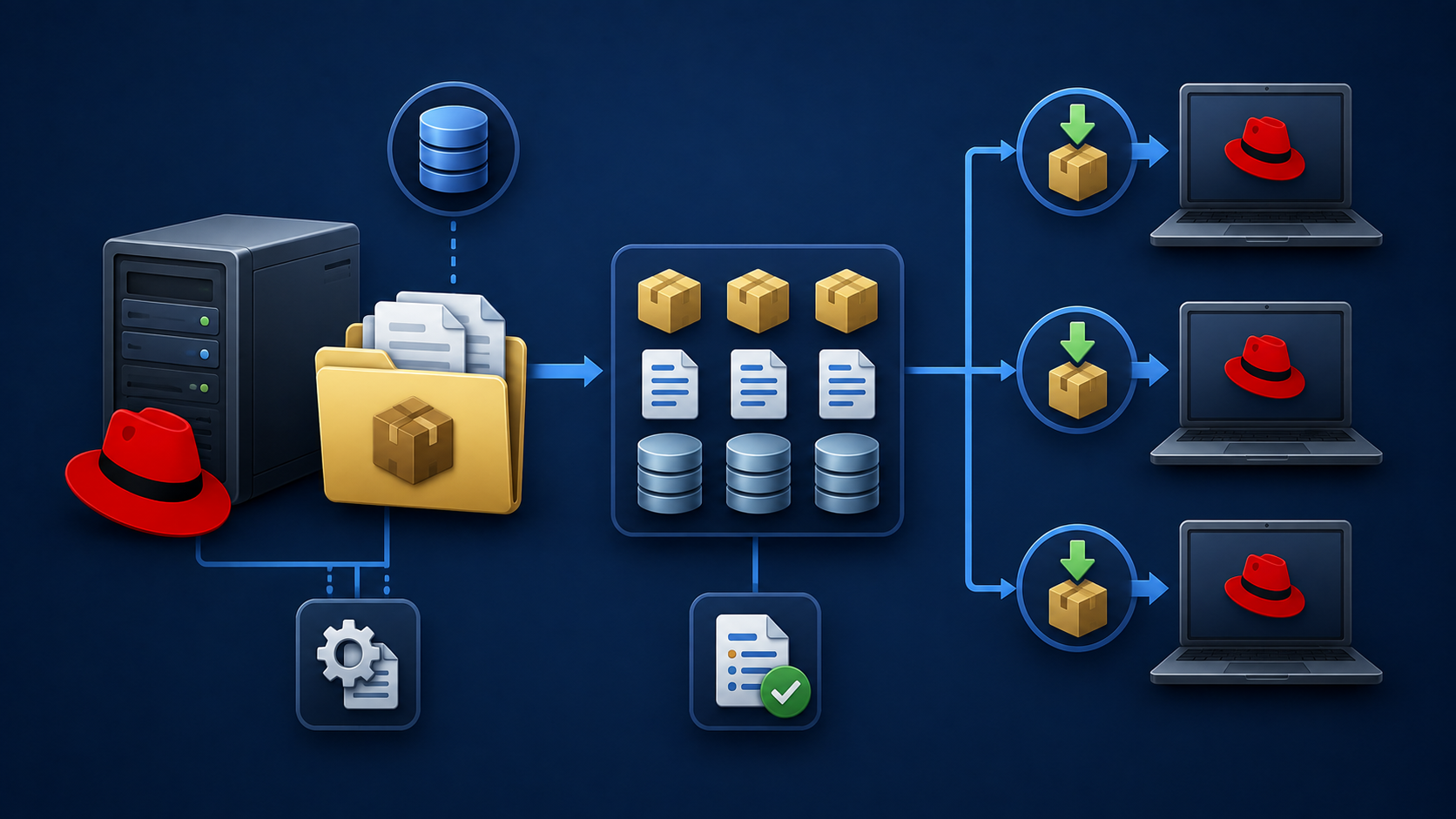
    How to configure a local repository on RHEL 8 is a common task for Linux administrators who need to provide package management without relying on external Red Hat Network repositories. A local repository allows systems to install and update packages using an internal source hosted within the environment.

    We’ve written an article explaining how to create an HTTP server to use as a network install server for RHEL. We’ll need this HTTP server to create a local repository. So, check this article first:
    https://dpcvirtualtips.com/creating-a-network-install-server-on-rhel-8/

    In this case, for instance, our RHEL 8 has a subscription enabled to download packages from the Red Hat Network. We can confirm it by executing the following command:

    subscription-manager config --list
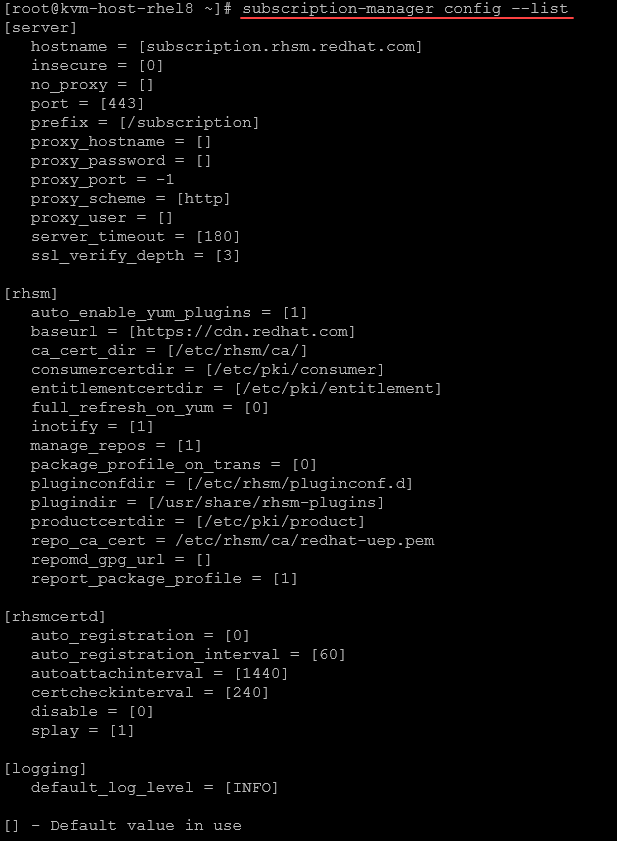
    So, let’s provide the step-by-step procedure to use a local repository instead of using the Red Hat Network:

    1- Firstly, we need to disable the Red Hat Network. Doing it, our system will not use the Red Hat Network repositories anymore:

    subscription-manager config --rhsm.manage_repos=0

    2- Inspect the repository list:

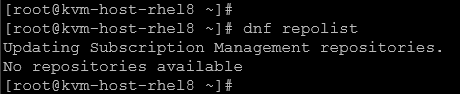
    dnf repolist

    As we can see, there are no repositories available – this is the expected behavior after disabling the Red Hat Network repositories:
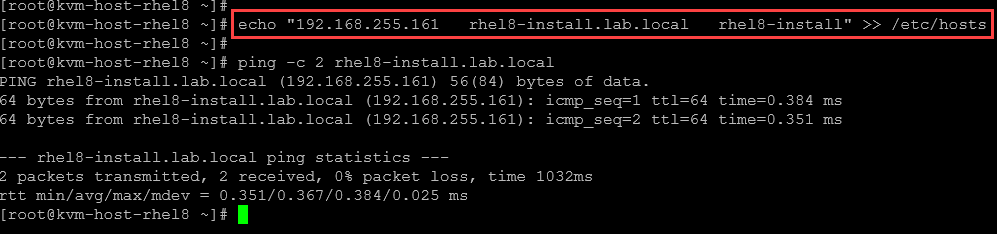
    3- In our case, we’re adding a manual entry on /etc/hosts to reach the HTTP server by its hostname or FQDN:

    echo "192.168.255.161   rhel8-install.lab.local   rhel8-install" >> /etc/hosts
    ping -c 2 rhel8-install.lab.local
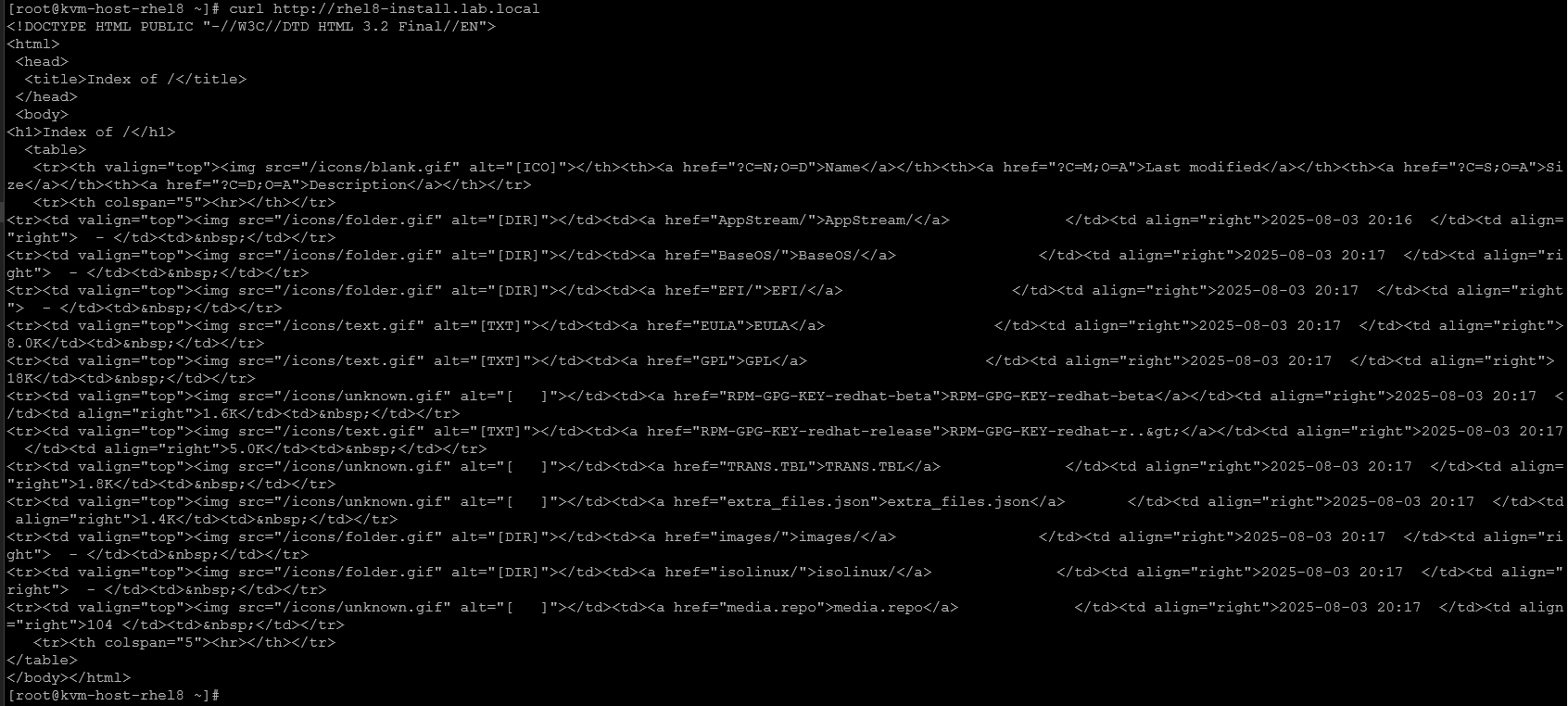
    4- Test the HTTP server connectivity from the client system:

    curl http://rhel8-install.lab.local

    You should have something like it – indicating that the HTTP server is available and working as expected:
    5- Create a new repository file to specify the local repositories – the file must have the “.repo” extension:

    touch /etc/yum.repos.d/local.repo

    And add the following content:

    [MyLocalRepo_BaseOS]
    name=MyLocalRepo BaseOS
    baseurl=http://rhel8-install.lab.local/BaseOS
    enabled=1
    gpgcheck=0
    
    [MyLocalRepo_AppStream]
    name=MyLocalRepo AppStream
    baseurl=http://rhel8-install.lab.local/AppStream
    enabled=1
    gpgcheck=0

    6- Inspect the system’s repositories:

    dnf repolist

    As we can see, the system is using the new repos now:

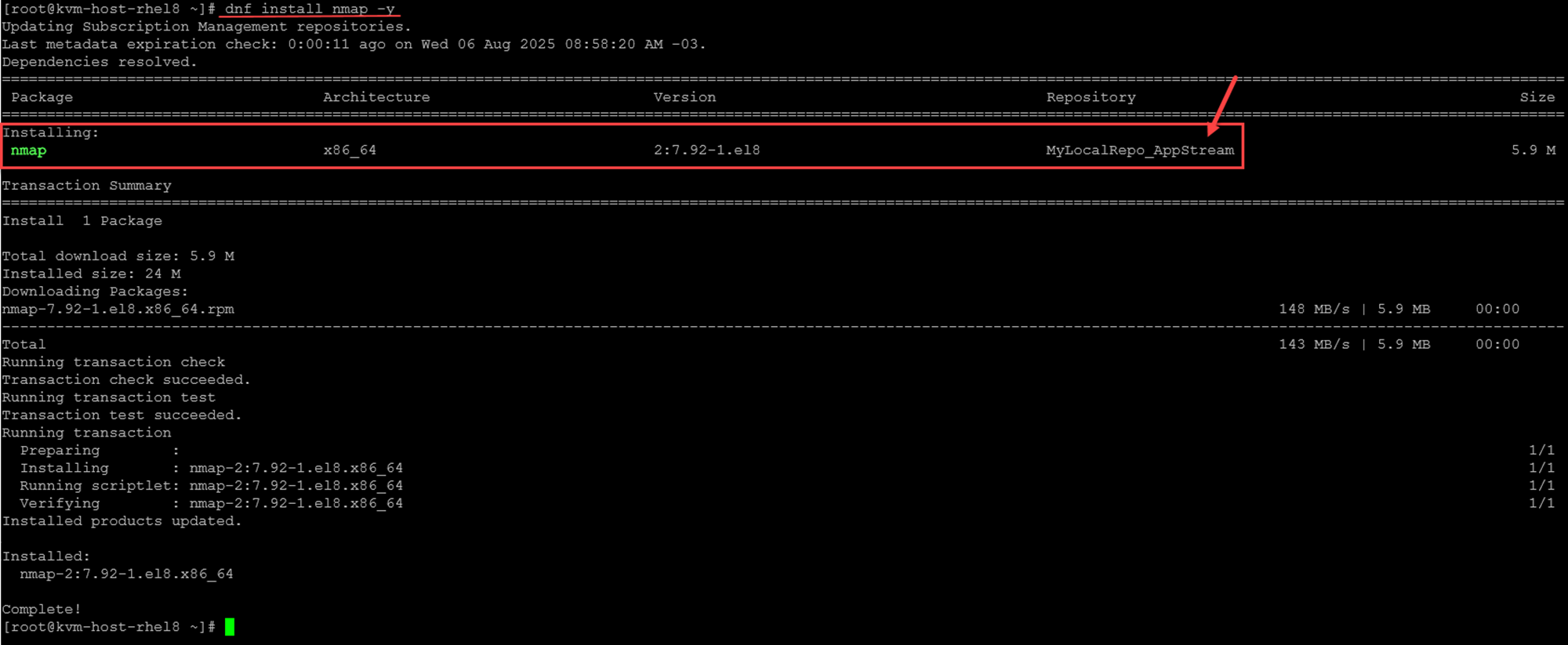
    7- Install a package to test. In this case, for instance, let’s install the “nmap” package:

    dnf install nmap -y

    The “nmap” package was installed using the local repo:
    That’s it for now 🙂

    Share. Facebook Twitter Pinterest LinkedIn Tumblr Email
    Previous ArticleScheduling with at and cron on RHEL
    Next Article What are Module Streams on RHEL?
    Danilo

    Infrastructure Engineer with experience in Virtualization, Linux, Windows Server and learning automation using Python. DPC Virtual Tips was created to share practical tutorials, lab experiences and troubleshooting guides focused on enterprise infrastructure technologies.

    Related Posts

    Linux ss, lsof, and fuser Commands: A Practical Guide

    August 4, 2026

    Linux Commands to Investigate High Disk Partition Usage

    July 20, 2026

    How to Install, Configure, and Use tmux on Linux

    July 14, 2026

    Comments are closed.

    Search
    Categories
    • CLI (7)
    • HPC (7)
    • Operating Systems (81)
    • PowerFlex (22)
    • Virtualization (122)
    Read More
    Operating Systems

    Linux ss, lsof, and fuser Commands: A Practical Guide

    By DaniloAugust 4, 20260
    Operating Systems

    Linux Commands to Investigate High Disk Partition Usage

    By DaniloJuly 20, 20260
    HPC

    Essential Slurm Administration Commands Every HPC Administrator Should Know

    By DaniloJuly 15, 20260
    Operating Systems

    How to Install, Configure, and Use tmux on Linux

    By DaniloJuly 14, 20260
    HPC

    Getting Started with Lustre File System

    By DaniloJuly 13, 20260
    Latest Posts

    Linux ss, lsof, and fuser Commands: A Practical Guide

    August 4, 2026

    Linux Commands to Investigate High Disk Partition Usage

    July 20, 2026

    Essential Slurm Administration Commands Every HPC Administrator Should Know

    July 15, 2026
    Images from Gallery
    hpc main commands
    linux commands
    install rock linux
    lustre fs
    shell scripting
    vSAN Trace Files
    Categories
    • CLI
    • HPC
    • Operating Systems
    • PowerFlex
    • Virtualization
    • Home
    • About Us
    • Contact
    • Cookie Policy
    • Comment Policy
    • Privacy Policy
    • Terms of Use
    • Disclaimer
    Copyright © 2026, DPC Virtual Tips. All rights reserved.

    Type above and press Enter to search. Press Esc to cancel.

    We use cookies to ensure your best experience on our website. If you continue using our website, we'll assume you agree to our cookie policy