
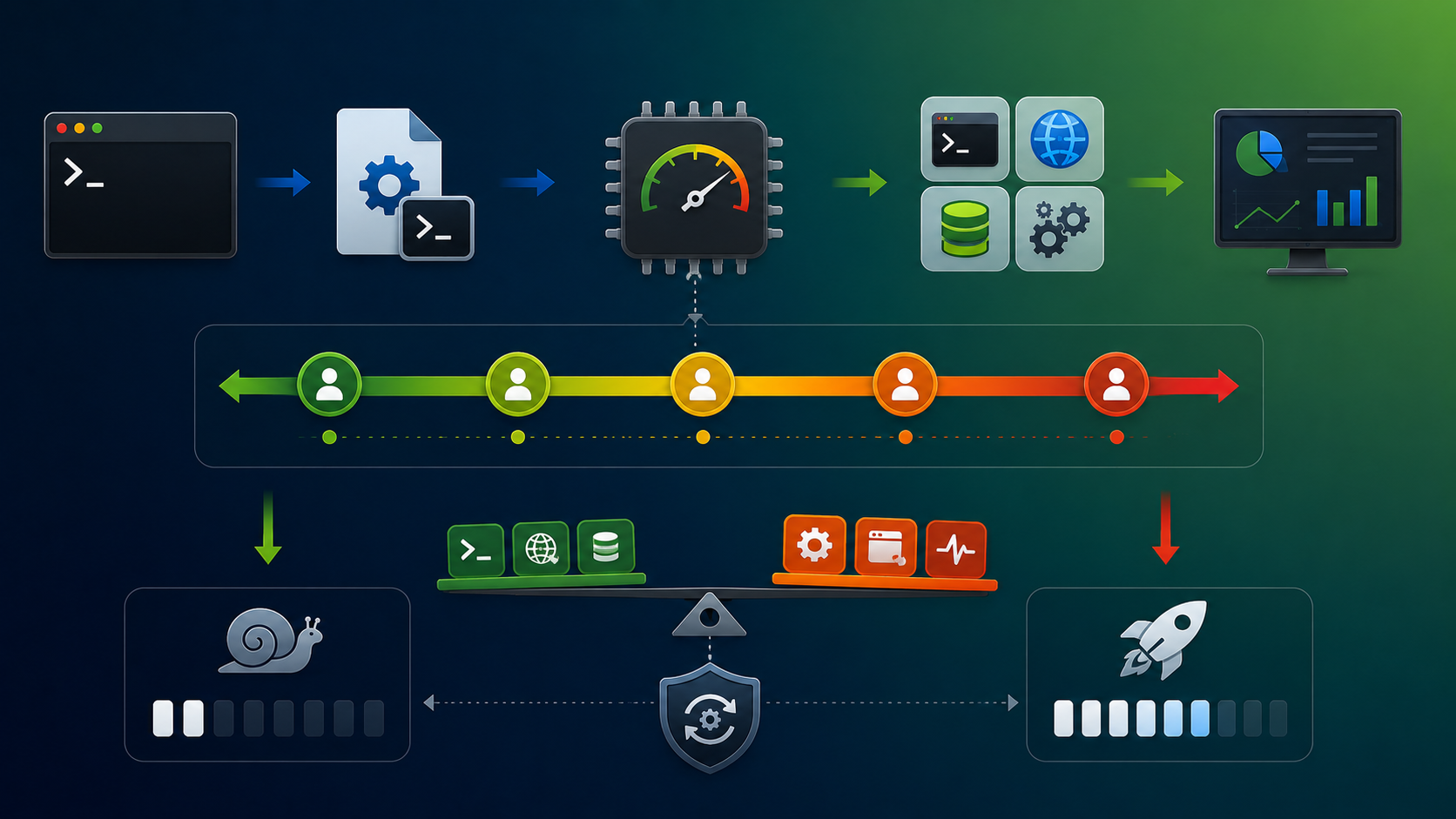
Linux lets administrators adjust a process’s nice value to influence how the normal CPU scheduler treats it relative to competing tasks. A lower nice value gives a task more scheduling weight; a higher value makes it more willing to yield CPU time. This is a relative preference, not a reserved CPU allocation or a guarantee that one process will always run first.
In this RHEL 8 lab, we inspect nice values with top and ps, start a command with nice, and change a running process with renice. The examples also show why permissions matter when increasing a process’s scheduling priority. Nice values are only one part of scheduling behavior, so actual CPU time can also depend on whether tasks are runnable, their scheduling policy, and system-level resource controls.
Understanding the Nice Values
The nice value determines the priority of a process in terms of CPU scheduling. Here’s how it works:
- Range of nice values:
-20(highest priority) to19(lowest priority) - Default value:
0(normal priority) - Lower nice value → higher priority
- Higher nice value → lower priority
Based on it, let’s analyze some examples:
1- Considering that we have two processes:
Process A = -18 priority/nice value
Process B = 7 priority/nice value

What is the process with a higher chance of receiving CPU allocation?
The answer is: Process A!
2- Considering that we have three processes:
Process X = 0
Process Y = 0
Process Z = -20

What is the process with a higher chance of receiving CPU allocation?
The answer is: Process Z. Processes X and Y will "fight" for equality in CPU allocation.
Process priority is only one part of Linux performance troubleshooting. For a broader workflow to identify CPU and memory consumers, interpret load average, and investigate system pressure, see Linux Process Resource Usage: How to Find Heavy Processes. That guide also demonstrates lowering the scheduling priority of a running process with renice.
To check the process priority (aka nice value), we can:
top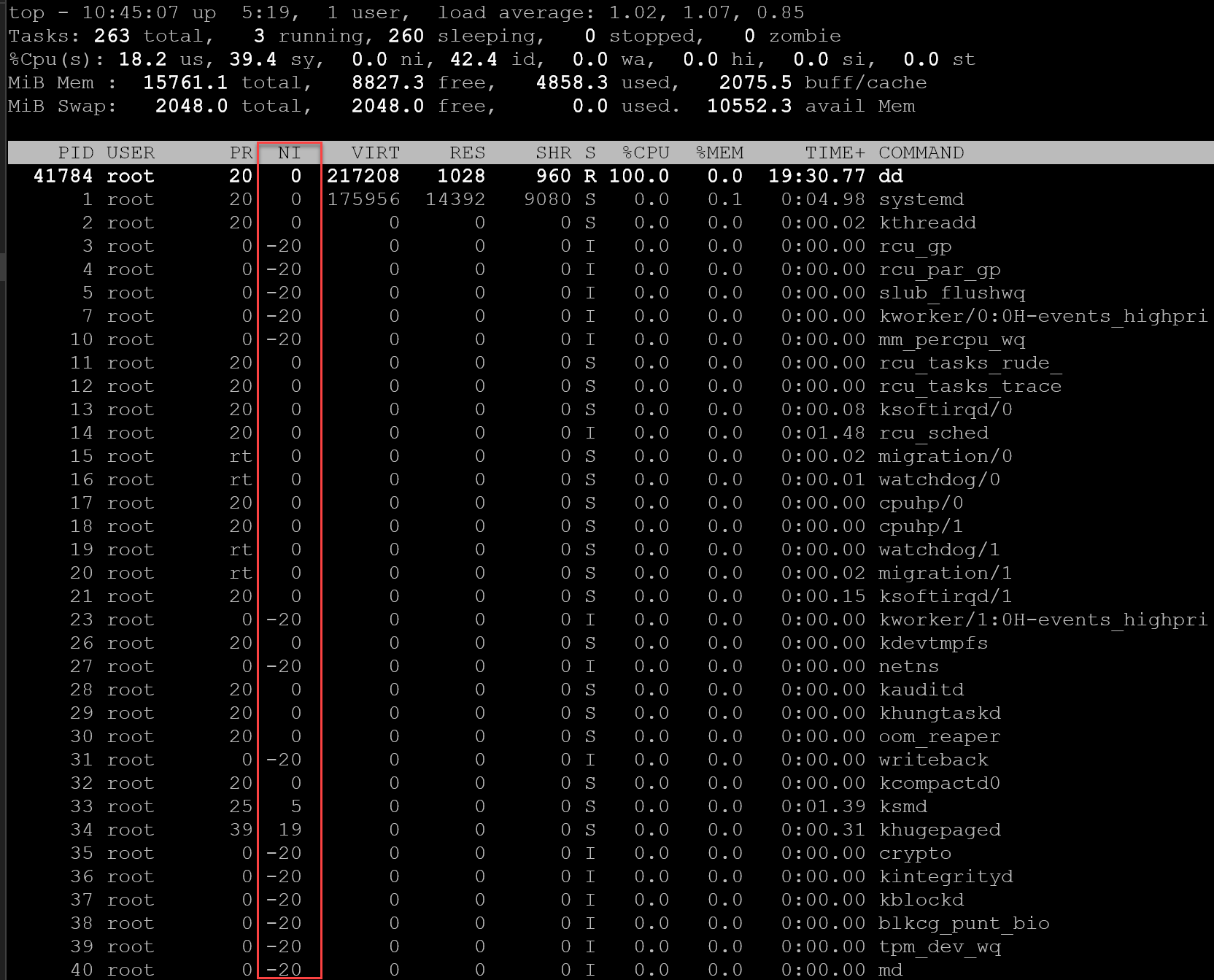
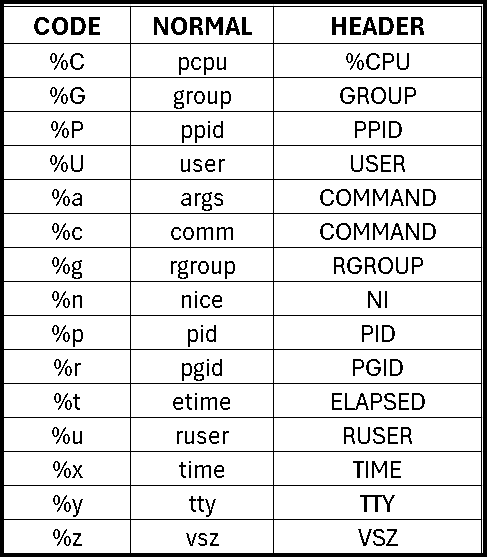
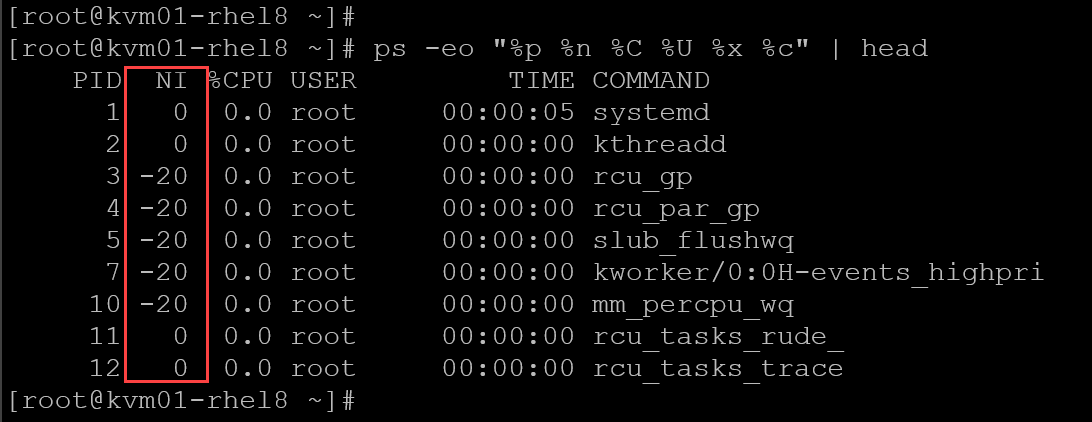
Or execute the “ps” command with the following parameters:
ps -eo "%p %n %C %U %x %c"Note: The parameter “-o” allows us to specify which field to display. The “%n” shows the nice value of the process:
Commands Overview
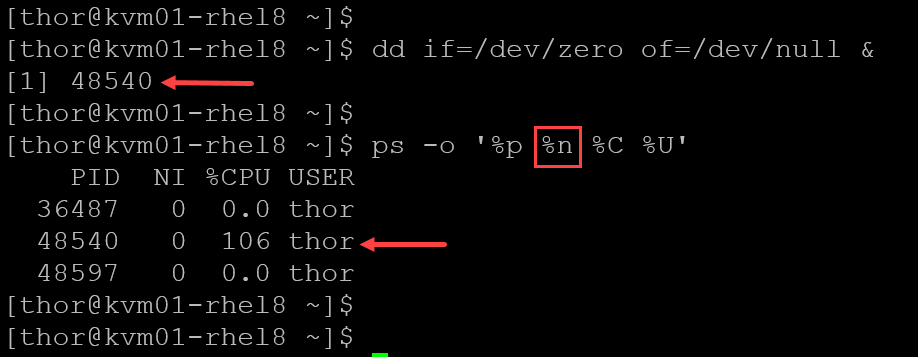
Let’s execute the following command and analyze its priority (nice value):
dd if=/dev/zero of=/dev/null &As we can see in the following picture, the process “dd” was started in the background and its priority (nice) is “0” (default value):
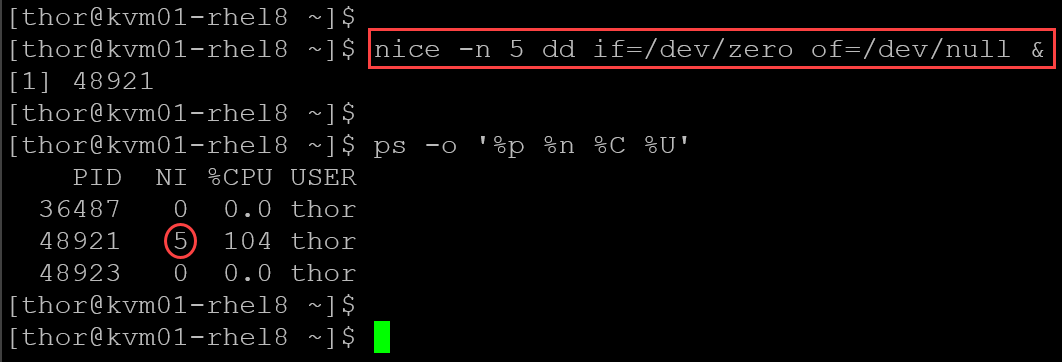
To execute a program/command with a custom priority (nice value):
nice -n 5 <program/command>In this case, for instance, we’re running the “dd” command with a nice value of 5:
We can also change the priority of a running program with the “renice” command. To do that, we need the process ID (PID) of the program/command. For example:
renice -n -19 48921- -n -19 –> new priority/nice value
- 48921 –> process ID (PID) that will receive the new priority/nice value
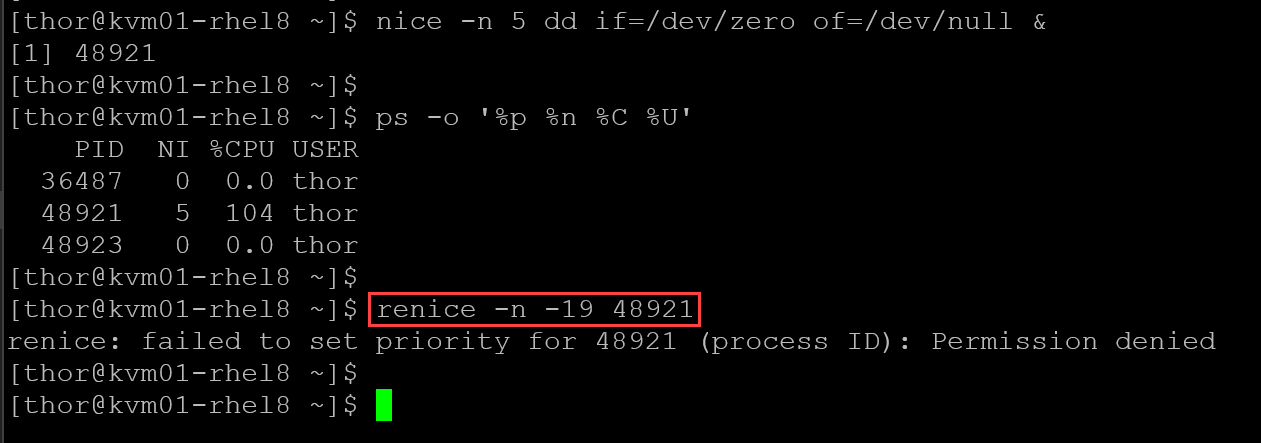
Note: We got “Permission denied” because we cannot increase the priority of a running process (only the root user can do that). Since we’re running this command with a normal user (non-root), we get a permission-denied error.
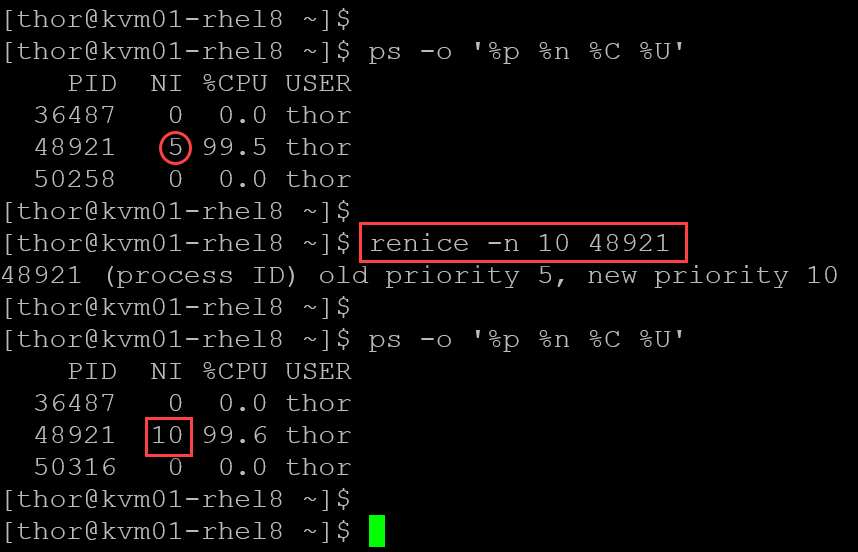
Otherwise, we can decrease the priority/nice value, for example:
Use nice Values as a Relative Scheduling Hint
nice and renice can help make a CPU-intensive process less disruptive or give a process a stronger scheduling preference when the caller has permission.
Their values influence scheduling rather than reserve processor capacity, so use them as one diagnostic or tuning control – not as a substitute for identifying the actual bottleneck.
Confirm the process ID and current owner before changing a running task, and keep load-generating tests bounded so they do not continue consuming CPU after the demonstration.
External References
- Red Hat — Linux Commands: How to Manipulate Process Priority Red Hat explains the nice-value range, how to inspect a process with top and ps, and how nice and renice change scheduling preference, including the usual privilege requirements for increasing priority.
- GNU Coreutils Manual — nice Documents the nice command syntax and explains that -n adjusts a command’s inherited nice value by the specified amount; the normal range is -20 to 19.
- Linux Manual Pages — renice Documents how to change the scheduling priority of running processes and explains the Linux permission rules and the behavior of absolute versus relative priority settings.
- Linux Manual Pages — top Defines the NI field as the process nice value and distinguishes it from PR, the scheduler priority field.
- Linux Manual Pages — ps Documents process-report formatting fields, including PID, NI/nice, PR/priority, %CPU, user, elapsed time, and command.
- Linux Kernel Documentation — CFS Scheduler Design Provides background on fair scheduling and nice levels. The scheduler documentation describes how scheduling behavior is implemented; it should not be interpreted as a guarantee of a fixed CPU-time percentage for a given nice value.
