
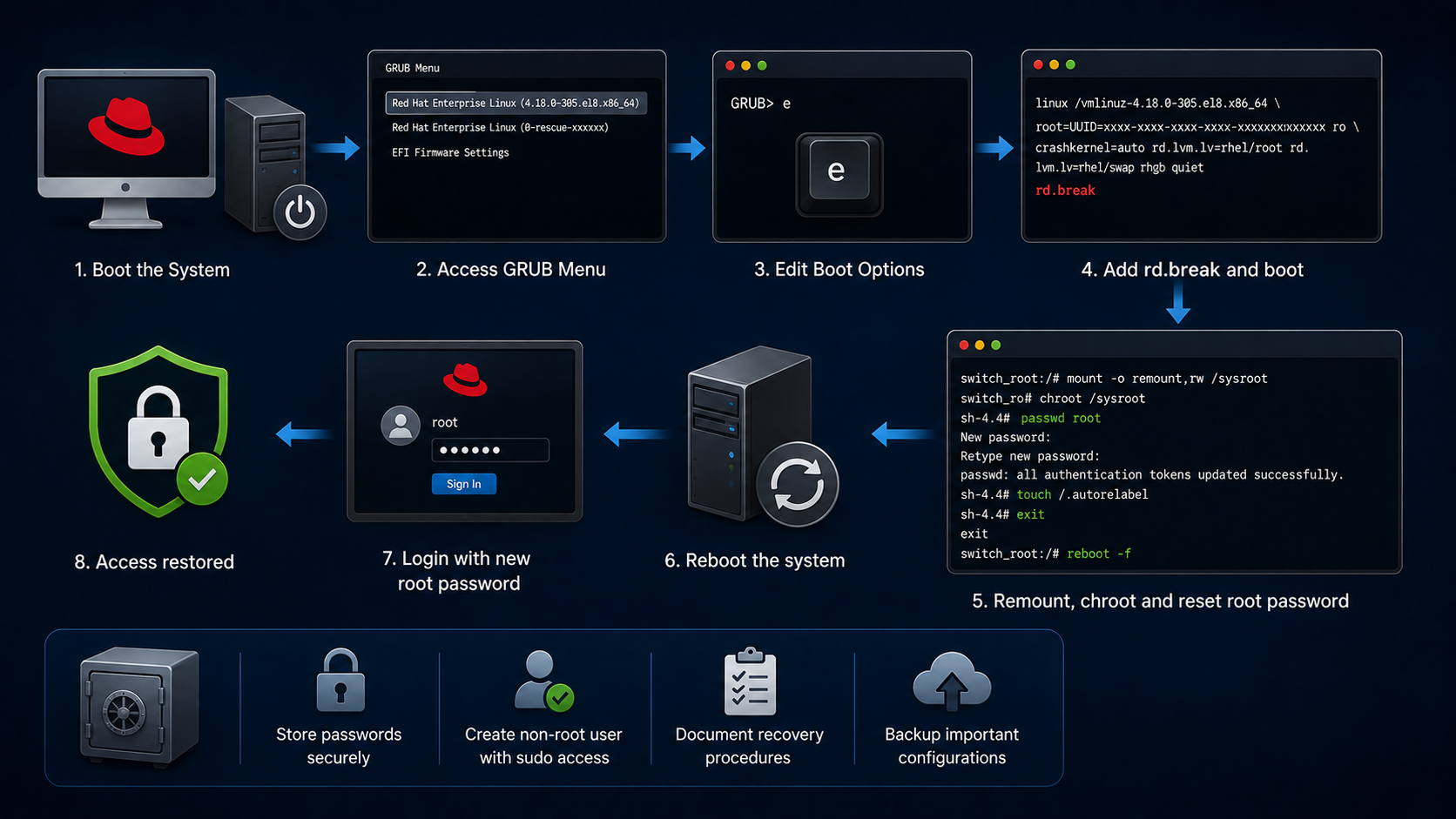
Resetting the root password on RHEL 8

Reading Time: 3 minutes

Resetting the root password on RHEL 8 shows a procedure to reset the root password.

As a system administrator, it’s essential to store all the system’s passwords securely. However, what do you do if you lose the root password for a specific system? What do you do if you do not have a non-root user with sudo permissions? This is the worst situation, and you, as a system administrator, must be prepared to handle it.

We will show a procedure to reset the root password by booting the system into the special mode. In this mode, the boot process stops before the system hands over control from the initramfs to the actual system.

Procedure

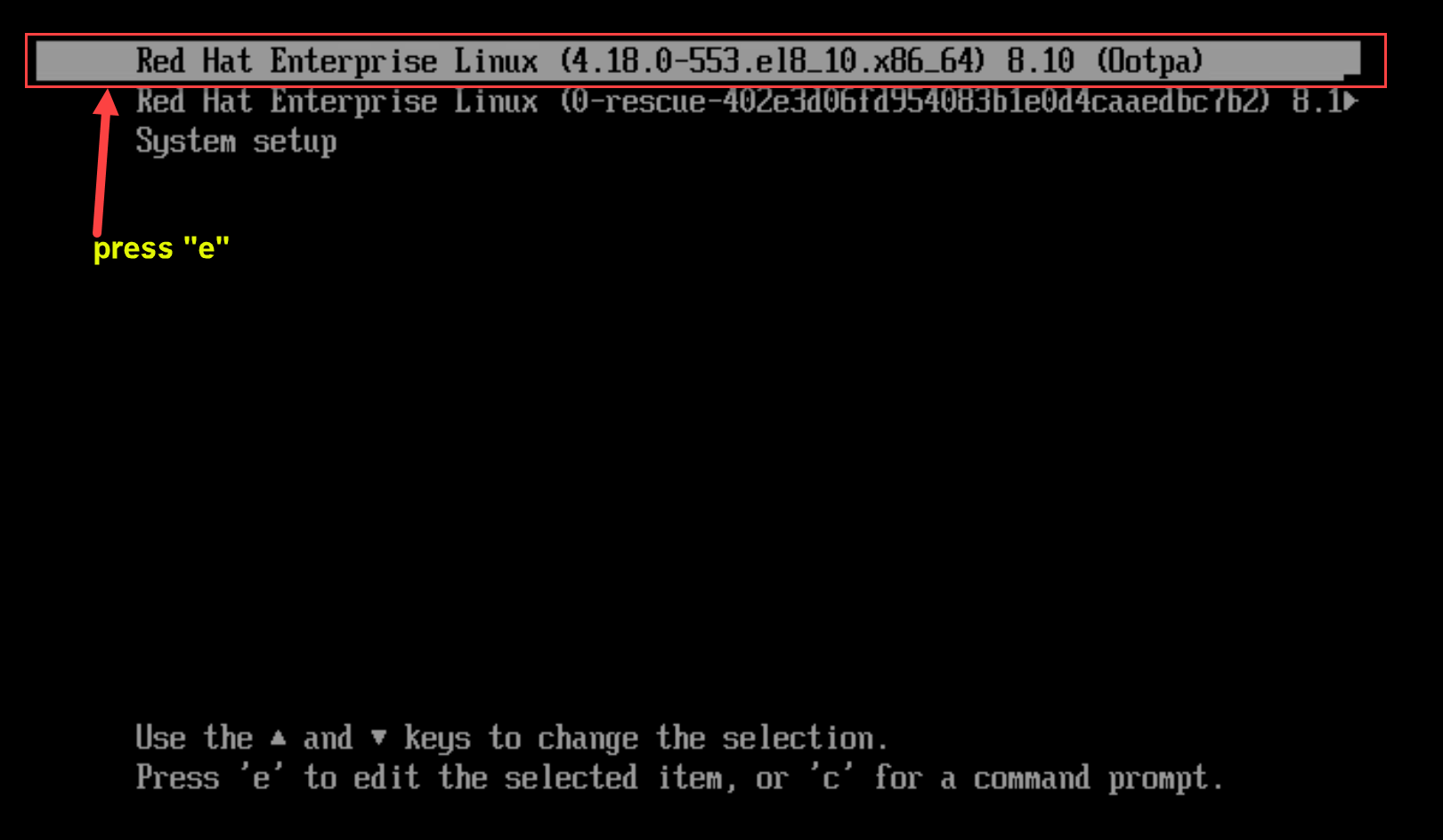
1- Reboot the system and, on the GRUB boot screen, press the e key to interrupt the boot process:
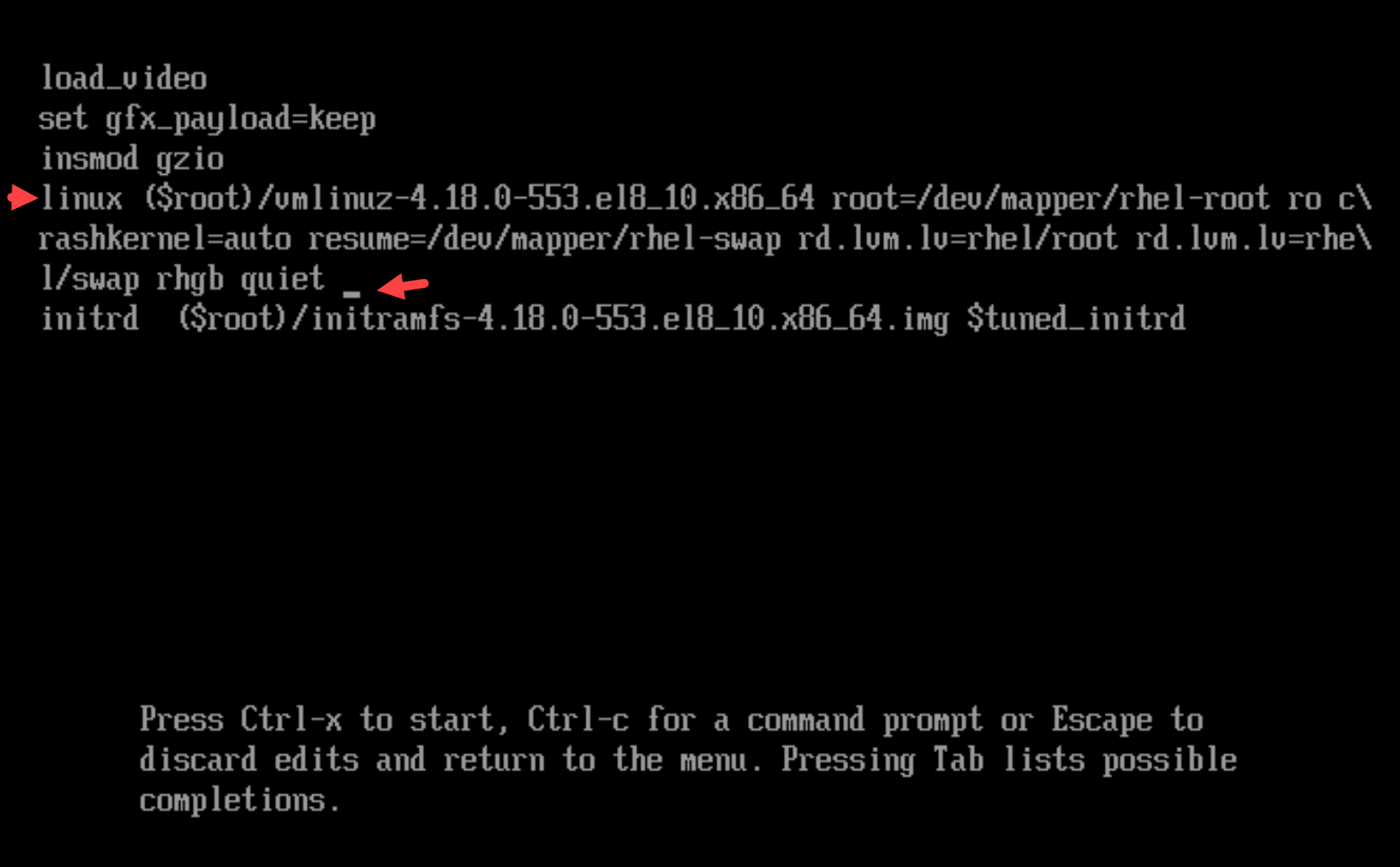
2- Set the cursor to the end of the line that starts with linux:
3- Append rd.break to the end of the line that starts with linux:
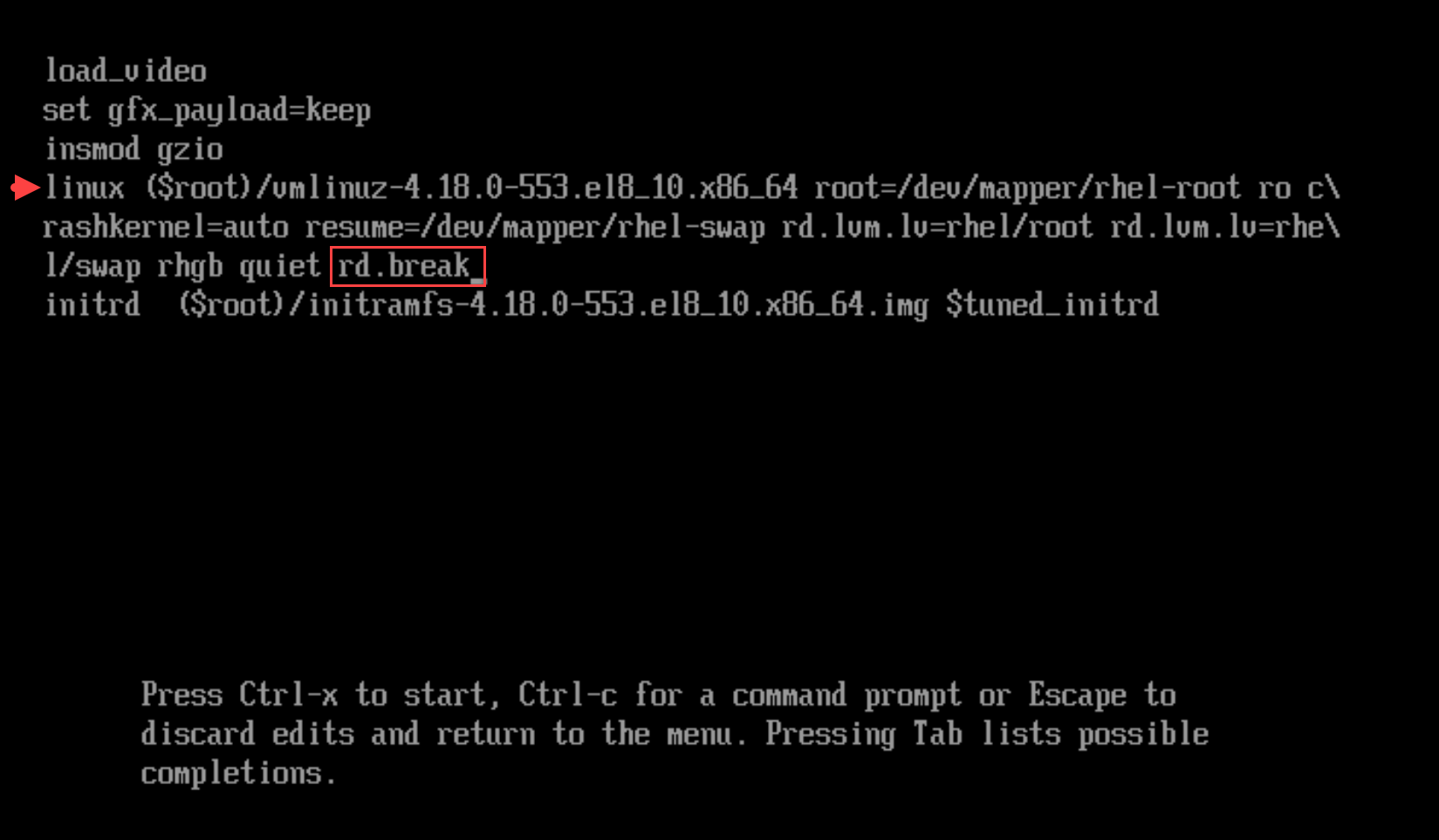
4- Press Ctrl+x to start the system with the changed parameters. The switch_root prompt appears:
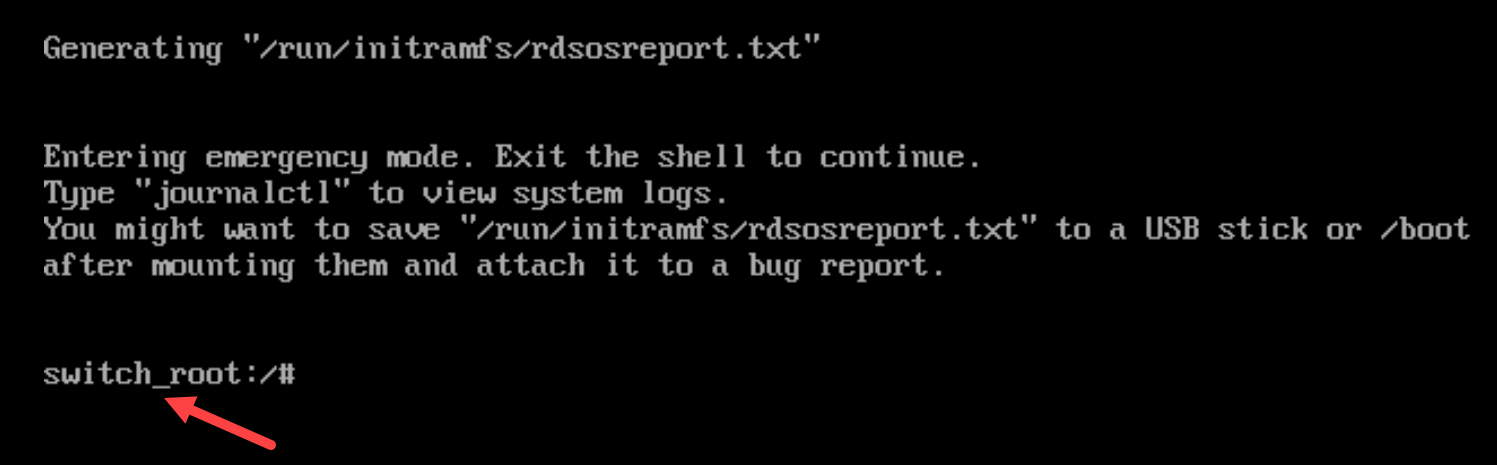
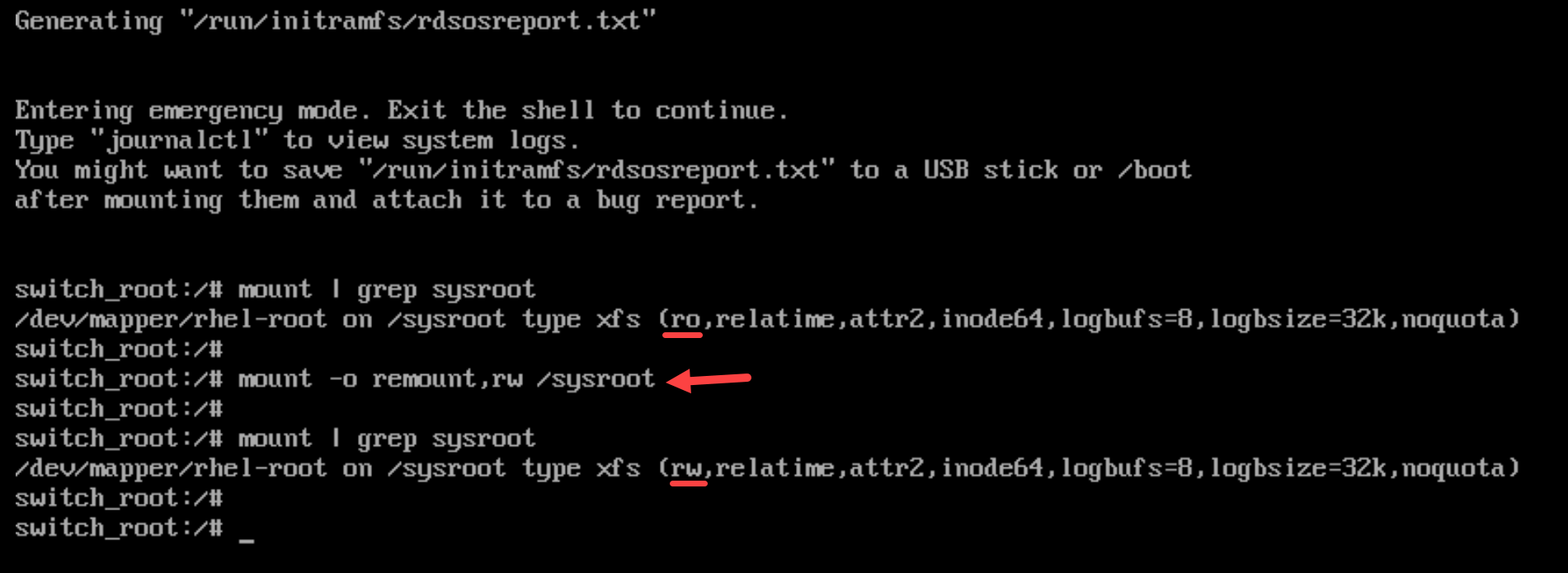
5- By default, the file system is mounted as read-only in the /sysroot directory. Remounting the file system as writable allows you to change the password:

mount -o remount,rw /sysroot
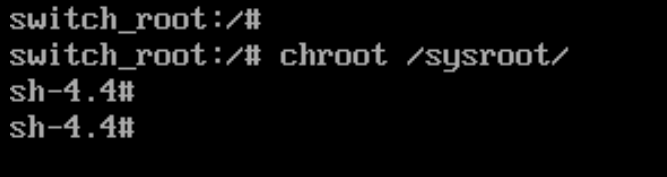
6- Enter the chroot environment:

chroot /sysroot
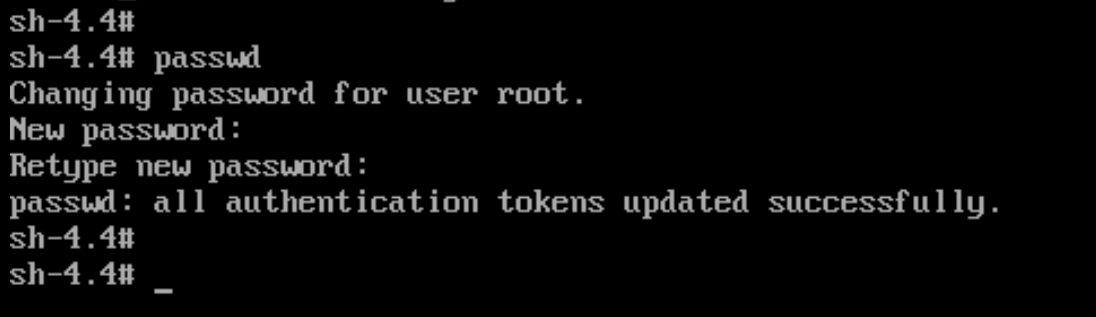
7- Reset the root password:

passwd
8- Enable the SELinux relabeling process on the next system boot:

touch /.autorelabel
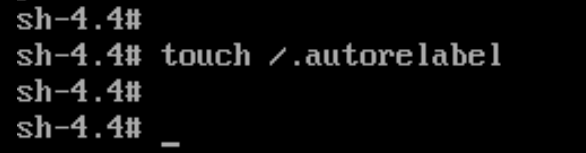
9- Exit the chroot environment:

exit

10- Exit the switch_root prompt, to reboot the system:

exit
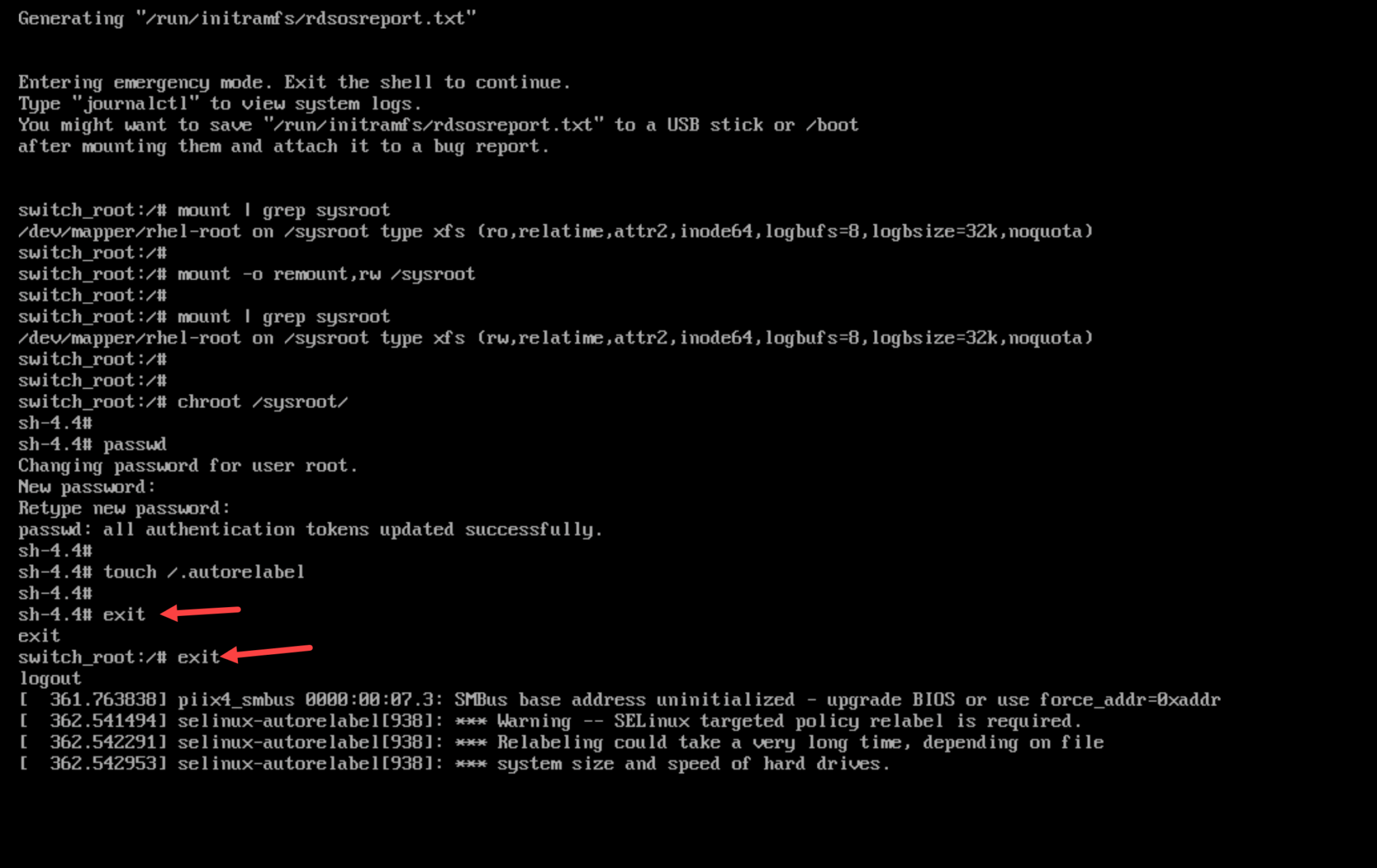
Note: Wait until the SELinux relabeling process is finished. Note that relabeling a large disk can take a considerable amount of time. The system reboots automatically when the process is complete

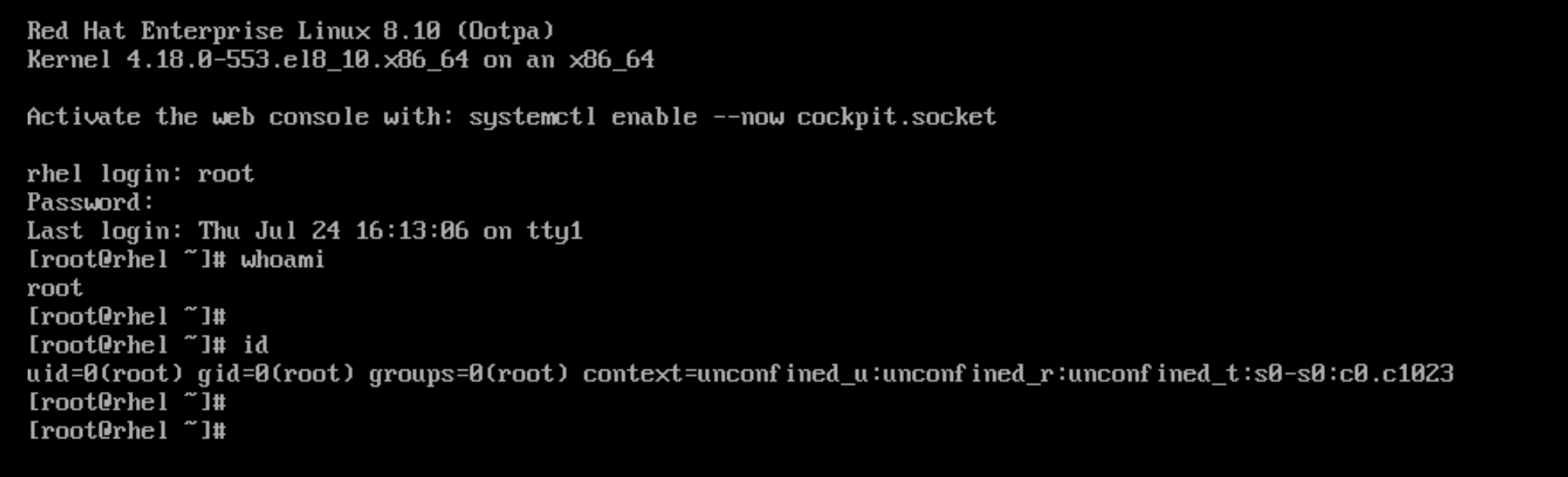
Verification

Log in as the root user by using the new root password:
That’s it 🙂

Similar Posts

  • How to Install CentOS 7

    Reading Time: 5 minutesHow to install CentOS 7 is an article that explains, step-by-step, how to install this fantastic operational system. CentOS is a Linux-based distribution, very stable and reliable to use as a server and also as a desktop. The CentOS Project produces two variants: CentOS Linux and CentOS Stream. Here, is a short definition from https://www.centos.org/…

  • Installing Docker Engine on Debian

    Reading Time: 2 minutesInstalling Docker Engine on Debian is an article that shows how to install the Docker container application on Linux Debian. First and foremost, we have written an article explaining installing Debian Linux. You can read this article by accessing the following link:https://dpcvirtualtips.com/installing-linux-debian-11/ Note: We are using the Debian 11 in this case! Add the repository…

  • How to Install RHEL 8 on Lab

    Reading Time: 4 minutesHow to Install RHEL 8 on Lab shows all the necessary steps to install Red Hat Enterprise Linux 8 on a lab environment. Downloading the Installation File (.iso) First and foremost, access http://access.redhat.com/ and create an account if you have not yet: After accessing your account, go to Products –> under Downloads and Containers, click…

  • Running VMs on RHEL 8

    Reading Time: 6 minutesRunning VMs on RHEL 8 shows all the necessary steps to configure our Red Hat Enterprise Linux to be a hypervisor, providing the capacity to create and run virtual machines (VMs). We’ve written some interesting articles that may help you before following them: How to install RHEL 8 on Lab – https://dpcvirtualtips.com/how-to-install-rhel-8-on-lab/Configuring Bonding + Bridge…

  • Rsyslog on RHEL 8

    Reading Time: 4 minutesRsyslog is the default syslog daemon on RHEL 8 and 9, and understanding its configuration is crucial for any system administrator. To check if the rsyslog is running on your system: Rsyslog Basic Architecture and Components Basic Rsyslog Configuration After editing the configuration files, you can run the following command to test the configuration syntax:…