

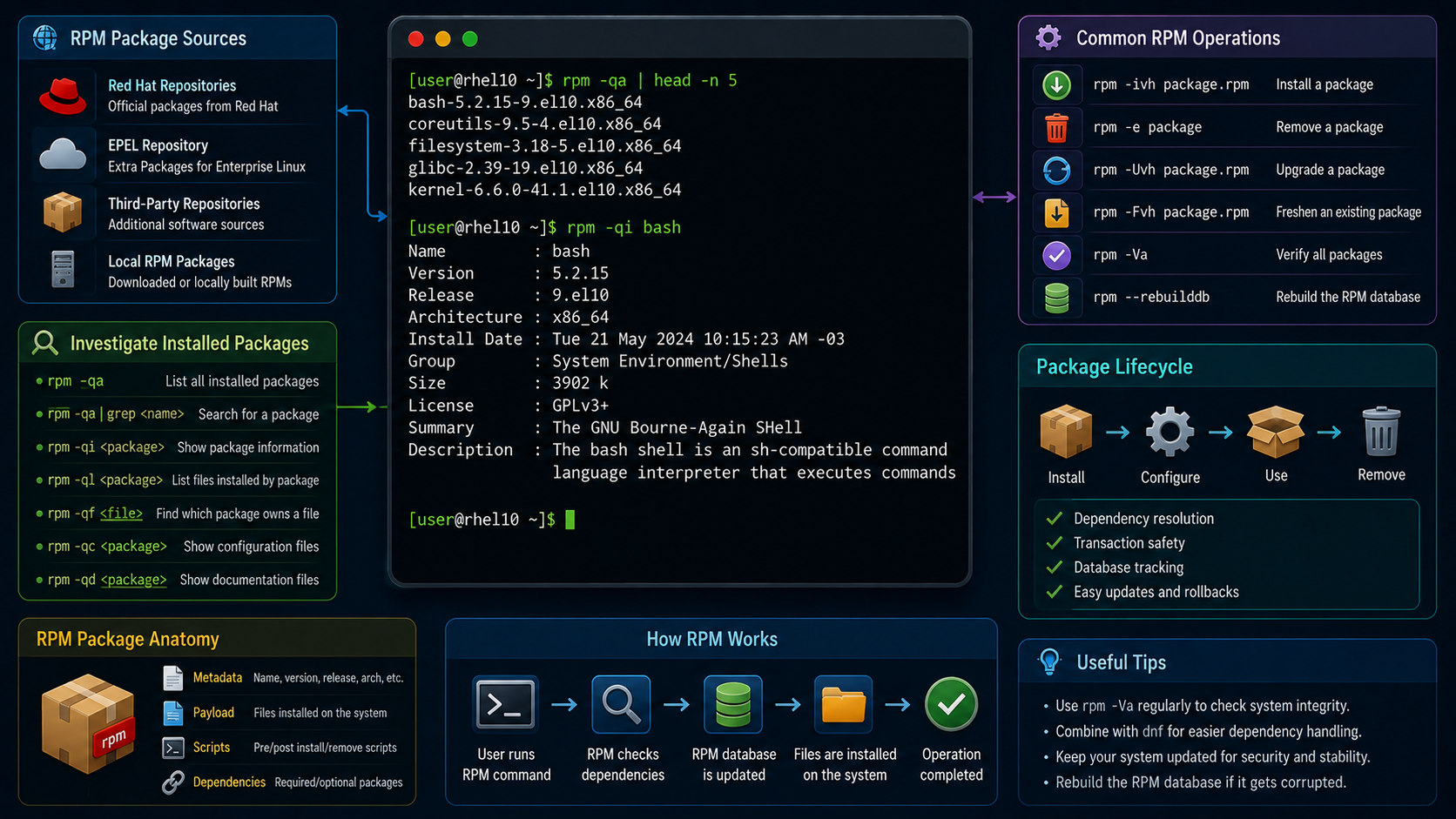
Working with RPM Software Packages explains how Red Hat and other sources provide software as RPM packages, and investigates the installed system packages.
First and foremost: What is an RPM Software Package?
The RPM Package Manager, which Red Hat originally developed, provides a standard way to package software for distribution. Managing software in the form of RPM packages is simpler than working with software that is extracted to a file system from an archive.
With RPM packages, administrators can track which files the software package installs, which files the software package removes if you uninstall it, and it verifies that supporting packages are present when you install it. The local RPM database on your system stores the information about installed packages. Red Hat provides all software for Red Hat Enterprise Linux as an RPM package.
RPM package file names consist of four elements (plus the .rpm suffix): name-version-release.architecture. For example:

RPM packages are often downloaded from repositories. A repository is a central location for storing and maintaining RPM software packages. To install a package from a repository, you need to provide only the package name.
Each RPM package is an archive with the following components:
- The files that the package installs in your system.
- Information about the package (metadata), such as the name, version, release, and architecture; a summary and description of the package; whether it requires other packages to be installed; licensing; a package change log; and other details.
- Scripts that might run when you install, update, or remove the package. These scripts might also run when you install, update, or remove other packages.
Important:
Typically, software providers digitally sign RPM packages with GNU Privacy Guard (GPG) keys. Red Hat, for example, digitally signs all packages that it releases. The RPM system verifies package integrity by confirming that the package is signed with the appropriate GPG key. The RPM system fails to install a package if the GPG signature does not match.Inspecting RPM Packages
The “rpm” utility is the tool that can retrieve information about the contents of package files and installed packages. By default, this tool gets information from a local database of installed packages. Let’s provide some examples:
To list all installed packages:
rpm -qa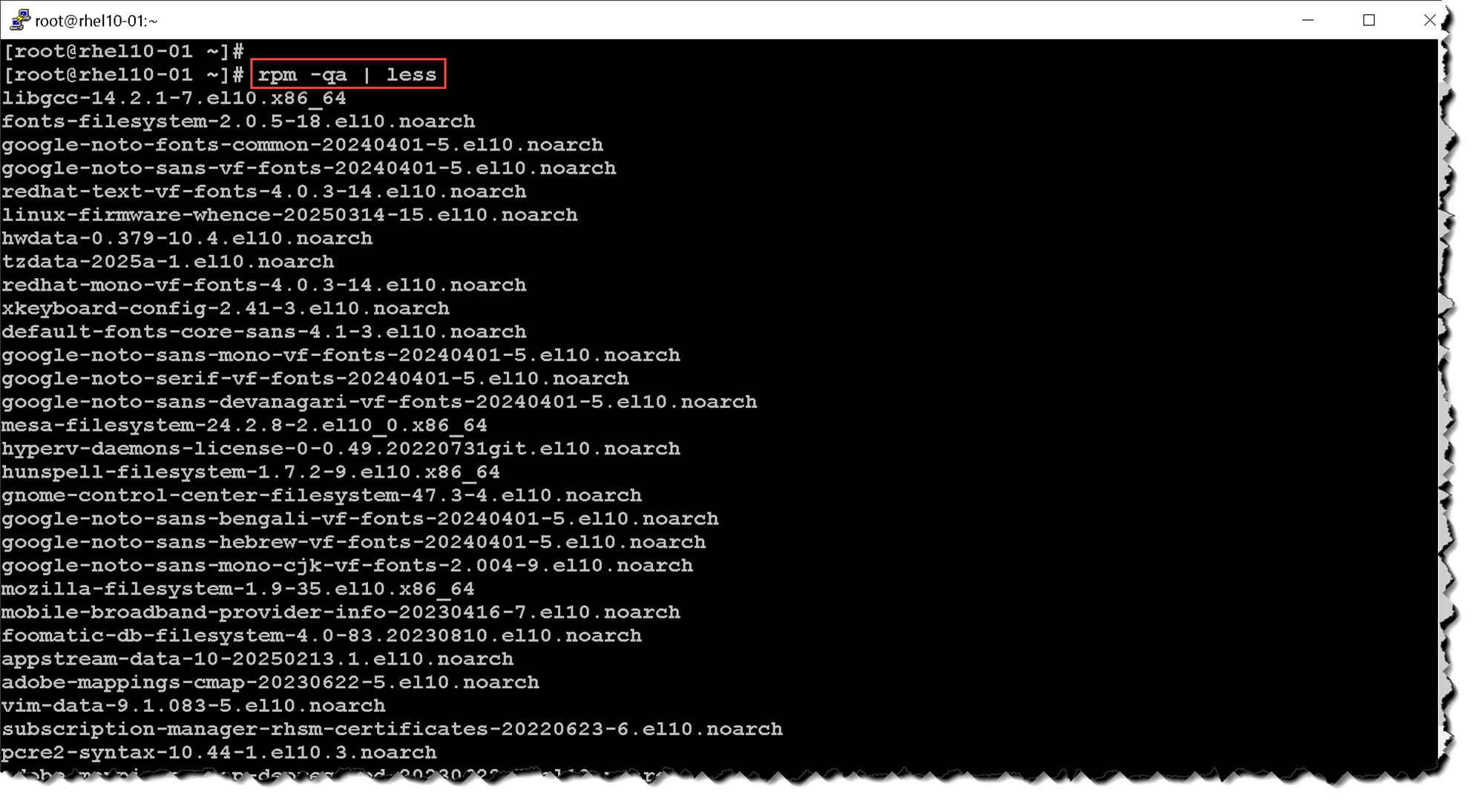
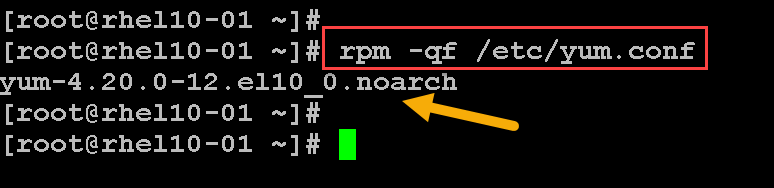
Determine which packages provide a specific file:
rpm -qf /etc/yum.confIn this case, for instance, we’re looking for what package provides the file “/etc/yum.conf”:
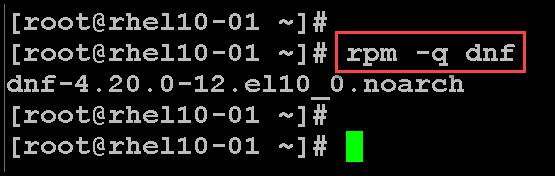
To list the currently installed package version:
rpm -q dnfIn this case, for instance, we’re looking for details of the “dnf” package:
Additionally, to get details about a package, we can – let’s use the same package as the previous example:
rpm -qi dnf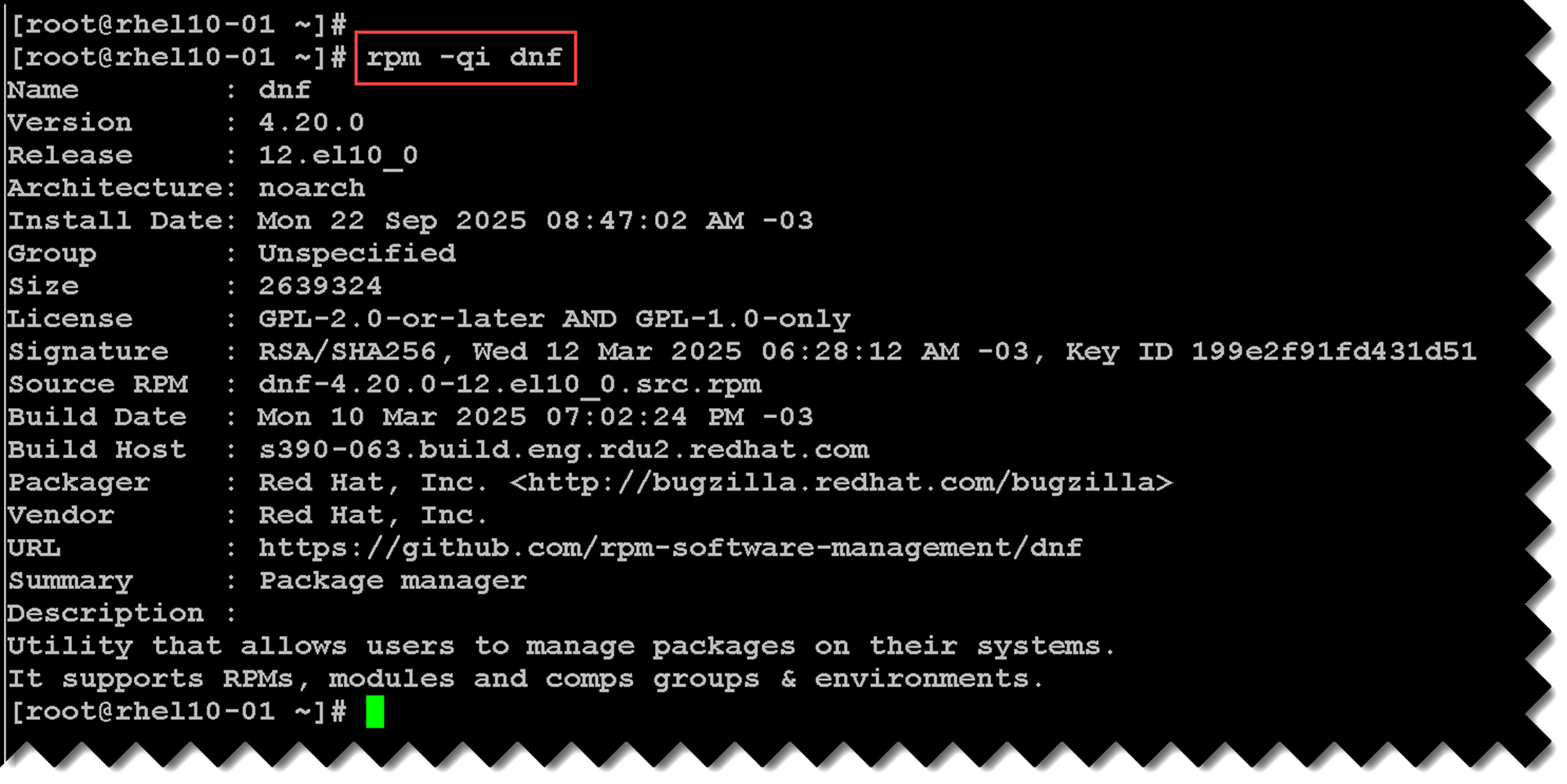
To get all files installed by the package:
rpm -ql dnf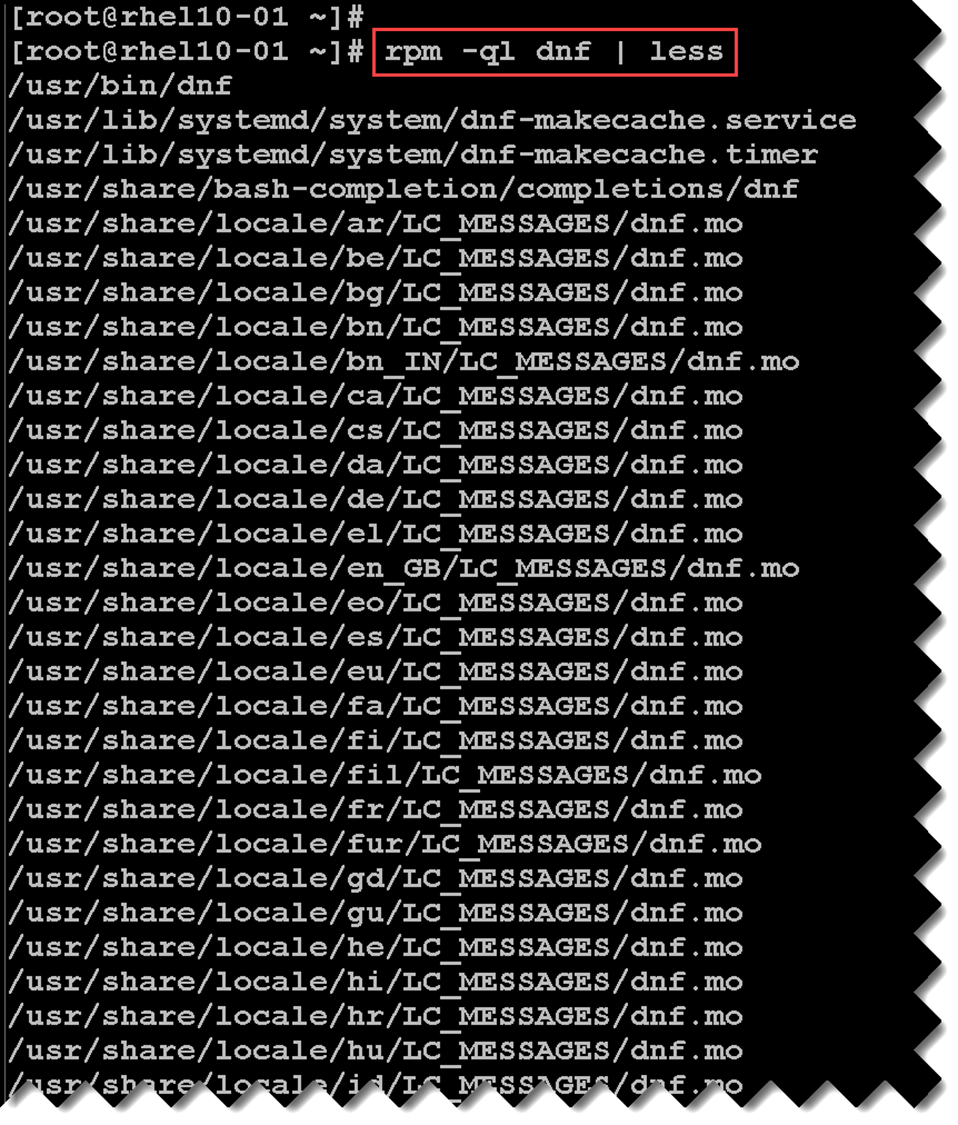
As we can see in the previous pictures, a package can install many files. So, get only the configuration files, for instance, we can:
rpm -qc openssh-serverIn this case, we’re using the “openssh-server” package:
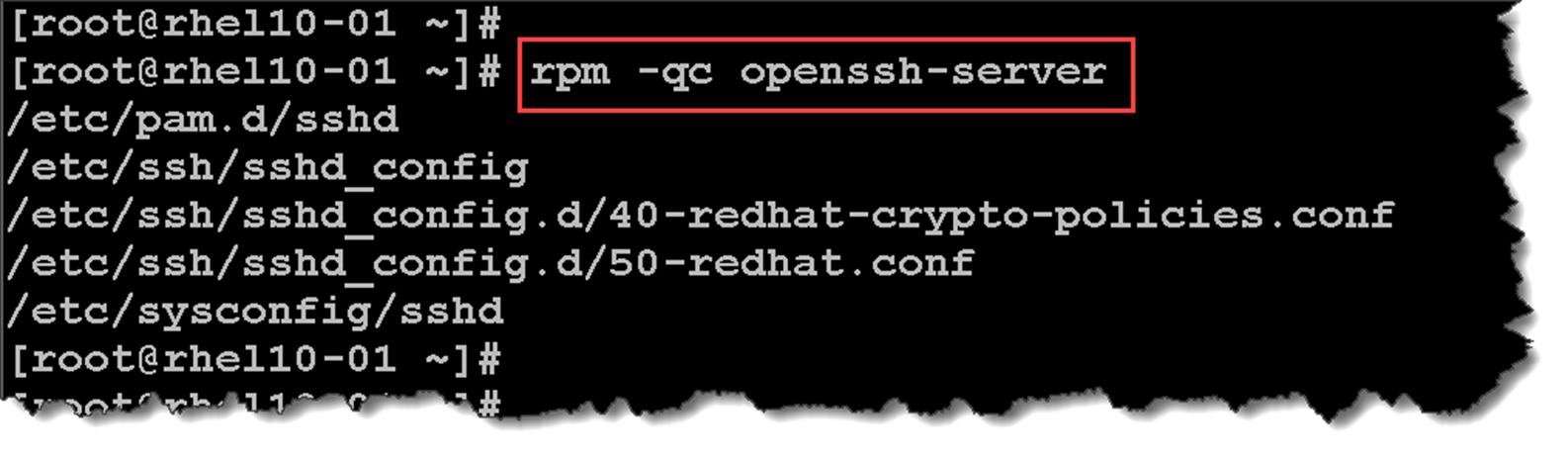
To get only the documentation provided by a package:
rpm -qd openssh-server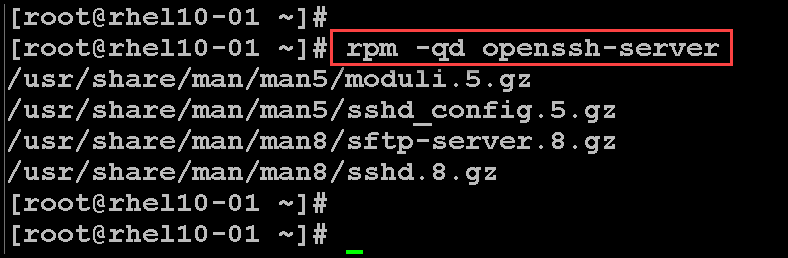
To list all scripts executed before or after the package installation:
rpm -q --scripts openssh-server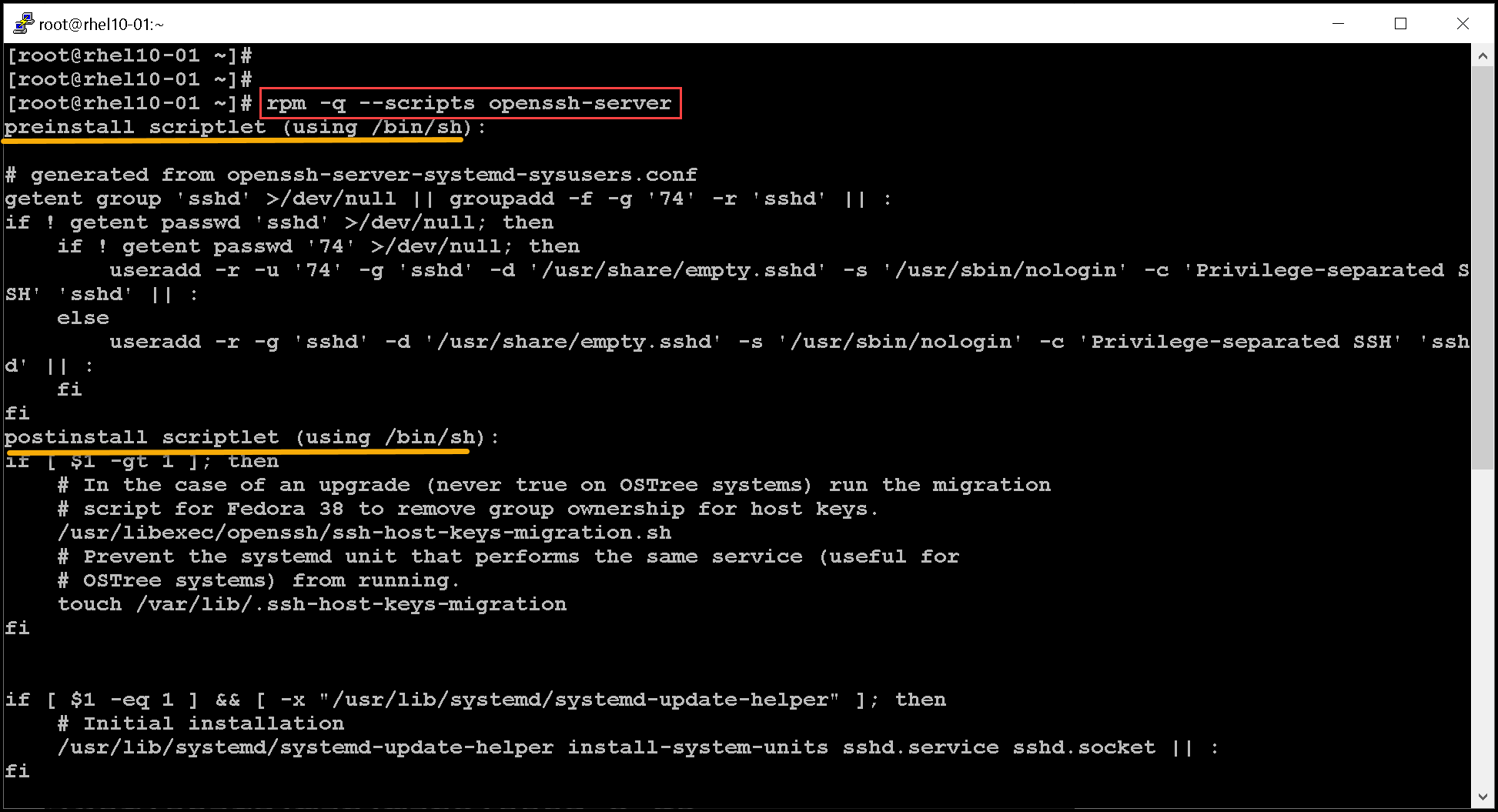
To get the package change log information:
rpm -q --changelog openssh-server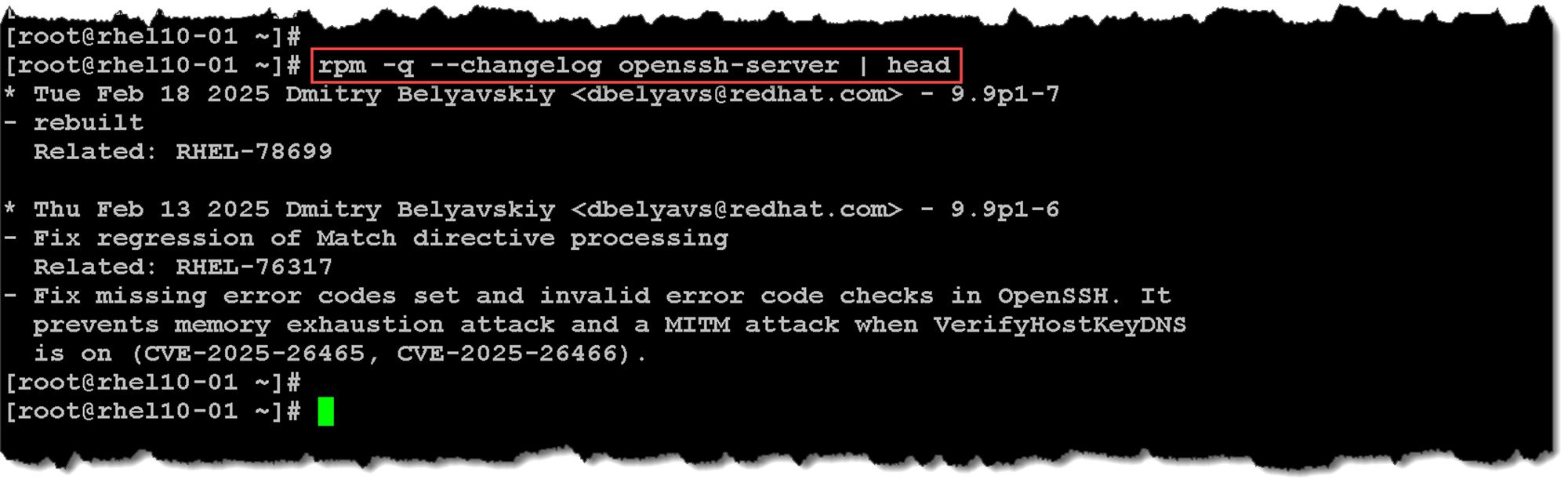
As we mentioned earlier, we can install a package from repositories by its name. However, there is a possibility of installing a local package. A local package is basically a .rpm package. Let’s provide you with an example:
ls -l podman-5.4.0-1.el10.x86_64.rpm
-rw-r--r--. 1 user user 16494682 Jun  9 23:43 podman-5.4.0-1.el10.x86_64.rpm
To list all files that this .rpm package installs:
rpm -qlp podman-5.4.0-1.el10.x86_64.rpm
/usr/bin/podman
/usr/lib/.build-id
/usr/lib/.build-id/0b
...output omitted...
Installing and Extracting RPM Packages
We can use the “rpm” tool to install a local RPM package. Let’s provide an example. The first step is to download the .rpm package to the local machine. We’re downloading the HTTPD package as an example:
curl https://rpmfind.net/linux/centos-stream/10-stream/AppStream/x86_64/os/Packages/httpd-2.4.63-5.el10.x86_64.rpm --output httpd-2.4.63-5.el10.x86_64.rpmTo install the package:
rpm -ivh httpd-2.4.63-5.el10.x86_64.rpmAs we can confirm in the following picture, when we need to install a local package, we’re responsible for handling the dependencies ourselves. We got an error installing the httpd package because required packages (dependencies) are missing – to fix it, solve the dependencies and try to install the httpd package again:
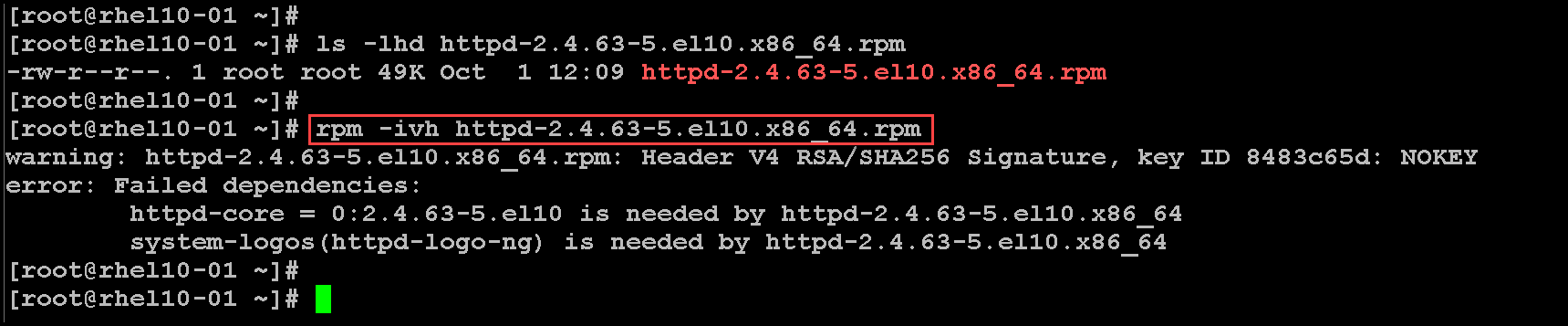
Let’s provide another example. We’re trying to install the local package “podman” and we’re getting the same dependency error:
rpm -ivh podman-5.4.0-1.el10.x86_64.rpm
warning: podman-5.4.0-1.el10.x86_64.rpm: Header V4 RSA/SHA256 Signature, key ID 8483c65d: NOKEY
error: Failed dependencies:
        catatonit is needed by podman-6:5.4.0-1.el10.x86_64
        conmon >= 2:2.1.7-2 is needed by podman-6:5.4.0-1.el10.x86_64
To fix it, we can download each required .rpm package and install it, or we can use a more straightforward approach – we can use the “dnf localinstall” to install the .rpm package, searching and installing any required dependencies, as we can see in the following picture:
dnf localinstall podman-5.4.0-1.el10.x86_64.rpm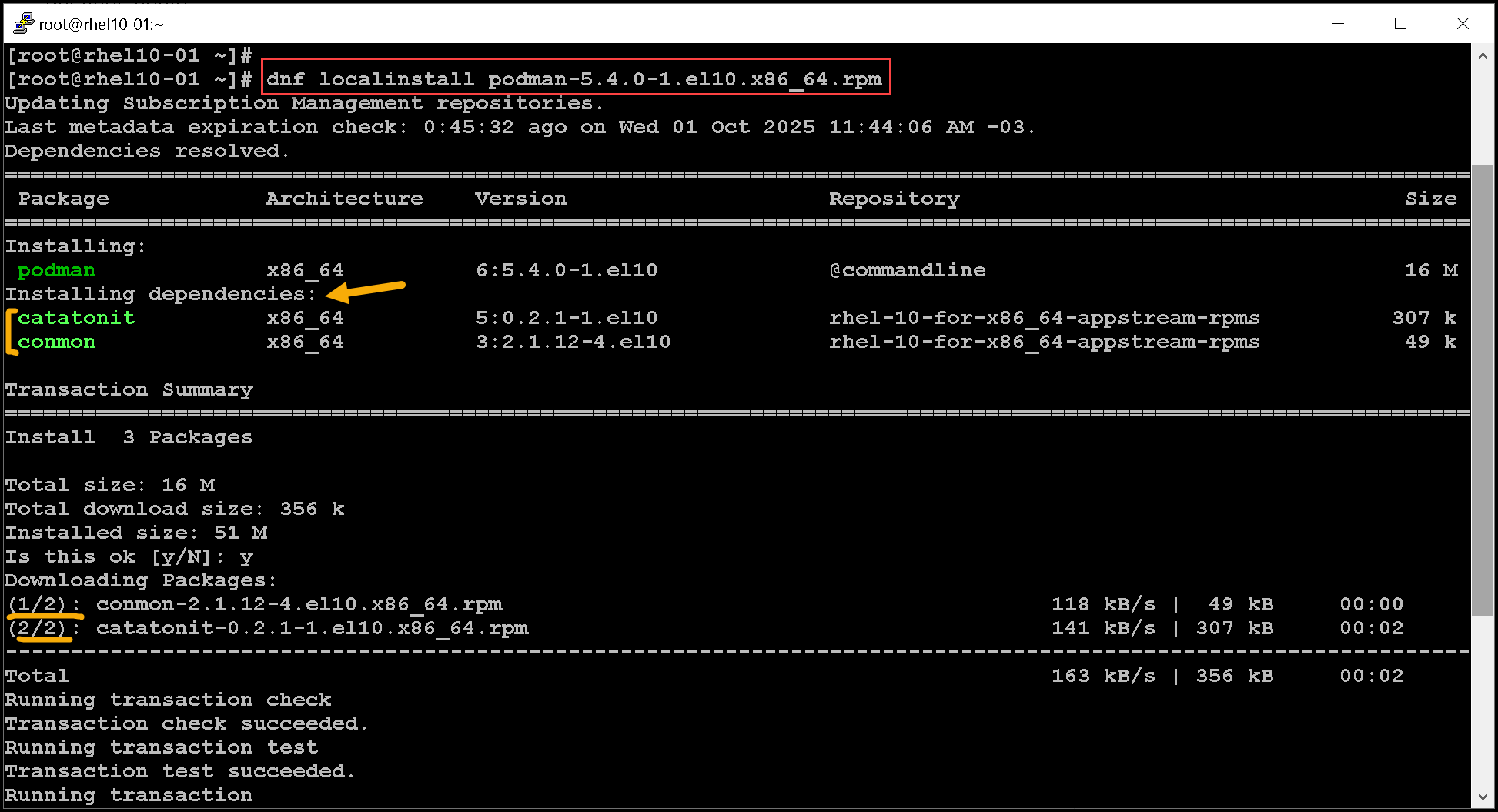

As we previously saw, getting the package details:
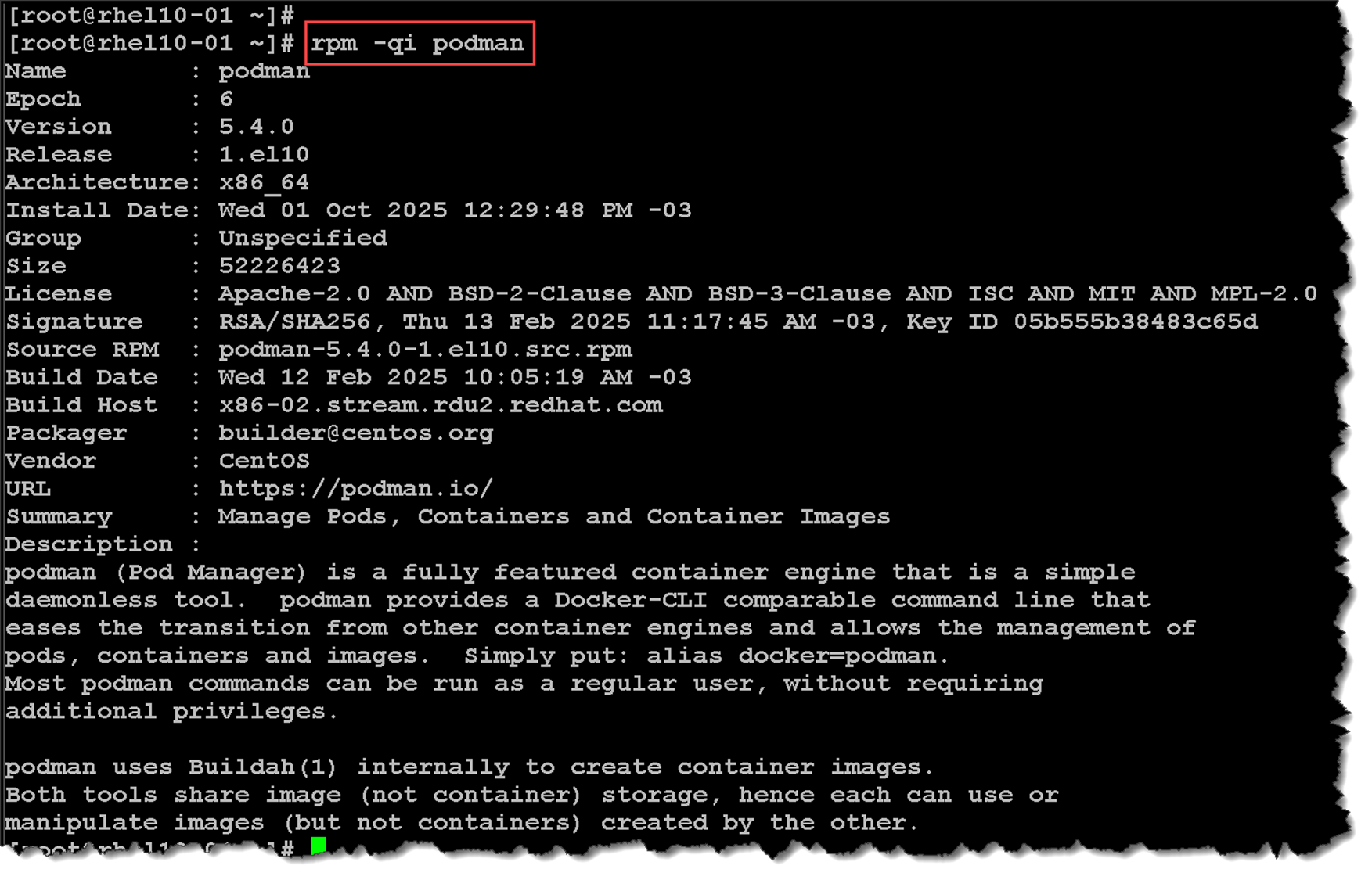
Use the rpm2cpio command to extract files from an RPM package file without installing the package.
The rpm2cpio command converts an RPM package to a cpio archive. After the RPM package is converted to a cpio archive, the cpio command can extract a list of files.
Use the cpio command with the -i option to extract files from standard input. Use the -d option to create subdirectories as needed, starting in the current working directory. Use the -v option for verbose output. Let’s provide an example:
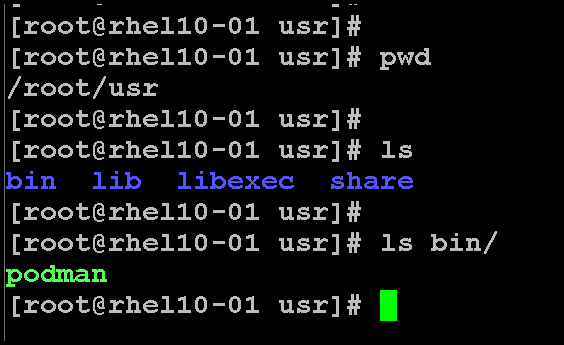
rpm2cpio podman-5.4.0-1.el10.x86_64.rpm | cpio -idvA directory was created after executing the “rpm2cpio” command:

We can explore the directory structures and confirm that there are all the files and configurations for the podman package:
Opposed to extracting the files, we can just list them (without extracting them):
rpm2cpio podman-5.4.0-1.el10.x86_64.rpm | cpio -tv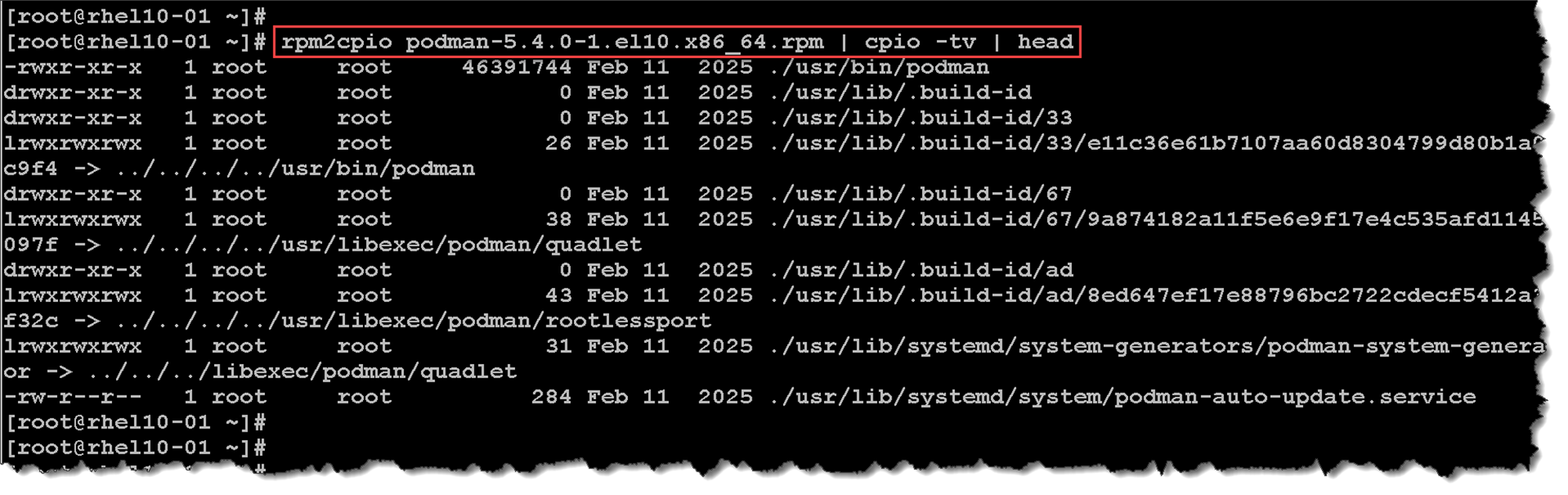
That’s it for now 🙂
