

Installing and Updating Packages with DNF shows how to find, install, and update software packages using DNF.
What is DNF?
DNF stands for Dandified YUM.
It’s the next-generation package manager used in RHEL 8, RHEL 9, Fedora, and CentOS Stream.
It replaces the older yum tool, but the command syntax is almost the same.
DNF is a high-level package manager that works on top of RPM. It makes our life easier because it:
- Automatically resolves dependencies (unlike
rpm). - Installs, updates, and removes packages.
- Handles repositories (online or local).
- Keeps a history of package operations (so you can undo).
- Supports plugins for extra functionality.
Fundamental Difference Between rpm and dnf
rpm → low-level tool. Works only with single .rpm files. Doesn’t resolve dependencies. Good for querying.
dnf → high-level tool. Talks to repositories, resolves dependencies, and makes package management smooth.
Let’s provide an example using the package podman.
Using rpm:
rpm -ivh podman-5.4.0-1.el10.x86_64.rpm
# Fails because catatonit and conmon are missing
Using dnf:
dnf localinstall podman-5.4.0-1.el10.x86_64.rpm
# DNF will pull catatonit and conmon automatically
The BaseOS and Application Stream Repositories
As we mentioned earlier, the dnf command uses repositories to install packages. Red Hat Enterprise Linux 10 distributes content through two main software repositories: BaseOS and Application Stream (AppStream). Both BaseOS and AppStream are necessary parts of a Red Hat Enterprise Linux 10 system.
The BaseOS repository provides the core operating system content for Red Hat Enterprise Linux as RPM packages. So, the BaseOS components have the exact lifecycle as content in previous Red Hat Enterprise Linux releases.
Application Stream contains the necessary parts of the system, as well as a wide range of applications that were previously available as part of Red Hat Software Collections and other products and programs. Each Application Stream has a lifecycle that is either the same as Red Hat Enterprise Linux 10 or shorter.
To list all enabled repositories:
dnf repolist
List all:
dnf repolist --all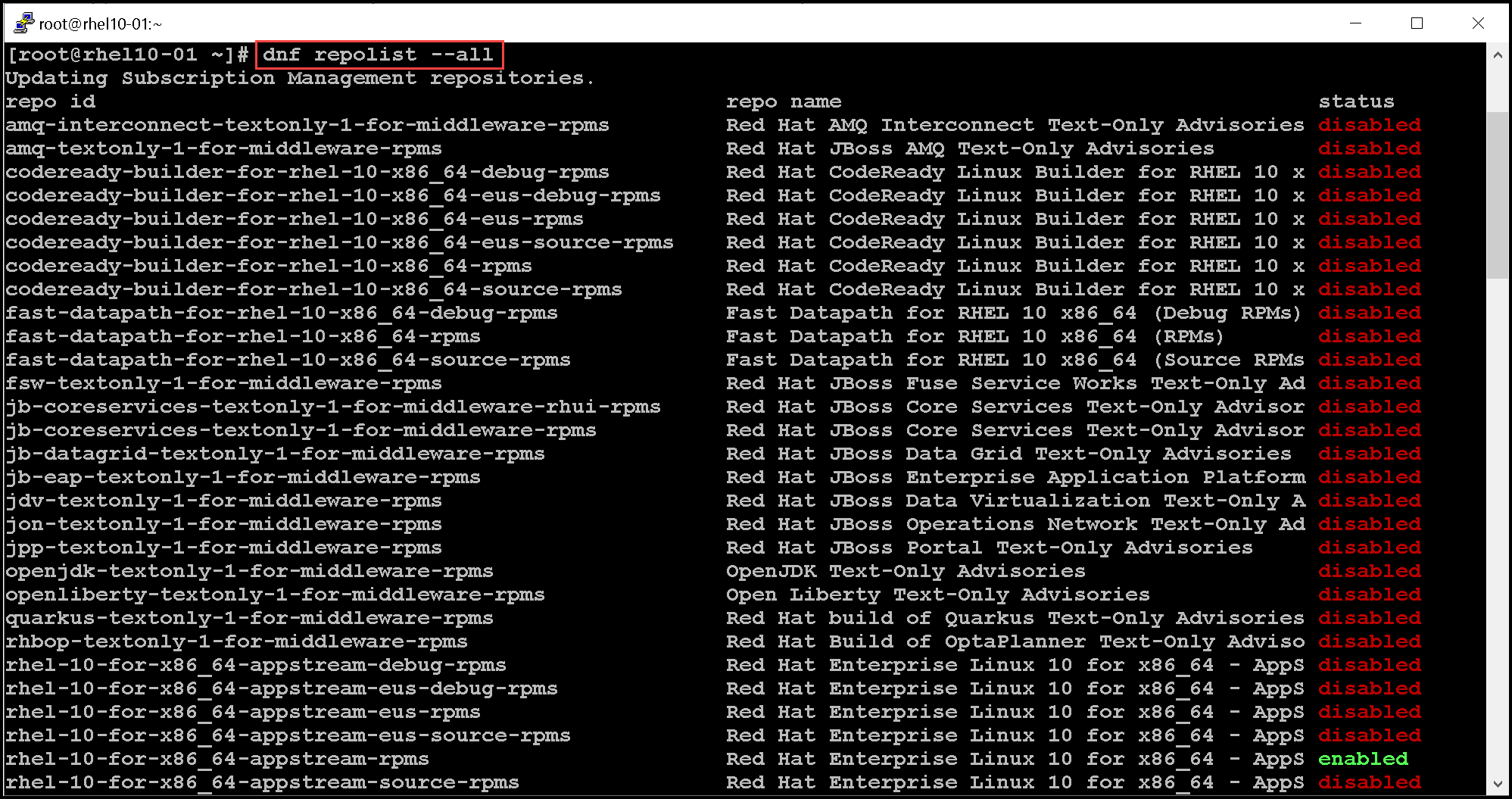
To enable a repository – in this case, for instance, we’ll enable the “rhel-10-for-x86_64-baseos-debug-rpms” repository:
dnf config-manager --enable rhel-10-for-x86_64-baseos-debug-rpms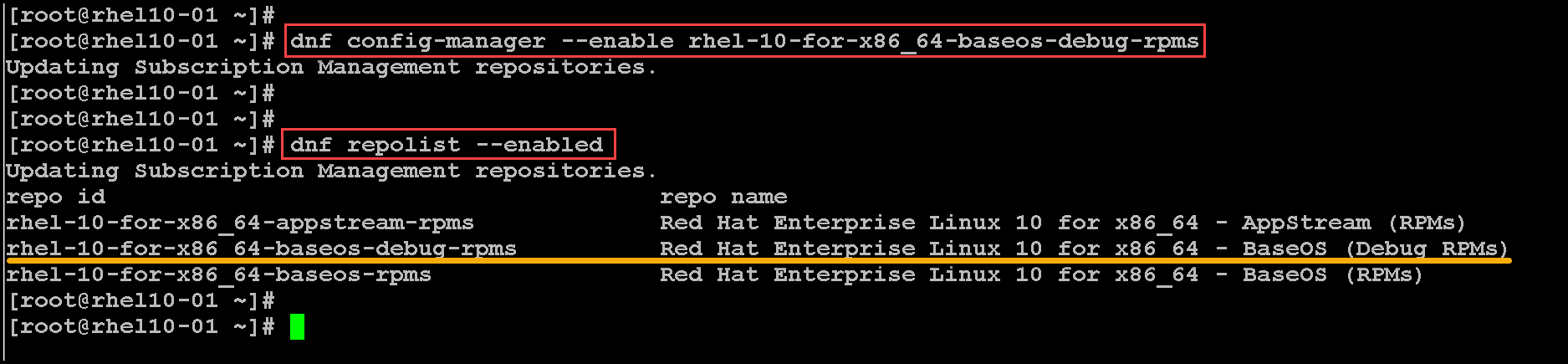
Common DNF Commands
Let’s provide some dnf examples:
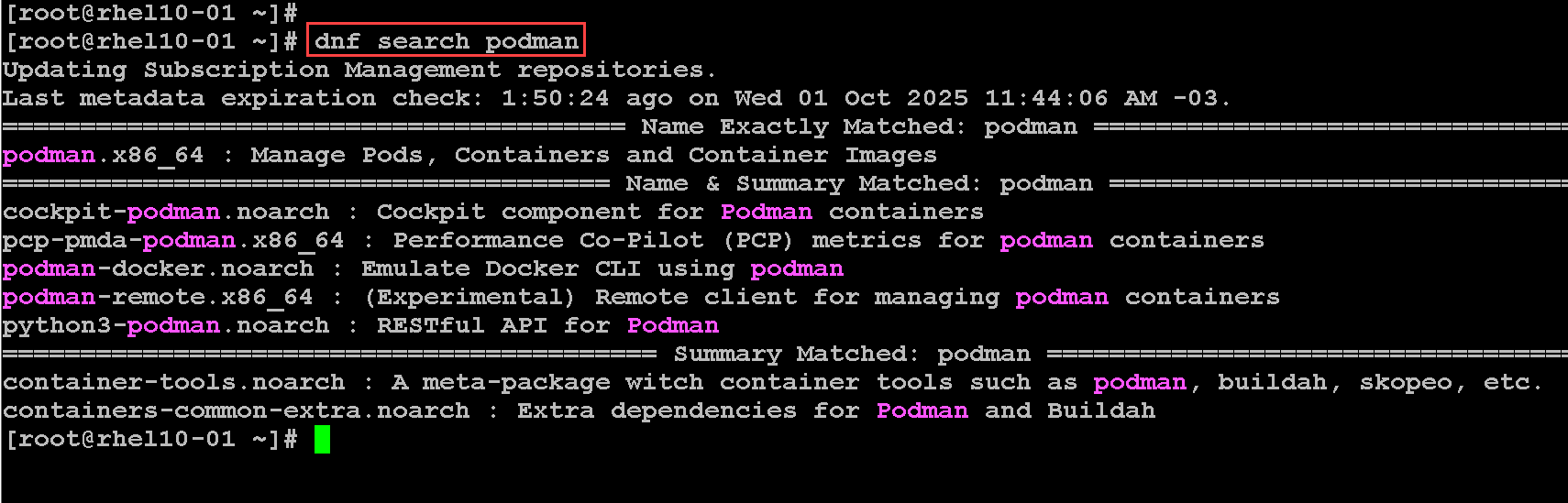
1- To search packages:
dnf search podmanAs we can see, the “dnf search” shows matches in the name and summary fields:
To search for a keyword in their name, summary, and description fields, use “search all” with the keyword. Let’s see an example:
dnf search all podman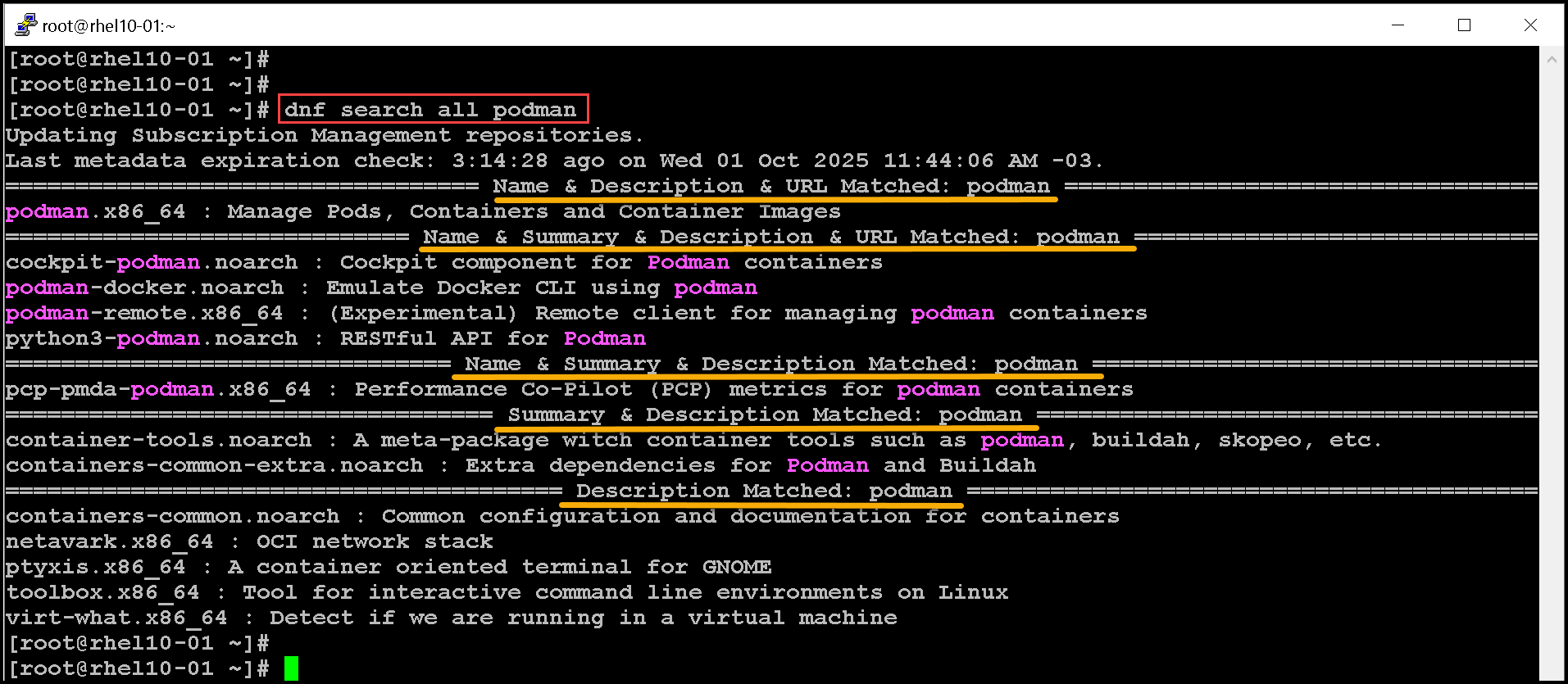
2- To install a package and its dependencies:
dnf install httpd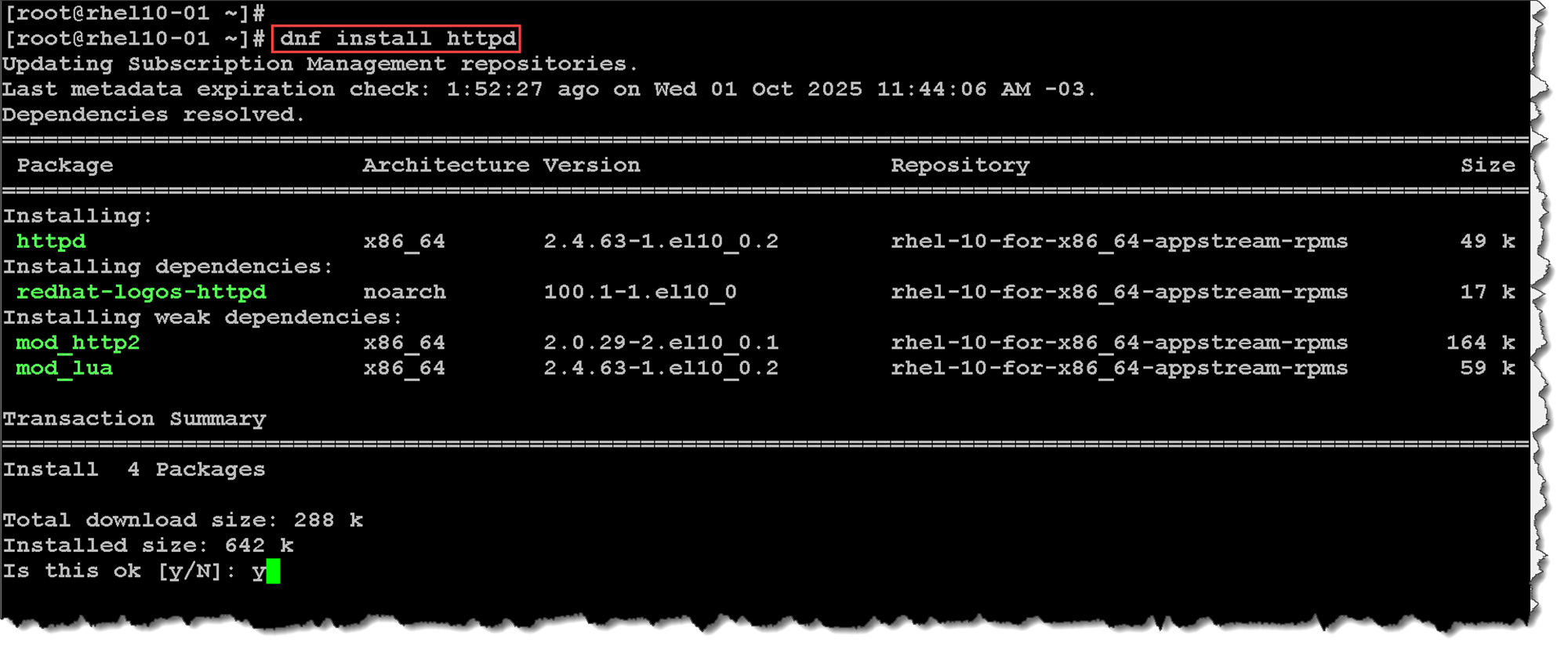
3- To remove a package and its dependencies:
dnf remove httpd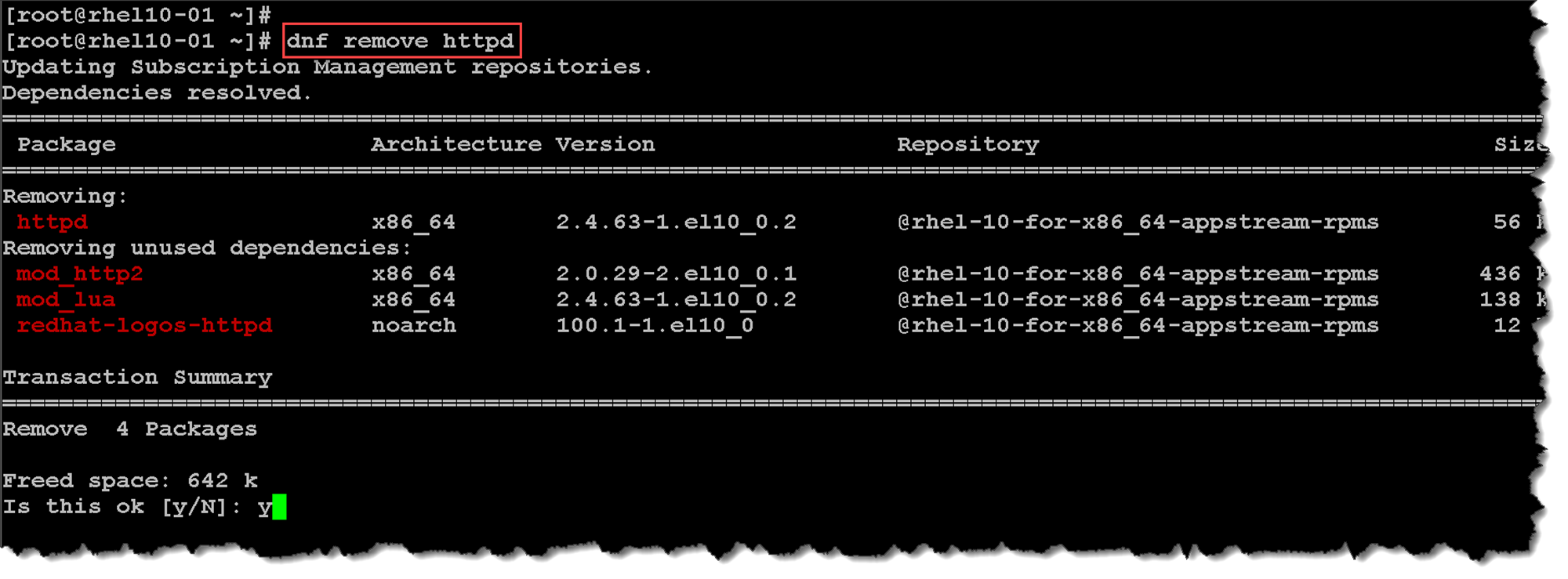
4- To update a package if there is any available update. In this case, for instance, the installed version is the latest available:
dnf update httpd
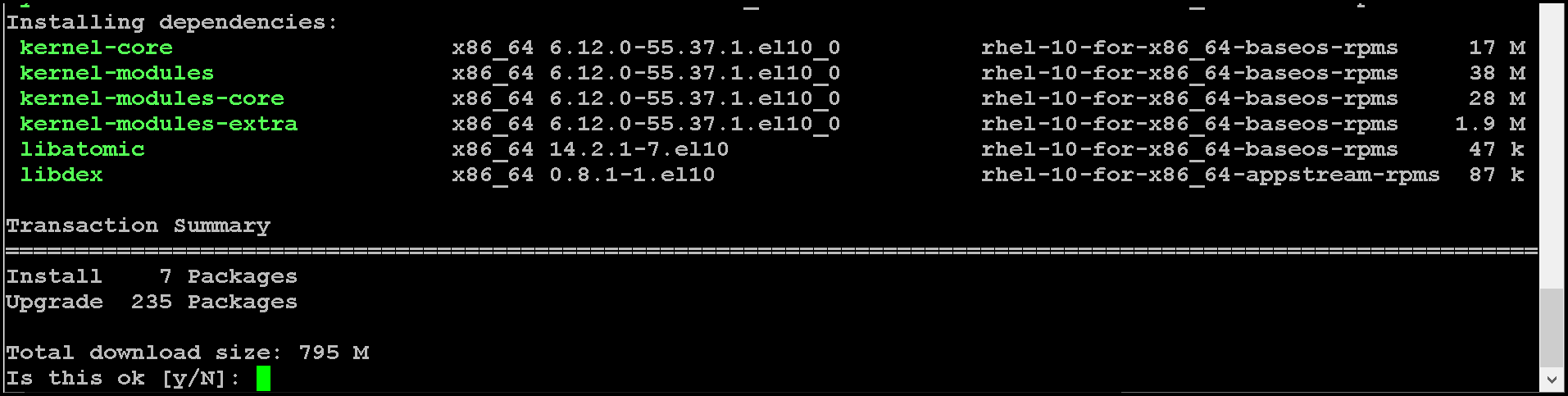
Note: Using the “dnf update” without providing a package name, the dnf tool will try to update all packages:
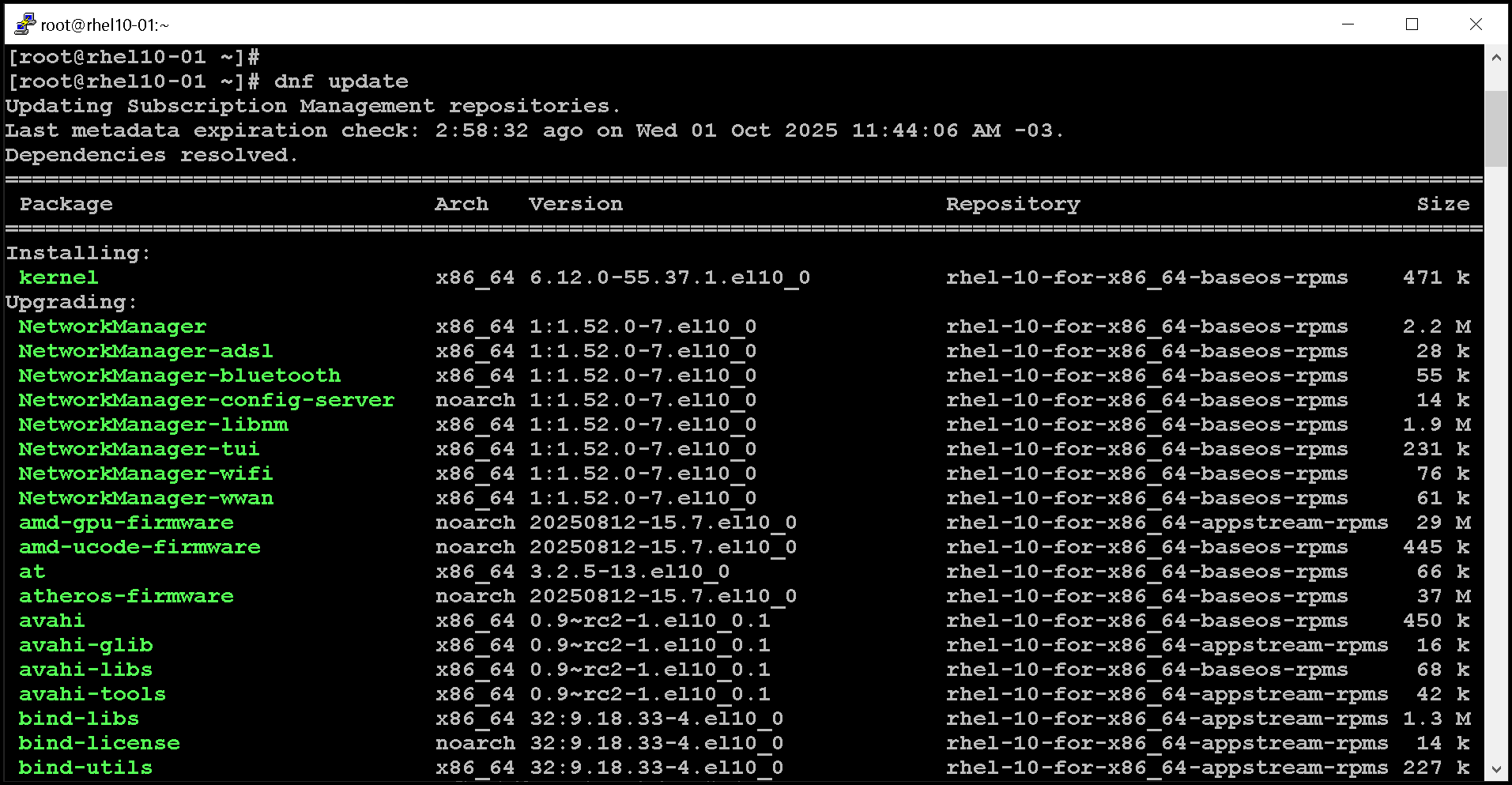
5- To check if a package is installed:
dnf list installed podman
The command output gives us:
- The package name – in this case “podman.x86_64”.
- The version details – “6:5.4.0-1.el10”.
- And provide us the installation method – “@@commandline” means that the package was installed using a local package (.rpm).
Note: The “dnf list installed” without a package name will list all installed packages.
Let’s provide another example:
dnf list installed httpdThe httpd package was installed using the AppStream repository:

6- To get package info:
dnf info podman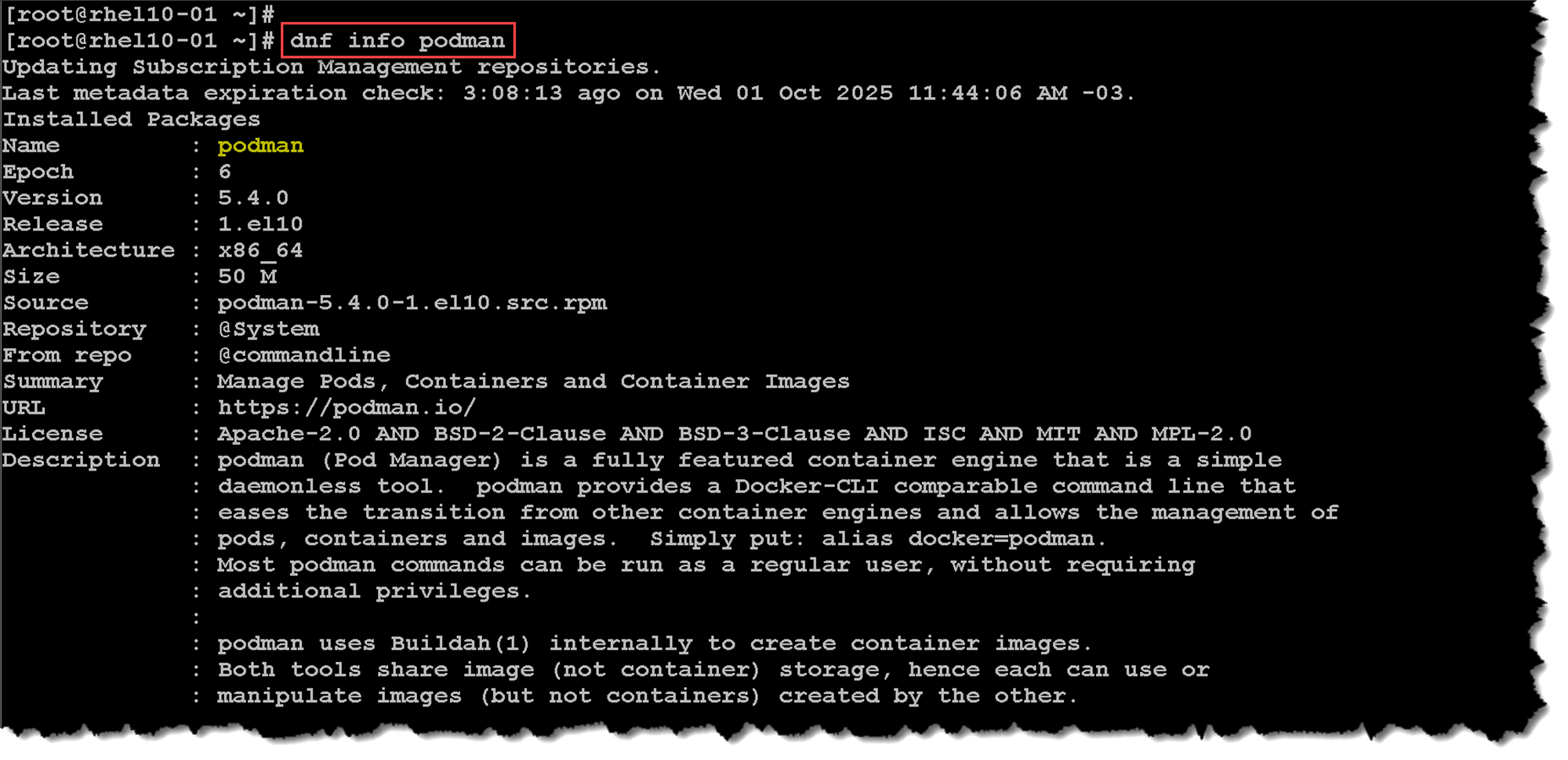
Note: On RHEL 8/9, when you type yum, it’s actually a symlink to DNF. So if you run:
yum install podman…it really uses DNF under the hood 🙂
Installing and Removing Groups of Software with DNF
With DNF, you can also install and remove groups, which are collections of related software that are installed together.
In Red Hat Enterprise Linux, the dnf command can install two kinds of package groups:
- Regular groups are collections of packages.
- Environment groups are collections of regular groups.
The packages or groups that these collections provide might be listed as mandatory (they must be installed if the group is installed), default (typically installed if the group is installed), or optional (not installed when the group is installed, unless specifically requested).
Similar to the dnf list command, the dnf group list command shows the names of installed and available groups:
dnf group list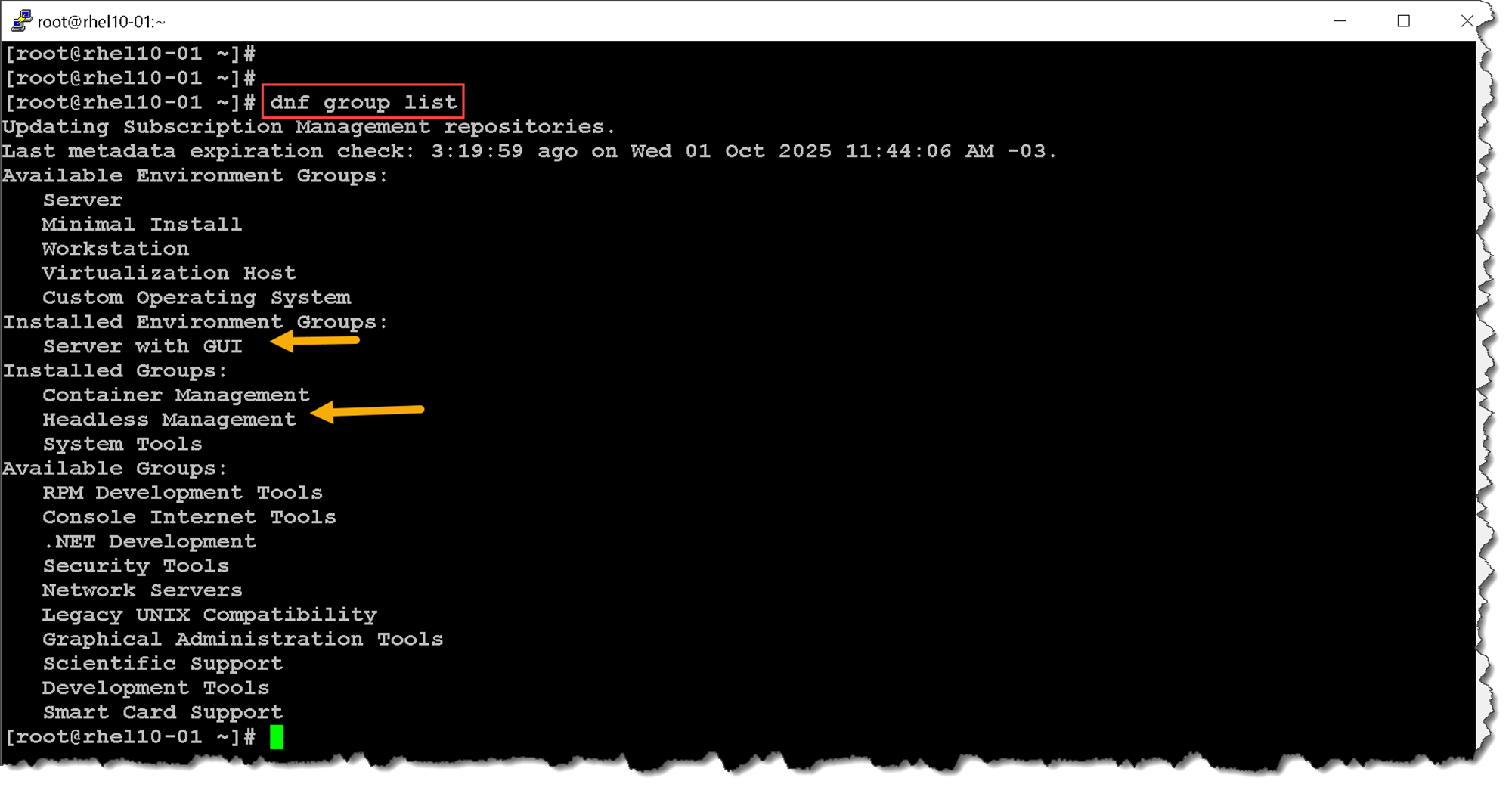
Some groups are installed through environment groups and are hidden by default. List these hidden groups with the dnf group list hidden command:
dnf group list hidden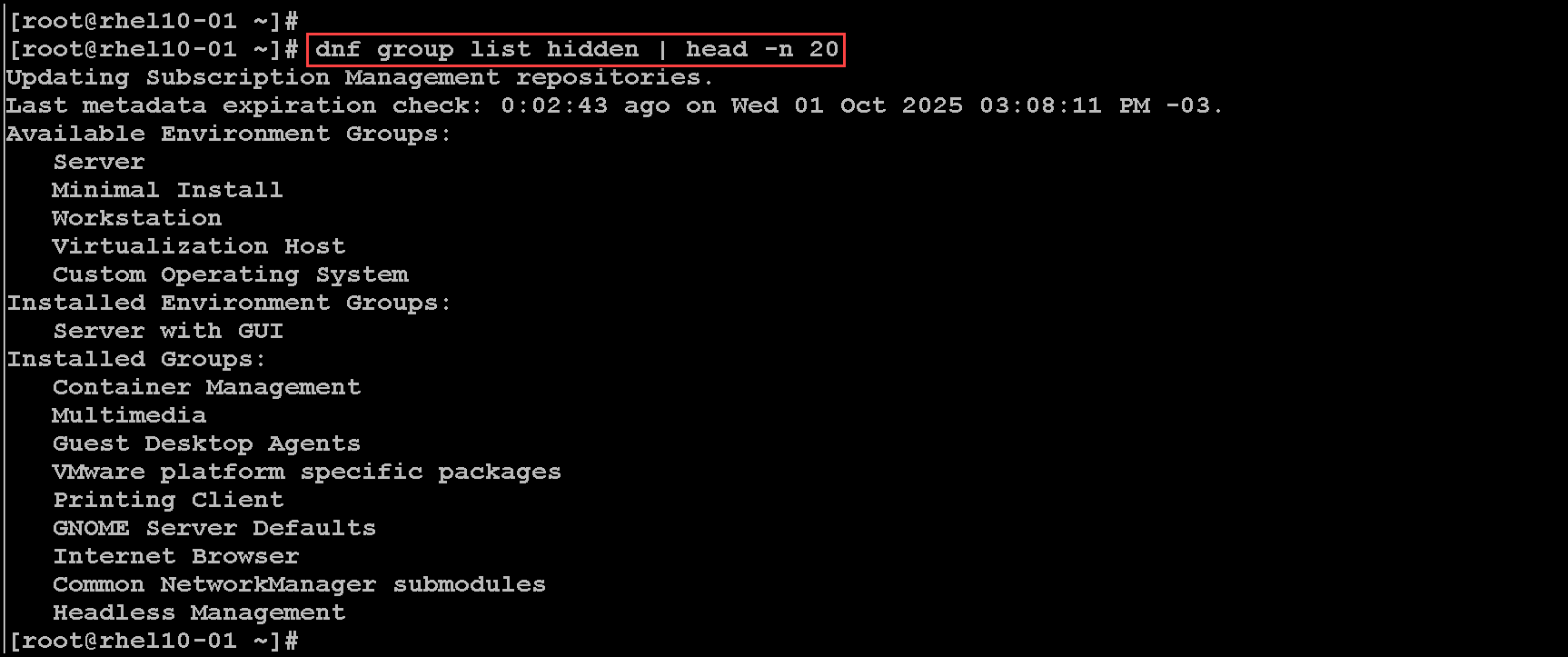
The dnf group info command displays information about a group. It includes a list of mandatory, default, and optional package names:
dnf group info 'Security Tools'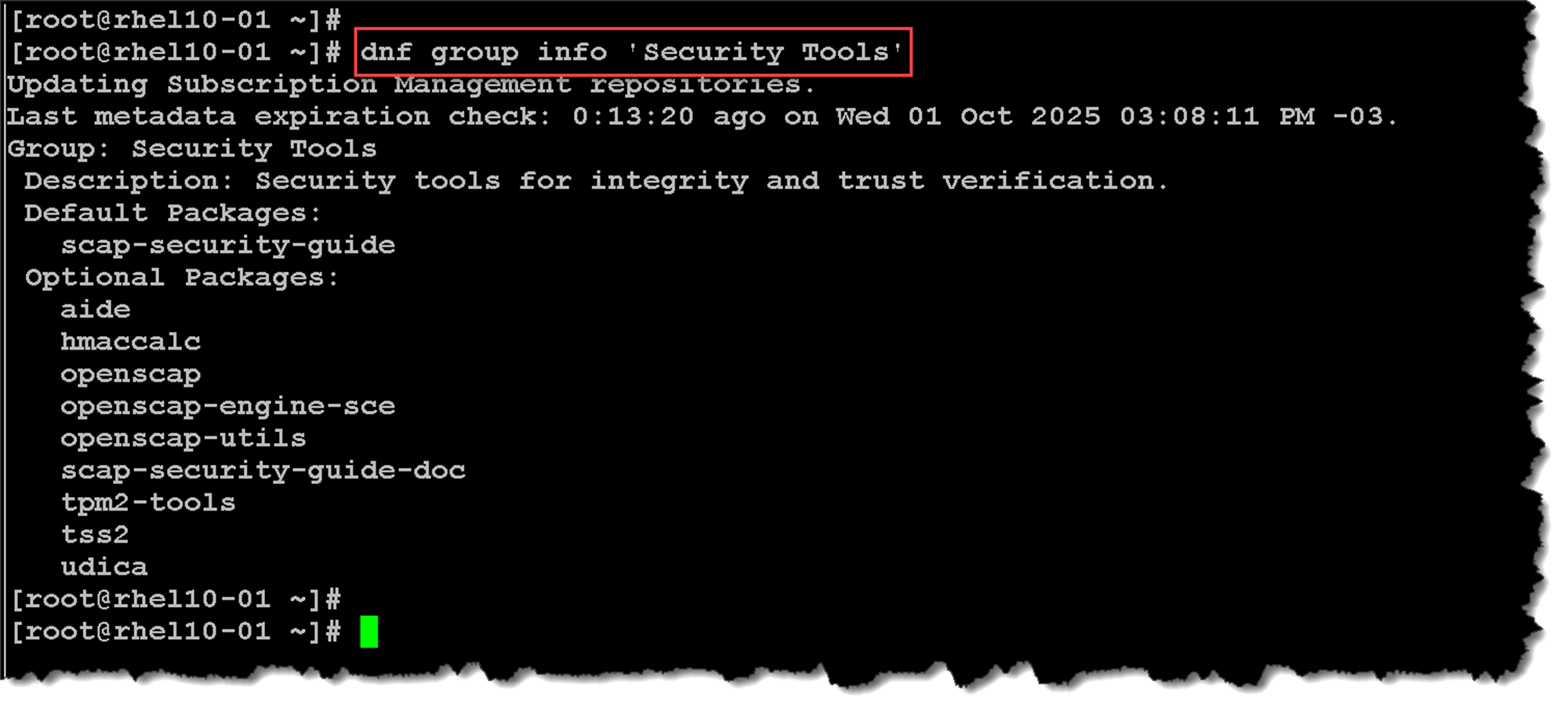
The dnf group install command installs a group that installs its mandatory and default packages and their dependent packages:
dnf group install 'System Tools'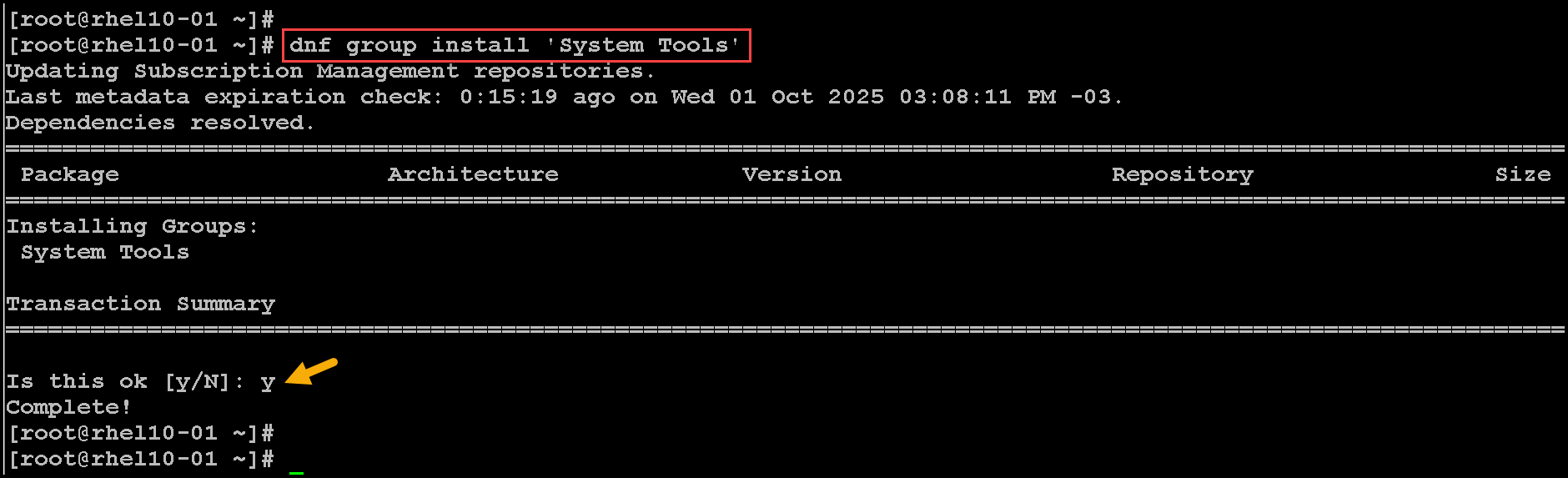
Viewing Transaction History
All installation and removal transactions are logged in the /var/log/dnf.rpm.log file:
tail -5 /var/log/dnf.rpm.log
2025-06-11T20:19:56+0000 SUBDEBUG Installed: samba-client-4.21.3-102.el10.x86_64
2025-06-11T20:19:56+0000 SUBDEBUG Installed: nmap-4:7.92-3.el10.x86_64
2025-06-11T20:19:56+0000 SUBDEBUG Installed: zsh-5.9-15.el10.x86_64
2025-06-11T20:19:57+0000 SUBDEBUG Installed: setserial-2.17-63.el10.x86_64
2025-06-11T20:19:57+0000 SUBDEBUG Installed: openldap-clients-2.6.8.el10.x86_64
The dnf history command displays a summary of installation and removal transactions. For example:
dnf history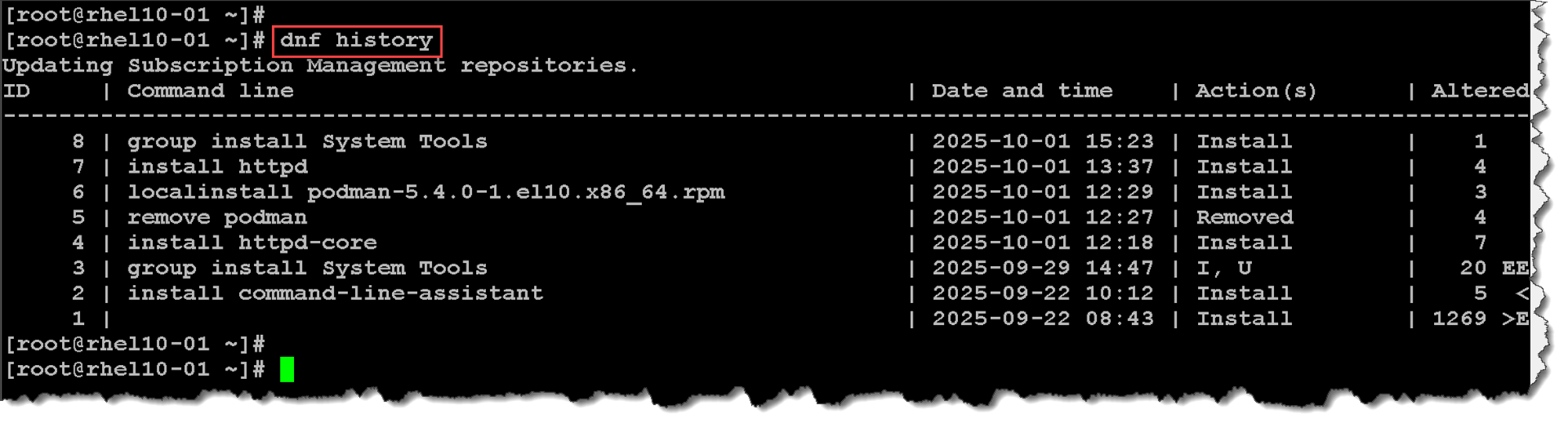
That’s it for now 🙂
