Integrating NSX with LDAP is an article that explains how to configure an LDAP server, such as Active Directory, as an authentication provider for the NSX Management Cluster. This integration allows administrators to use centralized directory services for user authentication and access management.
LDAP (Lightweight Directory Access Protocol) is a standard protocol used to access and manage distributed directory services. In an enterprise environment, LDAP can store information about users, groups, and other network resources that can be used by solutions such as VMware NSX.
In this guide, we will show the authentication process between NSX Manager and an LDAP server, including how to add an identity source, configure Active Directory over LDAP, and assign roles to users or groups for NSX Manager access.
About LDAP
I believe there are a lot of materials on the Internet about LDAP. The LDAP is an acronym for Lightweight Directory Access Protocol. Is an Internet protocol for accessing and managing distributed directory services.
Distributed directory services store information about users and groups, the network infrastructure, and network services.
NSX supports the following directory services or identity sources:
- Active Directory over LDAP
- OpenLDAP
The Authentication Process with LDAP
Basically, LDAP authentication operates as follows:
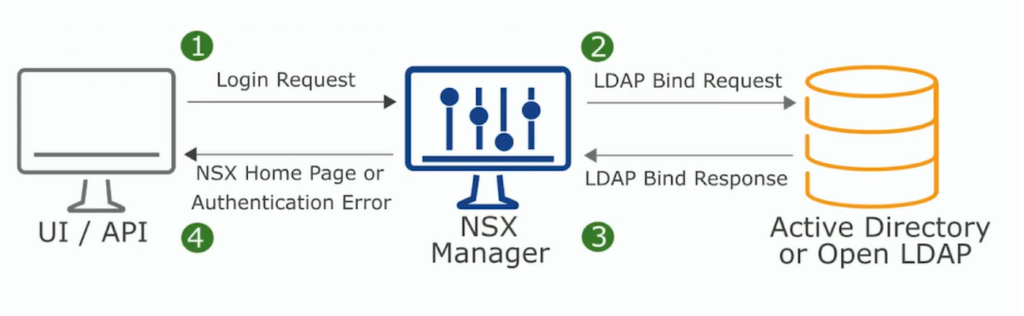
1- The end user requests the login.
2- The NSX Manager receives this request and redirects it to the LDAP server configured as an Authentication Provider (LDAP Bind Request).
3- The LDAP server responds to the NSX Manager (LDAP Response).
4- The end user is able to access or not the NSX Manager page (based on the user credentials and user roles/permissions).
Adding the Active Directory as an Identity Source
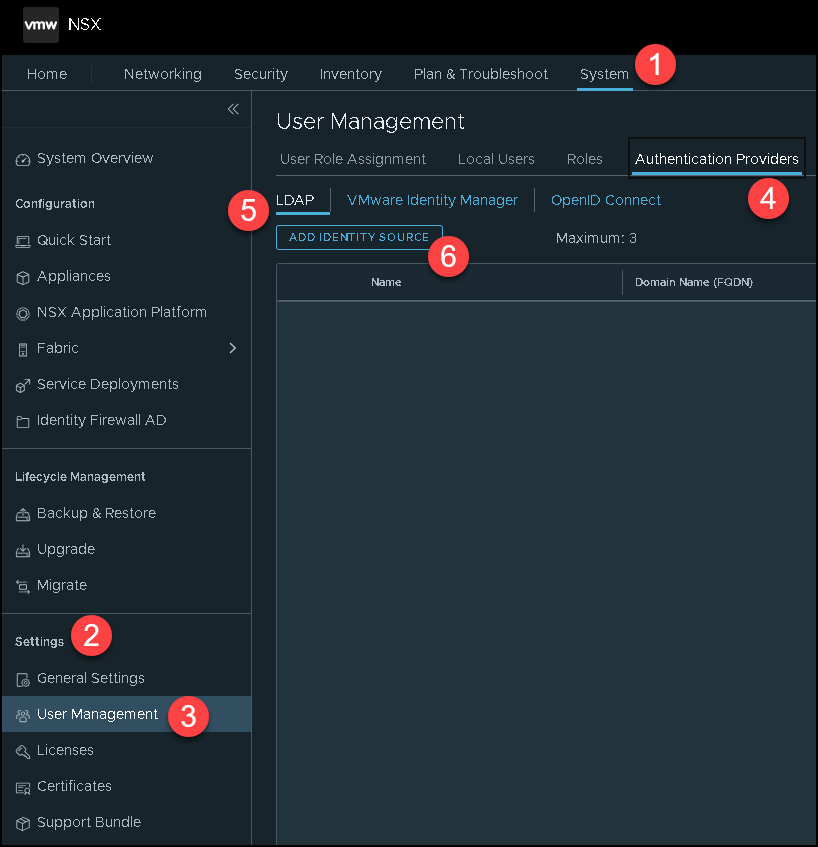
First things first, we need to add our Active Directory as an Identity Source. We can do that by accessing the following menu:
System –> Settings –> User Management –> Authentication Providers –> LDAP –> ADD IDENTITY SOURCE
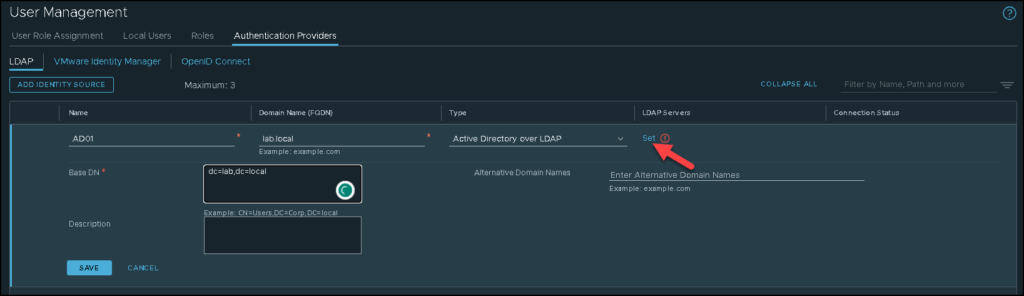
Type the name of the Identity Source, the domain name, and the type of the Identity Source.
Look that in our lab, we are using the Active Directory over LDAP. Under LDAP Servers, click on “SET” to specify details of the LDAP Server:
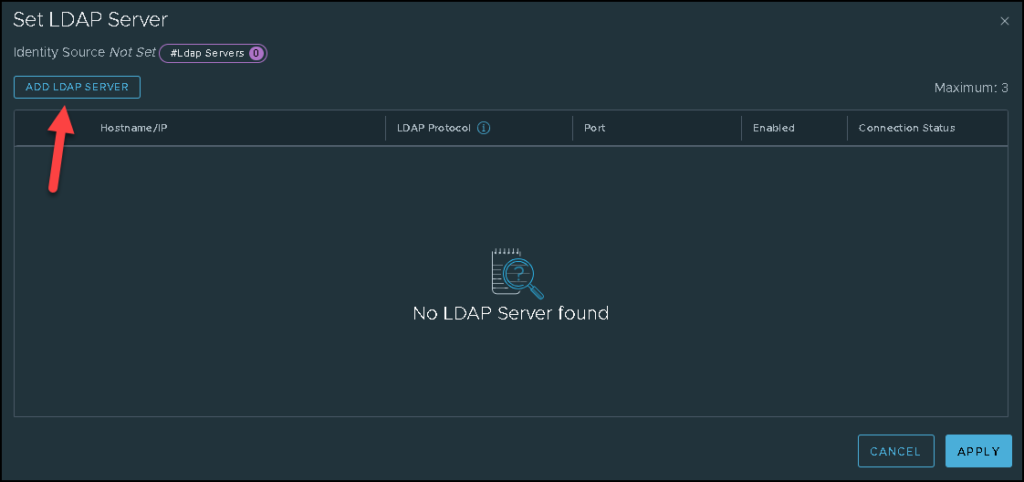
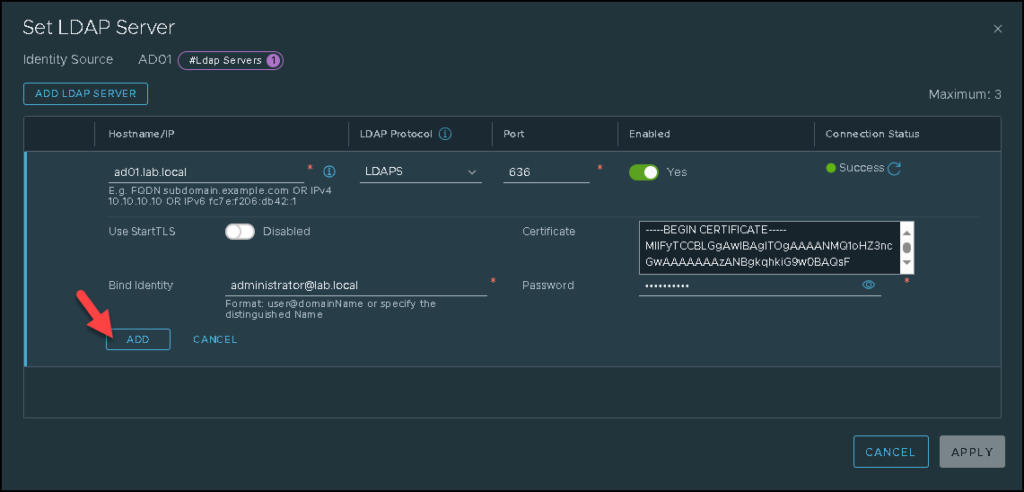
In our example, the FQDN of the AD server is “ad01.lab.local”.
We are using the LDAPS as an LDAP protocol. Using LDAPS, you must specify the AD certificate. But, if you do not want to use LDAPS, change the LDAP Protocol to LDAP.
Type the credential that will be used to talk with the LDAP server and click on ADD:
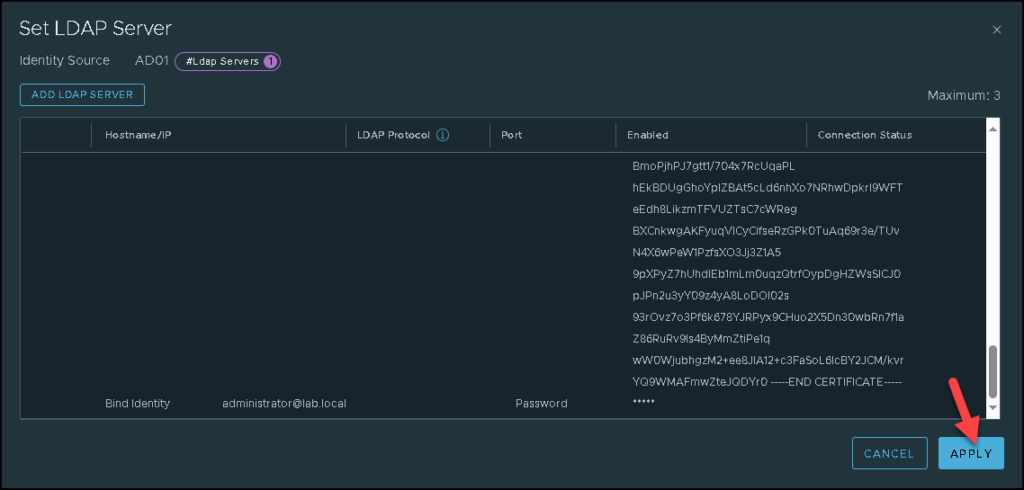
Click on SAVE to finish the configuration wizard:
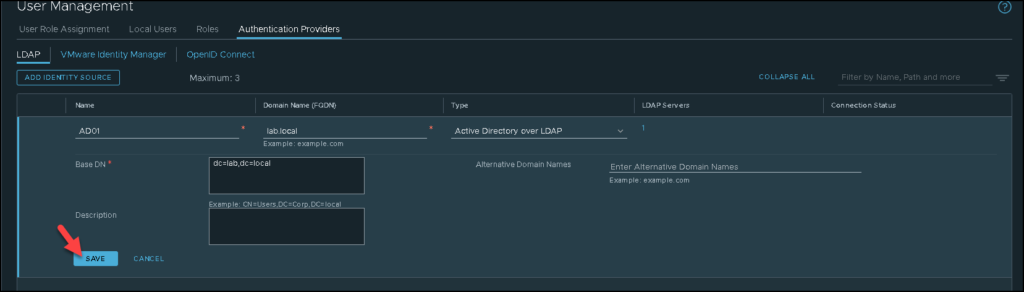
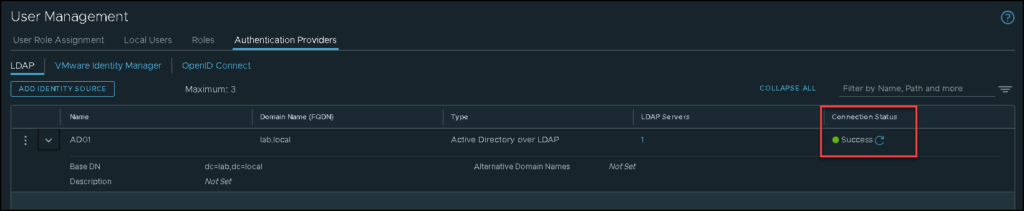
So, at this point, our LDAP server has been added successfully. We can just click on “Check Status” to check the connectivity between the NSX Manager with the LDAP Server:

If you receive something different from “Success”, back and check all configurations again:
User Role Assignment
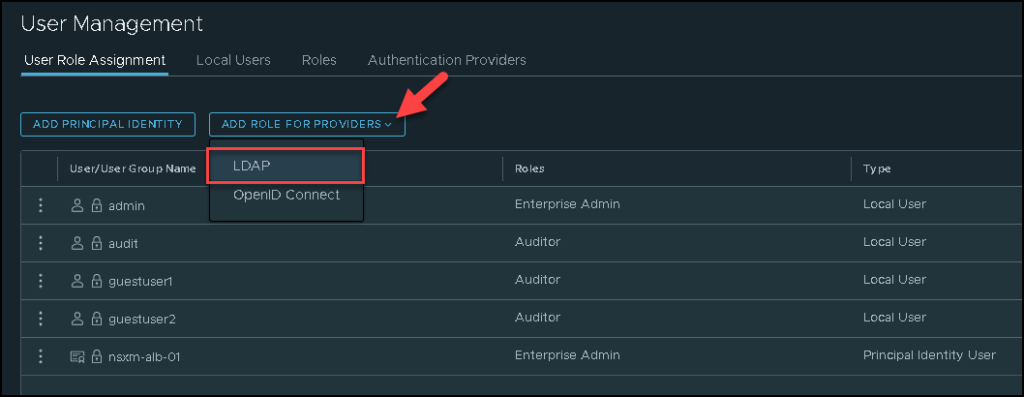
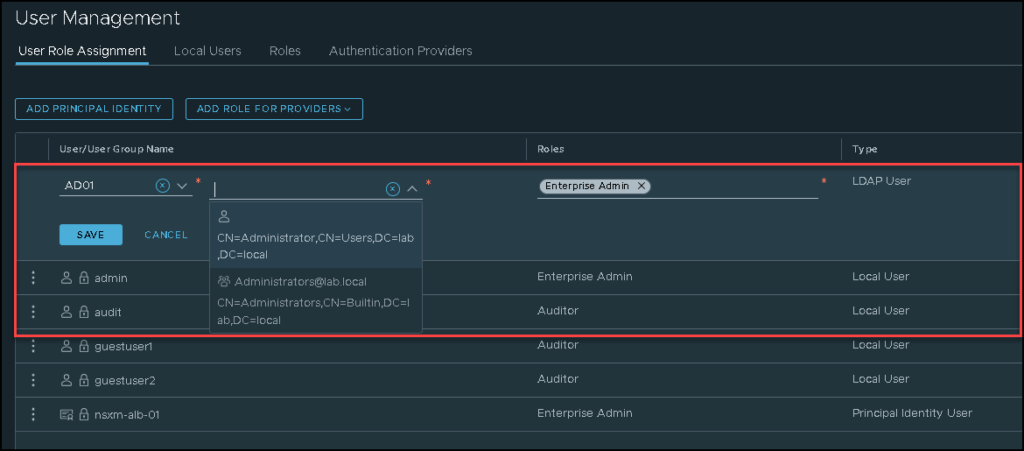
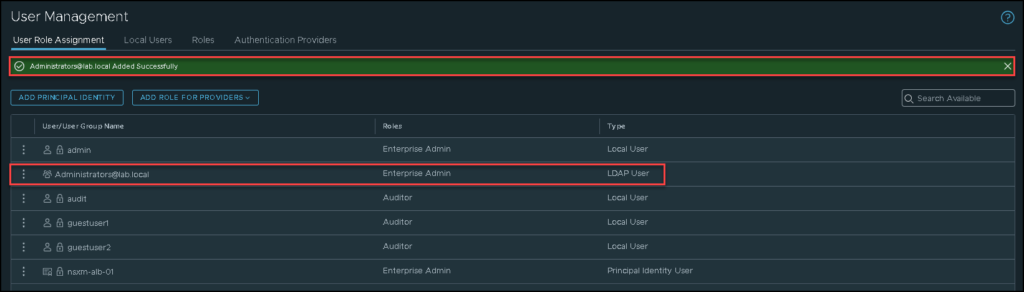
To access the NSX Manager, we need to make a user role assignment. Follow the next pictures to do that:
Here, we need to select the user or group of users and assign the Roles.
Important: The Enterprise Admins role has all the power inside the NSX Manager. Be careful of using this Role.
Accessing the NSX Manager with an AD Credential
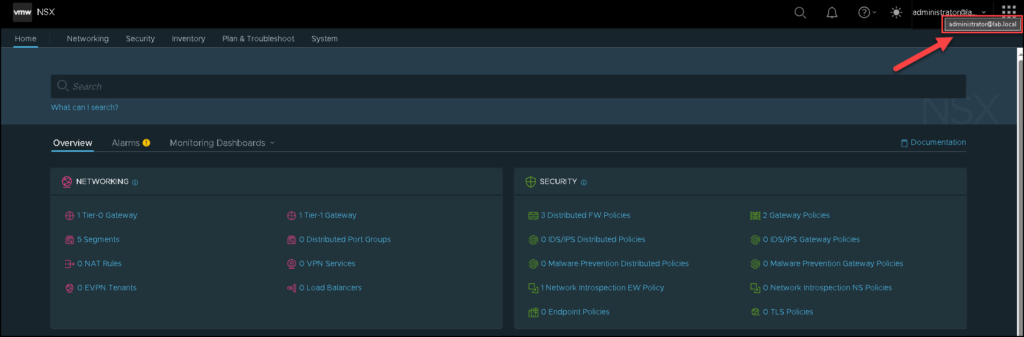
Here, we can access the NSX Manager GUI using the credentials from the LDAP/AD server.
In this case, we need to type the credential in the format below:
user@domain

Example:

administrator@lab.local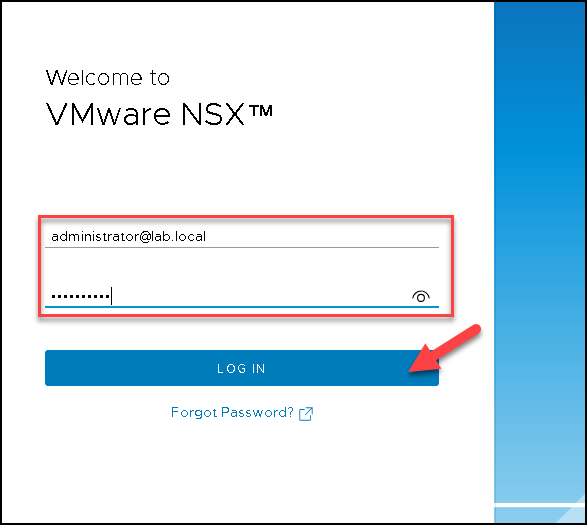
There we go 🙂