

The VM Acropolis Command-Line Interface (aCLI) Overview is an article that demonstrates some useful commands for managing Virtual Machines (VMs) in a Nutanix Cluster.
Acropolis provides a command-line interface for managing hosts, networks, snapshots, and VMs. This article will show specific commands to manage Virtual Machines (VMs).
First and foremost, How can I access the Acropolis Command Line?
To access the Acropolis CLI, log on to a Controller VM (CVM). You can choose to log in to any controller VM.
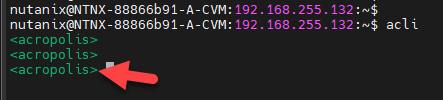
Access it by SSH and type “acli” at the shell command line. You will notice that the command line will be changed to “acropolis” mode, as we can see in the following picture:
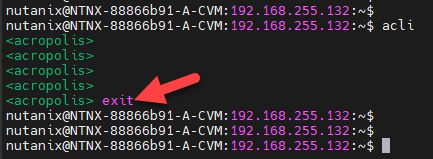
To exit the “acli” mode, type “exit”:
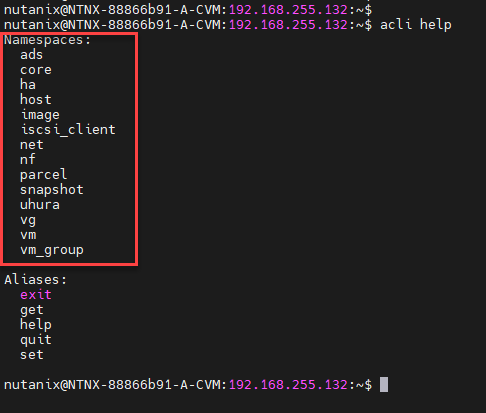
In the “acli” command, there are several “namespaces”. We can understand the “namespaces” as cluster properties or functions to explore. To see all available namespace, we can type “acli help”, as we can see in the following picture:
To get details of each namespace, we highly recommend to the check the following documentation:
Note: This article will show some namespaces with examples. To check the full namespaces and their operations, access the above link!
acli vm
To list all guest VMs, type the following command:
acli vm.list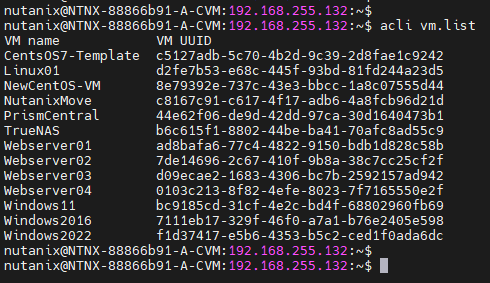
However, this command only gets all Guest VMs independently if the VM is powered on or powered off.
To get only the powered-on VMs (in this example, we do not have any powered-on VM):
acli vm.list power_state=on
To get all powered-off VMs:
acli vm.list power_state=off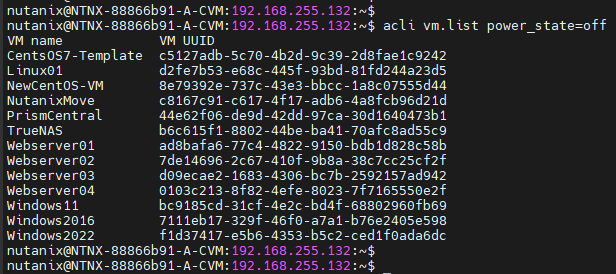
To power on a specific VM (in this example, “PrismCentral” is the VM name grabbed from the previous command):
acli vm.on PrismCentral
Afterward, we can apply the command to check the powered-on VMs to check the running VMs (look that we can see the VM that we have powered on):
acli vm.list power_state=on
To list the disk for a specific VM (change the “PrismCentral” to your VM name):
acli vm.disk_list PrismCentral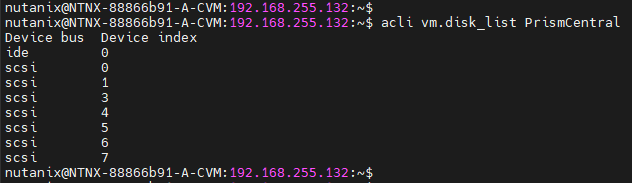
To get details for each VM disk:
acli vm.disk_get PrismCentral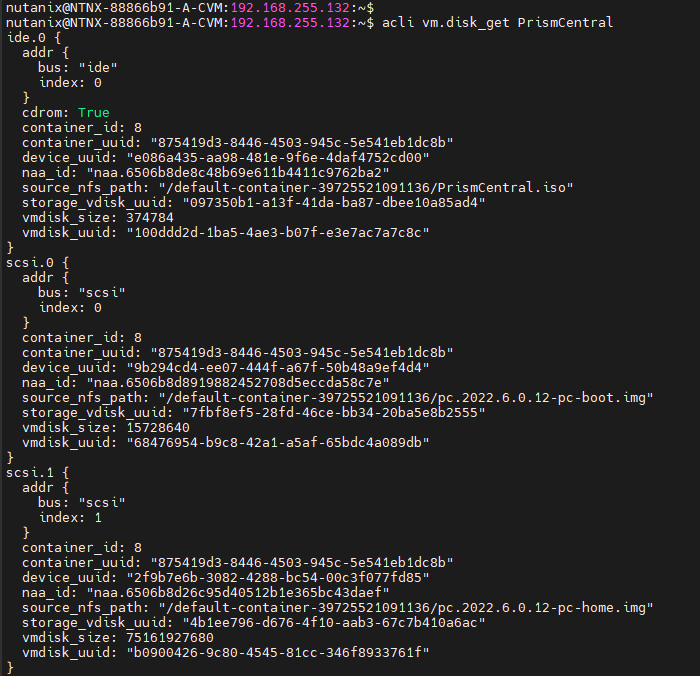
The output is too long and was cut!
To list the NIC list for a specific VM:
acli vm.nic_list PrismCentral
To get details for each VM nic:
acli vm.nic_get PrismCentral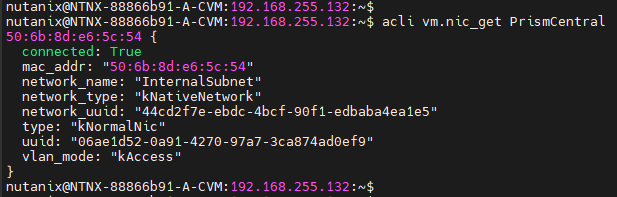
To safely shut down a VM, we can use the following command:
acli vm.shutdown PrismCentralThe “vm.shutdown” sends an ACPI command to shut down a VM safely:

After some seconds, we can confirm if the VM was shut down:
acli vm.list power_state=off
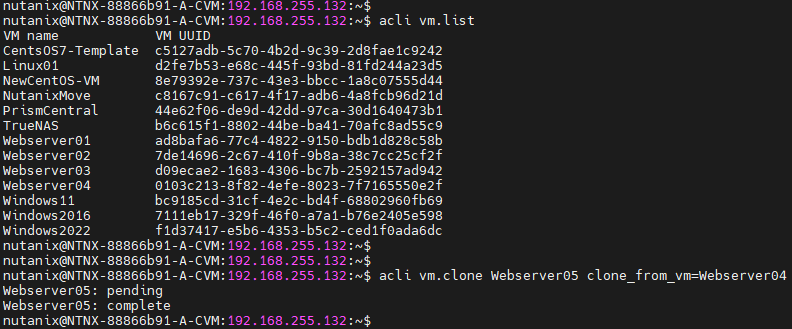
To create a new virtual machine by cloning it from a source VM:
#Grab the source VM name that we want to clone from:
acli vm.list

#Create a new VM based on the source VM:
acli vm.clone WebServer05 clone_from_vm=Webserver04
Where, in this example:
– Webserver05: Name for the new virtual machine (target VM for the clone process);
– Webserver04: Name for the source virtual machine.
To get all the details of a created VM:
acli vm.get Webserver05 | less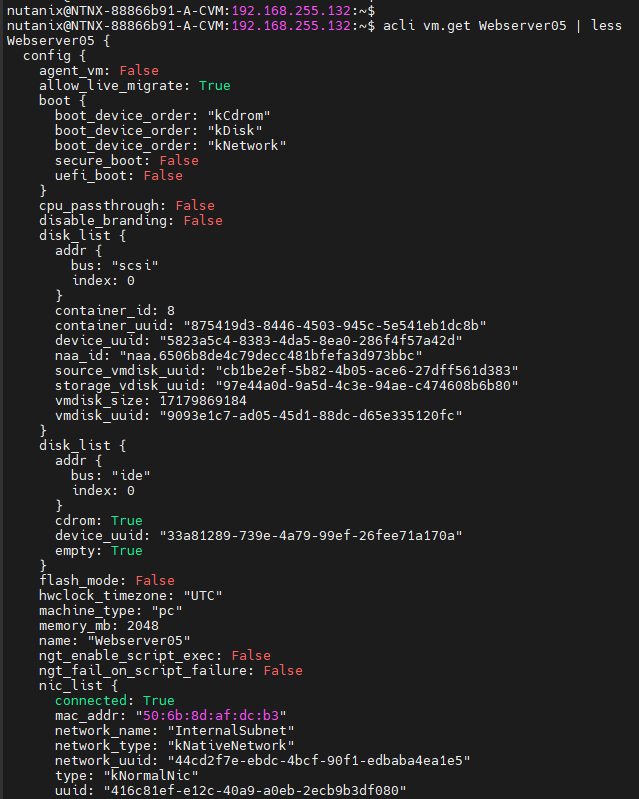
Managing snapshots is another essential task for any virtualization administrator. With aCLI, an administrator can create, restore, and delete a VM snapshot.
To create a VM snapshot, we can use the following command:
acli vm.snapshot_create PrismCentral snapshot_name_list=Before-PatchingWhere, in this example:
– PrismCentral: VM name
– Before-Patching: Snapshot Name

To get the snapshot list for all VMs, we can execute:
acli snapshot.list
If you need to get all snapshots for a specific VM:
acli vm.snapshot_list PrismCentral
To delete a VM snapshot, we can list all snapshots for a specific VM and then delete the desired snapshot using the snapshot name:
#List all VM snapshots:
acli vm.snapshot_list PrismCentral

#Delete a specific VM snapshot:
acli snapshot.delete Before-Patching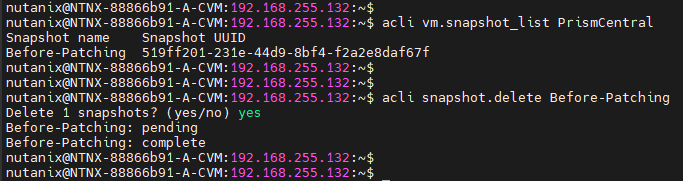
To Wrapping This Up
So, the Acropolis Command Line is an essential tool that all Nutanix administrators must know. As we told us before, several “acli” namespaces exist beyond the “VM” namespace. As we have been writing this article, we have been using the following link (you can check more operations from the “VM” namespace and other namespaces):
